EasyManua.ls Logo

Onkyo DR-2000 - User Manual

Onkyo DR-2000
72 pages
Print Icon
To Next Page IconTo Next Page
Loading...
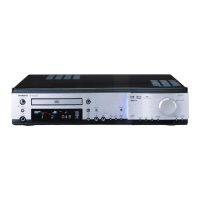
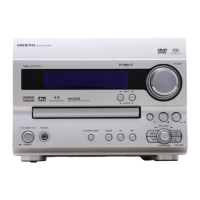
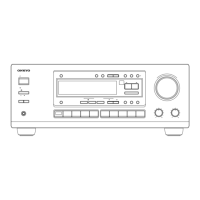
DVD Receiver
DR-2000
Instruction Manual
Thank you for purchasing the Onkyo DVD Receiver.
Please read this manual thoroughly before making
connections and turning on the power.
Following the instructions in this manual will enable
you to obtain optimum performance and listening
enjoyment from your new DVD Receiver.
Please retain this manual for future reference.
Contents
Getting Started
Basic Operation
Before Using Your DVD Receiver 2
Other
Additional Operation
Advanced DVD/VIDEO CD/
Audio CD Operation

Questions and Answers

  • J
    jessicamorganSep 9, 2025
    Why doesn’t playback follow disc programs on my Onkyo Receiver?
    • S
      Sarah GuzmanSep 10, 2025
      If playback doesn’t follow the course of the disc’s programs on your Onkyo Receiver, resume normal playback. This issue occurs when the DVD Receiver is in repeat playback mode, memory playback mode, or random playback mode, etc.
  • J
    John MilesSep 12, 2025
    Why doesn't the DVD Receiver picture appear on the TV screen with my Onkyo?
    • W
      Whitney SharpSep 12, 2025
      If the picture from the DVD Receiver doesn’t appear on the TV screen, set the TV to the DVD Receiver’s input.
  • G
    Gloria MannSep 14, 2025
    Why are there no preset channels selected on my Onkyo Receiver?
    • R
      Ronnie KennedySep 14, 2025
      If no preset channels are selected on your Onkyo Receiver, the preset data in memory is lost because the power cord was unplugged, or the main power was switched off for a long time. Preset the radio stations again.
  • B
    Bryan GarzaSep 16, 2025
    Why is sound reproduced from speakers but not recorded on my Onkyo Receiver?
    • L
      Lori FoxSep 16, 2025
      If sound is reproduced from the speakers but not recorded, and you are trying to record DTS Surround, note that DTS Surround sound is unable to be recorded regardless of the sound signal conversion method. Also, check the current sound signal conversion method and select the right one for recording.

Summary

Getting Started

Connecting to TV and Audio;Video Equipment

Steps for connecting the DVD Receiver to a television and external audio/video devices.

Speaker Setup and Connection

Guidance on speaker placement, connecting speakers, and RI connection.

Power Connection and Initial Setup

Steps to connect power and perform initial receiver setup.

Speaker Configuration and Adjustment

Guide for configuring speaker systems, distances, and volume balance.

Basic Operation

Playing Discs

Steps for inserting a disc and starting playback of DVD, VCD, or CD.

Playing Connected Sources

Selecting and playing external audio/video sources.

Advanced DVD;VIDEO CD;Audio CD Operation

Sound Signal Conversion and Display

Configuring audio output and viewing disc information.

Customizing Function Settings

Adjusting system preferences for language, picture, audio, display, and operation.

Additional Operation

Enjoying the Sound Effects

Other

Troubleshooting

Guide to diagnosing and resolving common operational problems.

Onkyo DR-2000 Specifications

General IconGeneral
TypeReceiver
Tuning rangeFM, MW
Audio Channels2
Total Harmonic Distortion0.08%
Input Sensitivity2.5mV (MM)
Input ConnectionsCD, tape, phono
Output Connectionstape
Speaker load impedance4Ω to 16Ω

Related product manuals