EasyManua.ls Logo

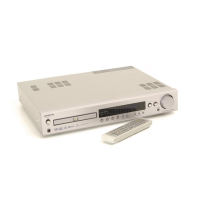
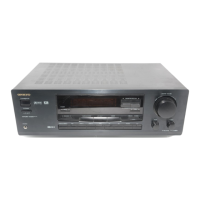
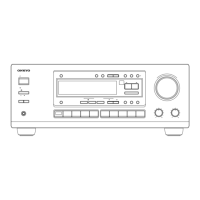
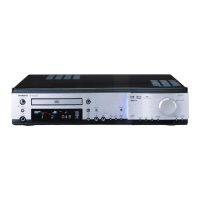
Onkyo DR-S2.2 - User Manual

Onkyo DR-S2.2
88 pages
Print Icon
To Next Page IconTo Next Page
Loading...
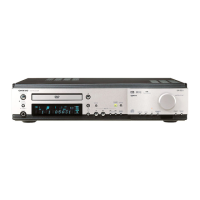
DVD Receiver
DR-S2.2
Instruction Manual
Thank you for purchasing the Onkyo DVD Receiver.
Please read this manual thoroughly before making
connections and turning on the power.
Following the instructions in this manual will enable
you to obtain optimum performance and listening
enjoyment from your new DVD Receiver.
Please retain this manual for future reference.
Contents
Getting Started
Setup
Before Using Your DVD Receiver 2
Other
Advanced Operation
Basic Operation

Table of Contents

Other manuals for Onkyo DR-S2.2

Questions and Answers

  • A
    Anthony OliverAug 19, 2025
    How to fix an Onkyo DR-S2.2 that doesn't switch on?
    • F
      fischerarthurAug 19, 2025
      If your Onkyo Receiver isn't turning on, check the following: * Make sure the power cord is properly connected. * Ensure the main power switch is turned on. * Try switching the main power off and on again to address potential external interference. If that doesn't work, disconnect the power cord and reconnect it.
  • J
    james97Aug 21, 2025
    Why is there no sound coming from my Onkyo DR-S2.2 Receiver?
    • R
      Ryan SanchezAug 21, 2025
      If no sound is coming from your Onkyo Receiver, check these possible causes: * Ensure the muting function is deactivated. * Verify all connections to the DVD Receiver are correct. * If headphones are connected, disconnect them and lower the volume.
  • K
    Kevin GonzalezAug 23, 2025
    What to do if there is no sound from Onkyo Receiver?
    • J
      Jeremy ThompsonAug 25, 2025
      If there is no sound from your Onkyo Receiver, check if the pause mode is engaged and, if so, exit the pause mode. Also, verify that the volume level of the TV or amplifier is not set to minimum and increase it if necessary.
  • J
    Jamie FlemingAug 26, 2025
    What to do if the buttons on the Onkyo Receiver and remote don't work?
    • L
      Leslie GrantAug 26, 2025
      If the buttons on your Onkyo Receiver and its remote are unresponsive, power supply fluctuations or static electricity might be interfering with its operation. Try switching off the main power, then switch it on again. If that doesn't work, disconnect the power cord, then reconnect it.
  • J
    Jack StoneAug 28, 2025
    Why is there no or very little sound from the center speaker on my Onkyo DR-S2.2 Receiver?
    • M
      Michael MillerAug 28, 2025
      If you're experiencing little to no sound from the center speaker of your Onkyo Receiver, check these items: * Ensure the speaker connections are correct. * Note that no sound is produced from the center speaker when the listening mode is set to 'Stereo' or 'Orchestra'. * Verify the center speaker's volume level is not set to minimum and adjust it accordingly. * Confirm that the selected speaker configuration includes the center speaker.
  • A
    Ashley ScottAug 30, 2025
    How to reduce noise on my Onkyo DR-S2.2?
    • B
      Beverly WrightAug 30, 2025
      To address noise or interrupted sound on your Onkyo Receiver, especially if the FM ST indicator isn't steady: * Try switching the frequency receiving mode to mono, as FM stereo waves can produce a hiss. * Adjust the position, height, and direction of the FM antenna.
  • A
    Ashley JohnsonSep 1, 2025
    What to do if no picture appears on the TV screen from my Onkyo Receiver?
    • A
      Andrew WilliamsSep 2, 2025
      If you're not seeing a picture on your TV screen from the Onkyo Receiver, ensure that the TV is set to the correct input for the DVD Receiver. Also, verify that the video connection cable is securely connected between the DVD Receiver and the TV. If you're only using an S-video connection, make sure you also have a standard video connection.
  • J
    John PalmerSep 4, 2025
    Why doesn't the picture from my Onkyo DR-S2.2 Receiver appear on the TV screen?
    • M
      martin39Sep 4, 2025
      If the picture from your Onkyo Receiver isn't showing on the TV screen, the TV might not be set to receive the input from the DVD Receiver. Set the TV to the correct input. Also, double-check that all connections to the DVD Receiver are properly connected.
  • J
    joshua24Sep 6, 2025
    What to do if my Onkyo DR-S2.2 does not start playback?
    • T
      Timothy LeeSep 6, 2025
      If your Onkyo Receiver isn't starting playback, consider the following: * Make sure a disc is inserted correctly, and that the DVD, VCD, or CD indicator is lit on the receiver's display. * Confirm the inserted disc is playable. * Ensure the disc is placed with the playback side down and within the disc tray guide. * If the disc is dirty, eject and clean it. * Check if the parental lock function is activated and, if so, deactivate it or change the parental lock level.
  • A
    Alex NewmanSep 8, 2025
    Why does the disc tray on my Onkyo DR-S2.2 automatically come back out?
    • D
      Dr. Allen PalmerSep 8, 2025
      If the disc tray of your Onkyo Receiver automatically reopens, it might be due to the disc not being placed correctly. Use the disc tray guide to align the disc. The disc might also be dirty or warped.

Summary

Important Safeguards

Precautions

Model-Specific Safety Information

Safety guidelines tailored for U.S., Canadian, and British models, ensuring compliance and safe operation.

Operational and Handling Precautions

Guidelines on disc handling, power, location, care, and general usage to prevent damage and ensure functionality.

European Model Safety Information

Safety guidelines specific to European models, covering operation and handling.

Disc and Unit Handling Precautions

Rules for handling discs, AC fuse, power, and unit placement to ensure safe operation.

Performance and Maintenance Tips

Advice on obtaining clear pictures and notes on moisture condensation to maintain performance.

Product Features

Receiver and Player Capabilities

Details on the amplifier's power output, digital decoders, and the DVD/CD player's format compatibility.

Additional Features

Highlights of the remote control functionality and memory preservation system for enhanced user experience.

Supplied Accessories

Disc Handling and Information

Disc Types and Compatibility

Information on playable discs (DVD, VCD, CD, MP3), compatibility notes, and copyright information.

Disc Care and Storage

Instructions on how to handle, clean, and store discs to prevent damage and ensure optimal playback.

Disc Composition Structure

Explains how DVDs, Video CDs, CDs, and MP3s are divided into titles, chapters, tracks, and folders.

Parts and Controls Overview

Front Panel Controls

Identification and function of buttons and indicators on the DVD Receiver's front panel for user interaction.

Display Indicators

Explanation of the various indicators on the DVD Receiver's display panel and their meanings during operation.

Remote Controller Functions

Detailed breakdown of the remote controller's buttons and their corresponding functions for operating the DVD Receiver.

Rear Panel Connections

Diagram and explanation of all input and output terminals on the rear of the DVD Receiver for connectivity.

Remote Controller Preparation

Battery Installation and Mode Selection

Guide to inserting batteries and switching the remote controller's operating mode for different components.

Proper Usage Guidelines

Instructions on pointing the remote correctly and placement advice to ensure effective operation.

Connecting to a TV

Non-European Models

Steps for connecting the DVD Receiver to a TV or projector using audio/video and S-video cables.

European Models

Instructions for connecting the DVD Receiver to a TV using the SCART cable for composite, S-Video, or RGB signals.

Connecting Speakers

North American;South American Models

Detailed guide for connecting the main speaker system (SPEAKERS A) to the receiver.

Other Models

Steps for connecting front, center, and surround speakers to the receiver's speaker terminals.

Speaker Positioning

Standard Speaker Placement Guidelines

Recommendations for optimal speaker placement to achieve the best surround sound experience.

North American;South American Model Configurations

Explains the configuration of SPEAKERS A and B systems and their sound reproduction capabilities.

Connecting Audio;Video Equipment

Connecting External Components

Steps for connecting various audio/video sources like VCR, CD Recorder, and digital tuners to the receiver.

Power Management (IPM Function)

How to use the IPM system to automatically turn the unit on/off with the TV's power switch.

RI Connection for External Components

Antenna Connections

Indoor Antenna Setup

Instructions for connecting the supplied FM and AM indoor antennas, including positioning.

Outdoor Antenna Connection

Guidance on connecting an AM outdoor antenna for better reception and safety considerations.

FM Outdoor Antenna Connection

Steps for connecting an FM outdoor antenna using a coaxial cable adapter for improved reception.

Directional Linkage for Signal Splitting

Information on using a directional linkage type splitter for common FM/TV antenna use.

Powering On and System Setup

Connecting Power and Initial Power On

Procedure for connecting the power cord and turning the unit on for the first time.

Setting the TV System Output

How to select the appropriate TV system (AUTO, NTSC, PAL) for optimal picture display.

Initial Setup (Setup Navigator)

Using the Setup Navigator

Step-by-step guide to using the on-screen Setup Navigator for initial configuration of the DVD Receiver.

Configuring Display and Language Settings

Setting the On-Screen Display (OSD) language and the TV screen size/aspect ratio for optimal viewing.

Speaker Configuration

North American;South American Models

Guide to setting up speaker configurations (channels) for SPEAKERS A and B systems on specific models.

Other Models

Instructions for setting speaker configurations for models other than North American/South American.

Subwoofer Mode Selection

Speaker Distance Setup

Speaker Volume Calibration (Test Tone)

Basic Playback Operations

Playing Discs (DVDs, VCDs, CDs, MP3 s)

Instructions on how to load and play various types of discs, including navigating menus.

Playback Navigation (Skip, Scan, Resume, Stop)

How to control playback using functions like skipping, scanning, resuming from stops, and stopping playback.

Radio Tuning

Manual and Preset Station Tuning

Steps for manually tuning radio stations and storing them as presets for easy access.

RDS Reception and Radio Functions

Information on RDS (Radio Data System) reception and other radio-related functions.

Playing Connected Sources

Operating Other Components via Remote

Common Source Functions

Speaker System Control (Volume, Mute, Headphones)

How to manage speaker systems, adjust volume, mute sound, and use headphones with the receiver.

Display and Sleep Timer Settings

Adjusting the display brightness and setting the sleep timer for convenient operation.

Sound Effect Modes (DSP, Surround)

Dolby Digital, DTS, and Pro Logic II Surround

Explains the surround sound systems (Dolby Digital, DTS, Pro Logic II) the receiver can reproduce.

Theater-Dimensional Mode Features

Details on the Theater-Dimensional mode and its features for virtual surround sound.

Theater-Dimensional Mode Operations

Activating and Adjusting Theater-Dimensional Mode

Steps to activate and customize Theater-Dimensional mode for enhanced virtual surround sound effects.

Advanced Sound Effects

Dolby Pro Logic II and DSP Mode Selection

How to select different sound modes like Dolby Pro Logic II and various DSP modes for audio playback.

Speaker Volume Adjustment (Temporary)

Temporarily adjusting individual speaker volume levels for personalized listening experiences.

Special Sound Functions (Late Night, Bass Boost)

Using functions like Late Night mode for low-volume listening and Bass Boost for enhanced sound.

Still Frame and Slow Playback

Viewing Still Frames and Slow Playback

How to view DVD and Video CD images in still frame or at slow speeds for detailed analysis.

Returning to Normal Playback

Steps to resume normal playback after using still frame or slow playback modes.

Locating Content on Discs

Disc Search Functions

Methods for searching titles, chapters, tracks, or specific times on DVDs, CDs, and MP3s.

MP3 Navigator Usage

Guide to using the MP3 Navigator for easier track selection and program list management.

Repeat Playback Modes

Repeating Disc, Title, Folder, Chapter, or Track

How to set repeat playback for entire discs, titles, chapters, or individual tracks.

Repeating Specific Segments (A-B Repeat)

Instructions for setting A-B repeat to loop a specific segment of audio or video content.

Canceling Repeat Playback

How to disable repeat playback modes and return to normal sequential playback.

Random Playback

Playing Content in Random Order

How to play tracks, chapters, or titles in a random sequence for varied listening or viewing.

Stopping Random Playback

Steps to cancel random playback and return to normal sequential playback order.

Programming Playback Order (Favorites)

Programming DVDs, VCDs, CDs, and MP3 s

How to create custom playback sequences for DVDs, VCDs, CDs, and MP3s by selecting titles, chapters, or tracks.

Managing Programmed Content

Options for confirming, adding, deleting, or inserting items within a programmed playback sequence.

Selecting Camera Angles

Viewing from a Desired Camera Angle (Multi-Angle)

How to select different camera angles on DVDs that support the multi-angle feature.

Checking Disc Angle Support

How to determine if a disc has multiple camera angles and how to manage the angle indicator display.

Language Selection (Audio;Subtitle)

Audio Language and Subtitle Language Preferences

How to select desired audio languages and subtitle languages for DVD playback.

Changing Audio Type

How to switch audio output between stereo, left channel mono, and right channel mono for CDs and MP3s.

Viewing Disc Information

Displaying Disc Information During Playback

How to view details like track number, elapsed time, and remaining time for DVDs, VCDs, CDs, and MP3s.

Displaying Disc Information When Stopped

How to view disc details like track number, folder name, and remaining time when playback is stopped.

Customizing Function Settings: Video

Setup Menu Navigation

General procedure for navigating and using the setup screen menus to adjust various settings.

TV Screen Size and Format

How to set the TV screen size (4:3 or 16:9) and aspect ratio for optimal picture display.

Video 1 Output Options

Settings for component video output (Interlace, Progressive) and AV connector output formats (Video, S-Video, RGB).

Video Quality Adjustments

How to select preprogrammed settings or create custom picture quality adjustments (DNR, Sharpness, Detail, etc.).

Video 2 Options

Settings related to background display, paused image type, on-screen display position, and angle indicator.

Customizing Function Settings: Language

OSD and Audio;Subtitle Language Preferences

How to set the On-Screen Display language and preferred audio/subtitle languages for DVDs.

DVD Menu Language and Auto Language Settings

How to select the DVD menu language and configure Auto Language for automatic subtitle/audio selection.

Subtitle Display Options

How to turn subtitles on/off, display assist subtitles, or force subtitles for specific DVDs.

When [Other] Language is Selected

Instructions for selecting a language from a list or by code for audio or subtitle preferences.

Language Code List

Parental Lock Settings

Password and Level Management

How to set, change, and manage the parental lock password and level for content restrictions.

Country Code Setting

How to set the country code for disc compatibility and parental lock functions.

Recording with Connected Equipment

Basic Recording Procedure

Step-by-step guide for recording audio and video from discs or connected sources to external equipment.

Digital and Analog Recording Methods

Explains digital and analog recording processes, including signal conversion and format limitations.

Remote Controller Learning Function

Learning a Pre-programming Code

How to teach the remote controller to operate other devices by learning their infrared commands.

Controlling VCR and TV

Instructions for operating a VCR or TV using the remote controller's learning or pre-programmed functions.

Programming Commands into the Remote Controller

Detailed steps for transferring commands from one remote to another onto the RC-484M.

Erasing Programmed Commands

How to erase individual commands or all programmed commands from the remote controller.

Troubleshooting Guide

Common Issues and Solutions

A table addressing common problems with the DVD Receiver and its connected components, with potential causes and remedies.

Specifications

Technical Specifications Overview

Detailed technical specifications for the amplifier, DVD section, tuner, and general operational parameters.

Onkyo DR-S2.2 Specifications

General IconGeneral
TunerAM/FM
Input Sensitivity200mV (line)
Signal to Noise Ratio80dB (line)
TypeReceiver
Total Harmonic Distortion0.08%
Frequency Response10 Hz - 100 kHz

Related product manuals