EasyManua.ls Logo

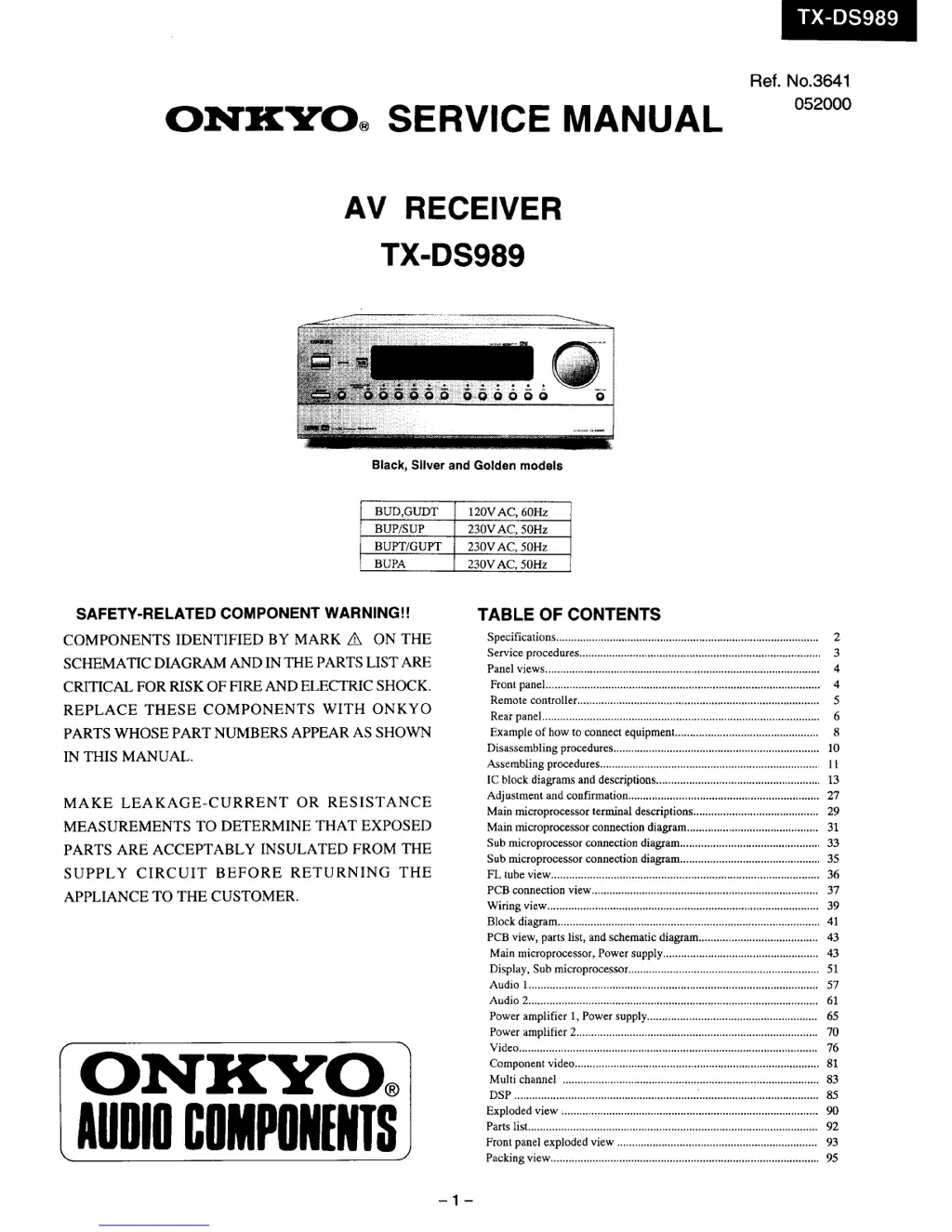
Onkyo TX-DS989 - Service Manual

Onkyo TX-DS989
44 pages
Print Icon
To Next Page IconTo Next Page
Loading...

Other manuals for Onkyo TX-DS989

Questions and Answers

  • F
    Francisco GravesAug 14, 2025
    What to do if my Onkyo TX-DS989 turns on but there is no sound?
    • J
      Jaclyn JenkinsAug 14, 2025
      If your Onkyo Receiver powers on but produces no sound, there might be several reasons: * The “Muting” function could be activated. Deactivate it by pressing the MUTING button on the remote controller. * There might be bad connections or wiring. Check all connections and speaker cables. * The amplifier protection circuitry could be activated. In this case, contact your Onkyo Service Center.
  • A
    andersonstephenAug 18, 2025
    Why does my Onkyo TX-DS989 Receiver have no power?
    • K
      kelliebeardAug 18, 2025
      If your Onkyo Receiver has no power, it could be due to a few reasons: * The power cord may be disconnected. Ensure the power cord is properly connected. * External noise might be affecting the internal microcomputer. Try turning the power off and then on again, or unplug the power cord from the outlet and then plug it back in. * The internal fuse may be blown. If this is the case, contact your Onkyo Service Center.
  • M
    Matthew KingAug 21, 2025
    What to do if my Onkyo TX-DS989 Receiver power shuts off immediately after powering on?
    • S
      Sandra RiveraAug 21, 2025
      If your Onkyo Receiver shuts off immediately after being turned on, the amplifier protection circuitry may have been activated. Immediately remove the power cord from the outlet and contact your Onkyo service center.
  • D
    Derek ClarkAug 25, 2025
    Why is there no sound from the playback source on my Onkyo TX-DS989 Receiver?
    • V
      Victoria MasonAug 26, 2025
      If you are not hearing the sound from the playback source on your Onkyo Receiver, consider the following: * The input selector may not be set properly. Ensure it is set to the correct input source. * Headphones may be connected. Lower the volume and disconnect the headphones. * The speaker cable might not be connected. Check the connection between the amplifier and the speaker. * The listening mode may be set to Stereo or Direct. Set the listening mode to any mode other than Stereo or Direct. The output to the center speaker may differ depending on the listening mode. * The CENTER level might be set to minimum. Set the CENTER level to the appropriate volume. * The CENTER SPEAKER may be set to “None.” Set CENTER SPEAKER to “Large” or “Small.”
  • M
    Melissa ClarkAug 27, 2025
    How to fix low frequency humming heard from Onkyo TX-DS989 Receiver?
    • A
      Alexis AndersonAug 28, 2025
      Low frequency humming from your Onkyo Receiver can be caused by: * Not being properly grounded. Check the outer conductor of input plugs. * The turntable motor is not properly grounded. Check for a proper ground connection. * Incorrectly connected audio connection cables on the rear panel. Adjust the placement of the cable to reduce hum.
  • L
    Laurie EdwardsAug 31, 2025
    How to troubleshoot no sound or very low volume from subwoofer on Onkyo TX-DS989 Receiver?
    • E
      Erica SmithAug 31, 2025
      If you're experiencing no sound or very low volume from the subwoofer connected to your Onkyo Receiver: * Check if the subwoofer is set to “No.” in the speaker settings. * Verify the output level of the subwoofer using the test tone to ensure it is properly set.
  • T
    Thomas SmithSep 3, 2025
    What causes howling when volume is turned up on Onkyo TX-DS989?
    • T
      Tony HuntSep 3, 2025
      Howling when the volume is turned up on your Onkyo Receiver is caused by the turntable and speakers being located too close together. Move them farther apart.
  • E
    edwardsmichaelSep 6, 2025
    How to resolve rough or scratchy sound and unclear high range on Onkyo TX-DS989?
    • S
      Stacy CostaSep 7, 2025
      If you are experiencing rough or scratchy sound and unclear high range on your Onkyo Receiver, it may be due to: * Dirty or worn needles of the turntable, or a problem with a connected component. Refer to the instruction of the connected components and check for problem. * Treble control being set too high. Turn the treble down.
  • H
    hernandezwilliamSep 10, 2025
    Why is there no sound or very low volume from the center speaker on my Onkyo Receiver?
    • J
      John HamptonSep 12, 2025
      If you are experiencing no sound or very low volume from the center speaker of your Onkyo Receiver, it may be because the speaker cable is not connected. Check the connection between the amplifier and the speaker.

Summary

Safety-Related Component Warning

Critical Component Identification

Components marked with 'A' are critical for fire/shock risk; replace with specified ONKYO parts only.

Specifications Overview

Amplifier Section Specifications

Technical details for power output, distortion, input sensitivity, and damping factor.

Tuner Section Specifications

Technical details for FM/AM tuning, sensitivity, selectivity, and signal-to-noise ratio.

Remote Controller and General Specifications

Specs for remote control, power supply, consumption, dimensions, and weight.

Service Procedures and Safety

Fuse Replacement and Safety Checks

Guidelines for fuse replacement and post-service insulation resistance testing.

Unit Initialization and Memory Preservation

Steps to reset unit settings and explanation of memory backup.

System Configuration and Computer Connection

Changing AM band step and connecting via RS232C for operation.

Disassembly and Assembly Procedures

Unit Disassembly Steps

Procedures for removing covers, bottom board, rear panel, and power amplifier board.

Component Assembly Instructions

Steps for attaching door mechanisms, holders, and shaft assemblies.

Adjustment and Circuit Confirmation

Idling Current Adjustment Procedure

Method for adjusting the amplifier's idling current using a voltmeter.

Protection and Operational Circuit Tests

Confirming speaker relay, DC detection, fan, thermal protection, and memory functions.

Microprocessor Terminal Descriptions

Main Microprocessor Terminal Details

Detailed listing and function of terminals for the main microprocessor.

Sub Microprocessor Terminal Details

Detailed listing and function of terminals for the sub microprocessor.

Circuit Diagrams and Board Views

FL Tube Display Layout

Mapping of segments for the front panel FL display.

Board Interconnection Diagram

Visual guide to how internal PC boards are interconnected.

System Block Diagram

Overview of the AV receiver's functional blocks and signal flow.

Schematic Diagrams

Detailed schematics for audio, power amplifier, and multichannel input circuits.

Printed Circuit Board Parts Lists

Main Circuit Board Parts

Comprehensive component list for the main circuit PC board (NAAR-6837).

Amplifier, Video, and Input Parts

Components for amplifier driver, primary, power amplifier, video, and input terminal boards.

Miscellaneous PC Board Parts

Parts lists for other boards like video terminals and component video.

Exploded Views

Unit Exploded View

Visual breakdown of the unit's physical components and their assembly order.

Front Panel Exploded View

Detailed view of the front panel components and their assembly.

Packing and Final Sections

Consolidated Parts List

A unified list of parts, referencing PC board numbers.

Packing View

Instructions and diagrams for packing the unit and its accessories.

Onkyo TX-DS989 Specifications

Amplifier Section IconAmplifier Section
continuous average power output (FTC) at 8 ohms130 watts per channel
continuous average power output (FTC) at 6 ohms170 watts per channel
continuous power output (DIN)160 watts at 6 ohms
maximum power output (EIAJ)200 watts at 6 ohms
dynamic power output (stereo) at 3 ohms2 × 300 watts
dynamic power output (stereo) at 4 ohms2 × 230 watts
dynamic power output (stereo) at 8 ohms2 × 150 watts
total harmonic distortion at rated power0.05%
damping factor60 at 8 ohms
Input Sensitivity and Impedance IconInput Sensitivity and Impedance
phono2.5 mV, 50 kohms
line (CD, TAPE 1-2, DVD, VIDEO 1-5)200 mV, 50 kohms
multichannel input (FRONT L/C/R, SURROUND L/R, SURROUND BACK L/R)200 mV, 50 kohms
multichannel input (SUBWOOFER)36 mV, 50 kohms
amp in (FRONT L/C/R)1 V, 50 kohms
coaxial 1-5 (digital)0.5 Vp-p, 75 ohms
Output Level and Impedance IconOutput Level and Impedance
rec out (TAPE 1-2, VIDEO 1-2)200 mV, 2.2 kohms
pre out1 V, 470 ohms
zone 2 out100mV, 470 ohms
video (VIDEO 1-2, MONITOR OUT, ZONE 2 OUT)1 Vp-p, 75 ohms
Tuner Section - FM IconTuner Section - FM
tuning range87.5 — 108.0 MHz (50 kHz steps)
usable sensitivity (mono)11.2 dBf, 1.0 µV (75 ohms IHF)
usable sensitivity (stereo)17.2 dBf, 2.0 µV (75 ohms IHF)
signal-to-noise ratio (mono)76 dB
signal-to-noise ratio (stereo)70 dB
Tuner Section - AM IconTuner Section - AM
tuning range530—1, 710 kHz (10 kHz steps)
usable sensitivity30 µV
signal-to-noise ratio40 dB
General IconGeneral
power supplyAC 120 V, 60 Hz
power consumption11 A
dimensions (W × H × D)17-1/8" × 7-11/16" × 17-3/4"
weight48.5 lbs.

Related product manuals