EasyManua.ls Logo

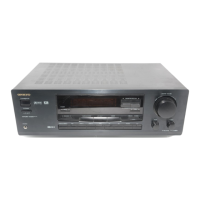
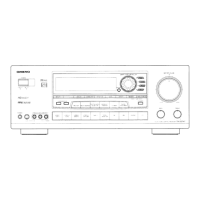
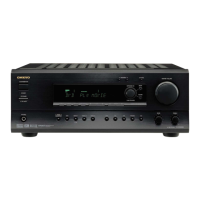
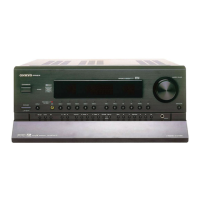
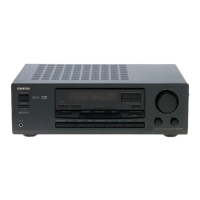
Onkyo TX-DS474 - User Manual

Onkyo TX-DS474
32 pages
Print Icon
To Next Page IconTo Next Page
Loading...
Contents
Before using
Important Safeguards........................ 2
Precautions ....................................... 3
Features............................................. 4
Supplied accessories......................... 4
Before operating this unit................. 5
Preparation
Audio equipment connections.......... 6
Video equipment connections .......... 7
Connecting other devices ................. 8
Connecting speakers....................... 10
Positioning speakers....................... 11
Connecting the power..................... 11
Making antenna connections.......... 12
Operation
Speaker setup.................................. 14
Selecting a sound source ................ 16
To enjoy Surround mode
or Stereo mode............................. 20
Tuning in a radio station................. 22
Using preset radio stations.............. 23
Recording a source ......................... 24
Appendix
Troubleshooting guide.................... 26
Specifications ................................. 27
Control guide
Control positions and names .......... 28
Remote controller RC-385S ........... 29
Using the remote controller............ 30
Audio Video Control Receiver
TX-DS474
Instruction Manual
Thank you for purchasing the Onkyo Audio Video
Control Receiver.
Please read this manual thoroughly before making
connections and turning on the power.
Following the instructions in this manual will enable
you to obtain optimum performance and listening
enjoyment from your new Audio Video Control
Receiver.
Please retain this manual for future reference.

Other manuals for Onkyo TX-DS474

Questions and Answers

  • E
    Erin RobinsonAug 20, 2025
    What to do if my Onkyo TX-DS474 has power but no sound?
    • N
      Noah CordovaAug 20, 2025
      If your Onkyo Receiver powers on but produces no sound, there might be several reasons. Ensure that the TAPE MONITOR and MUTING indicators are off by pressing the TAPE (MONITOR) and MUTING buttons. Verify all connections and speaker leads. If the ‘PROTECT’ message is displayed, the amplifier protection circuitry may have been activated.
  • Y
    ygrimesAug 22, 2025
    Why is there no sound from the playback source on my Onkyo Receiver?
    • K
      Kevin JacobsAug 22, 2025
      If you can't hear the sound of the playback source on your Onkyo Receiver, the input selector might not be set properly. Set it to the correct playback source.
  • J
    John HartAug 25, 2025
    How to fix hum or low-frequency noise on Onkyo TX-DS474?
    • H
      Heather VaughanAug 25, 2025
      To address hum or low-frequency noise with your Onkyo Receiver, check the outer conductor of the input plugs and ensure a proper ground connection. Adjust the placement of the audio connection cables on the rear panel to reduce hum.
  • J
    Jackie LeeAug 26, 2025
    How to stop buzzing noise on AM with Onkyo TX-DS474 Receiver?
    • C
      christopheravilaAug 26, 2025
      If you are experiencing buzzing noise on AM with your Onkyo Receiver, especially at night or with weak stations, it could be due to noise from electrical apparatus such as a fluorescent lamp. Try moving the AM loop antenna to a different position or setting up an outdoor AM antenna.
  • J
    Jeffrey DaughertyAug 28, 2025
    How to troubleshoot no power on my Onkyo TX-DS474?
    • E
      evansandrewAug 28, 2025
      If your Onkyo Receiver has no power, check the power cord to ensure it is properly connected. If there is external noise in the circuits, try turning the power off and on again, or unplugging and re-plugging the unit. If the AC fuse is blown, contact your Onkyo Service Center.
  • G
    Gwendolyn RollinsAug 30, 2025
    Why is there no sound from the center speaker on my Onkyo Receiver?
    • J
      Jared WoodsAug 30, 2025
      If you're getting no or minimal sound from the center speaker of your Onkyo Receiver, first check the speaker cable connections. Make sure the SURROUND MODE is set to DOLBY PRO LOGIC, HALL, LIVE, or ARENA, and not STEREO. Adjust the CENTER level to an appropriate volume and ensure the CENTER SPEAKER is set to YES.
  • D
    Dennis ChenSep 1, 2025
    What to do if the Onkyo TX-DS474 Receiver remote is not working?
    • T
      Tom YoungSep 1, 2025
      If the front panel controls on your Onkyo Receiver are working, but the remote controller isn't, the batteries may be missing or worn out. Try inserting or replacing the batteries in the remote controller.
  • D
    Daniel SpencerSep 2, 2025
    Why do the TUNED and STEREO indicators flicker on my Onkyo Receiver?
    • W
      William McintyreSep 3, 2025
      If the TUNED and STEREO indicators on your Onkyo Receiver flicker and you hear a hiss on FM, the station may be too weak. Because stereo FM broadcasts cover only about half the distance of an ordinary broadcast, try installing an outdoor FM antenna or changing its position or direction.
  • M
    Michelle DaltonSep 5, 2025
    Why is the sound distorted on my Onkyo TX-DS474 Receiver?
    • C
      Connor RamirezSep 5, 2025
      If the TUNED and STEREO indicators are lit but the sound is distorted and stereo separation is poor on your Onkyo Receiver, the station signal may be too strong, or there could be multiple reflections of radio waves due to tall buildings or mountains. Try changing to a T-shaped antenna or use an antenna with better directivity, selecting a point where the distortion is least.
  • J
    jasonfrostSep 7, 2025
    How to eliminate crackling noise on AM/FM on Onkyo TX-DS474 Receiver?
    • M
      Michelle MartinSep 7, 2025
      If you hear crackling noise on AM or FM with your Onkyo Receiver, it may be caused by turning a fluorescent lamp on and off, or noise from automobile ignition. Try moving the antenna as far as possible from the fluorescent lamp. Install an FM outdoor antenna as far as possible from the road and consider changing its position or direction.

Summary

Important Safeguards

Precautions

Before Operating This Unit

Connecting Speakers

Connecting the Power

Speaker Setup

Selecting a Sound Source

When Multi Channel Input is Selected as a Source

Steps to adjust individual speaker levels when using Multi-channel input.

Speakers Selector (SPEAKERS A, B)

How to turn on/off speakers connected to the front, center, surround, and subwoofer terminals.

Switching Between Digital and Analog Inputs

Procedure to select digital or analog input for connected devices like DVD players.

To Enjoy Surround Mode or Stereo Mode

Surround Modes

Descriptions of available surround modes: Dolby Digital, Dolby Pro Logic, Hall, Live, Arena, and Stereo.

Selecting a Surround Mode

Steps to select a desired surround mode using the SURROUND MODE button.

Setting the Surround Mode Parameters

Details on Midnight Theater function and LFE Level Attenuation for surround sound.

Tuning in a Radio Station

Manual Tuning

Instructions for manually tuning FM and AM radio stations using the TUNING buttons.

Using Preset Radio Stations

Programming Radio Stations

Steps to store favorite radio stations into memory groups (A, B, C).

Selecting a Preset Station

How to recall stored stations using group and preset buttons or scan function.

Recording a Source

Recording an Audio Source

Instructions for connecting a tape deck and recording audio from various sources.

Recording Data from a Video Disc Player (or a Video Camcorder) to VCR

Steps to record video content from a disc player or camcorder onto a VCR.

Troubleshooting Guide

Specifications

Control Positions and Names

Remote Controller RC-385 S

Using the Remote Controller

Onkyo TX-DS474 Specifications

General IconGeneral
Audio Channels5.1
Frequency response10 Hz - 100 kHz (+1 dB, -3 dB)
Total harmonic distortion0.08%
Digital inputs2 optical, 1 coaxial
Input sensitivity200 mV
Signal to noise ratio100 dB
Video Connectionscomposite
Weight11 kg

Related product manuals