EasyManua.ls Logo

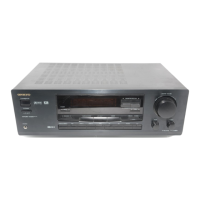
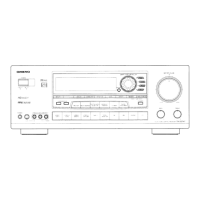
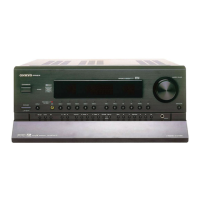
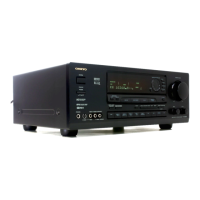
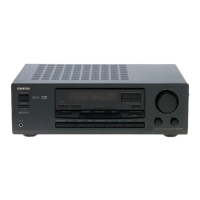
Onkyo TX-DS474 - User Manual

Onkyo TX-DS474
32 pages
Print Icon
To Next Page IconTo Next Page
Loading...
Contents
Before using
Important Safeguards........................ 2
Precautions ....................................... 3
Features............................................. 4
Supplied accessories......................... 4
Before operating this unit................. 5
Preparation
Audio equipment connections.......... 6
Video equipment connections .......... 7
Connecting other devices ................. 8
Connecting speakers....................... 10
Positioning speakers....................... 11
Connecting the power..................... 11
Making antenna connections.......... 12
Operation
Speaker setup.................................. 14
Selecting a sound source ................ 16
To enjoy Surround mode
or Stereo mode............................. 20
Tuning in a radio station................. 22
Using preset radio stations.............. 23
Recording a source ......................... 24
Appendix
Troubleshooting guide.................... 26
Specifications ................................. 27
Control guide
Control positions and names .......... 28
Remote controller RC-385S ........... 29
Using the remote controller............ 30
Audio Video Control Receiver
TX-DS474
Instruction Manual
Thank you for purchasing the Onkyo Audio Video
Control Receiver.
Please read this manual thoroughly before making
connections and turning on the power.
Following the instructions in this manual will enable
you to obtain optimum performance and listening
enjoyment from your new Audio Video Control
Receiver.
Please retain this manual for future reference.

Other manuals for Onkyo TX-DS474

Questions and Answers

  • P
    pamela51Sep 9, 2025
    Why does my Onkyo TX-DS474 have rough or scratchy sound?
    • M
      Michelle HarmonSep 9, 2025
      If your Onkyo Receiver produces rough or scratchy sound and the high range is not clear, it could be due to a worn stylus on your turntable pick-up, a dirty turntable stylus tip, or the treble control being set too high. Try replacing or cleaning the stylus, or turning the treble control down.
  • B
    Brittany WilliamsSep 12, 2025
    How to get rid of high-pitched noise on AM with Onkyo Receiver?
    • D
      David McdanielSep 12, 2025
      If you're hearing a high-pitched or buzzing noise on AM with your Onkyo Receiver, it could be interference from a TV set. Try placing the AM loop antenna as far as possible from the TV or moving the unit away from the TV set.
  • M
    miguelwrightSep 13, 2025
    Why can't my Onkyo Receiver receive AM stations?
    • A
      amandawilliamsSep 13, 2025
      If your Onkyo Receiver cannot receive AM stations, the AM loop antenna may not be attached. Connect the included AM loop antenna to the AM antenna terminals.
  • D
    Daniel RodriguezSep 15, 2025
    How to stop Onkyo Receiver from howling?
    • A
      Andrew HoffmanSep 15, 2025
      To stop the howling when the volume is turned up on your Onkyo Receiver, move the speakers farther apart.
  • T
    Theresa CrossSep 17, 2025
    What to do if SCAN button doesn't work on Onkyo TX-DS474?
    • S
      steven61Sep 17, 2025
      If no station is recalled when you press the SCAN button on your Onkyo Receiver, the memory contents may have been lost because the power cord was unplugged or the power switch was turned off for a long time. Store all stations again.

Summary

Important Safeguards

Precautions

Before Operating This Unit

Connecting Speakers

Connecting the Power

Speaker Setup

Selecting a Sound Source

When Multi Channel Input is Selected as a Source

Steps to adjust individual speaker levels when using Multi-channel input.

Speakers Selector (SPEAKERS A, B)

How to turn on/off speakers connected to the front, center, surround, and subwoofer terminals.

Switching Between Digital and Analog Inputs

Procedure to select digital or analog input for connected devices like DVD players.

To Enjoy Surround Mode or Stereo Mode

Surround Modes

Descriptions of available surround modes: Dolby Digital, Dolby Pro Logic, Hall, Live, Arena, and Stereo.

Selecting a Surround Mode

Steps to select a desired surround mode using the SURROUND MODE button.

Setting the Surround Mode Parameters

Details on Midnight Theater function and LFE Level Attenuation for surround sound.

Tuning in a Radio Station

Manual Tuning

Instructions for manually tuning FM and AM radio stations using the TUNING buttons.

Using Preset Radio Stations

Programming Radio Stations

Steps to store favorite radio stations into memory groups (A, B, C).

Selecting a Preset Station

How to recall stored stations using group and preset buttons or scan function.

Recording a Source

Recording an Audio Source

Instructions for connecting a tape deck and recording audio from various sources.

Recording Data from a Video Disc Player (or a Video Camcorder) to VCR

Steps to record video content from a disc player or camcorder onto a VCR.

Troubleshooting Guide

Specifications

Control Positions and Names

Remote Controller RC-385 S

Using the Remote Controller

Onkyo TX-DS474 Specifications

General IconGeneral
Audio Channels5.1
Frequency response10 Hz - 100 kHz (+1 dB, -3 dB)
Total harmonic distortion0.08%
Digital inputs2 optical, 1 coaxial
Input sensitivity200 mV
Signal to noise ratio100 dB
Video Connectionscomposite
Weight11 kg

Related product manuals