EasyManua.ls Logo

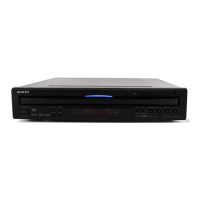
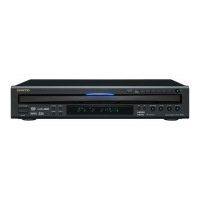
Onkyo DV-CP500 - User Manual

Onkyo DV-CP500
40 pages
Print Icon
To Next Page IconTo Next Page
Loading...
DVD Changer
DV-CP500
Instruction Manual
Thank you for purchasing the Onkyo DVD Changer.
Please read this manual thoroughly before making
connections and turning on the power.
Following the instructions in this manual will enable
you to obtain optimum performance and listening
enjoyment from your new DVD Changer.
Please retain this manual for future reference.
Contents
Getting Started 6
Basic Operation 17
Others 37
Before Using Your DVD Changer 2
Function Setup 30
Advanced Operation 20
Facilities and Connections 10

Other manuals for Onkyo DV-CP500

Questions and Answers

  • W
    Willie BrownJul 26, 2025
    Why can't my Onkyo DV-CP500 CD Player playback video media recorded in SECAM?
    • J
      jacquelineroblesJul 26, 2025
      The Onkyo CD Player uses the NTSC color system, so it cannot play video media recorded in other color systems like SECAM.
  • T
    Tammy SmithAug 2, 2025
    What to do if my Onkyo DV-CP500 won't eject discs?
    • N
      nicolediazAug 2, 2025
      Your Onkyo CD Player may become inoperative, or the discs may not eject if you use discs with adhesive tape residue, peeling rental disc labels, or custom labels/stickers. Avoid using these types of discs.
  • C
    Christine WeaverAug 10, 2025
    Can Onkyo CD Player play DVD-Audio or DVD-RAM discs?
    • A
      Anna MartinezAug 11, 2025
      Your Onkyo CD Player cannot play discs like DVD-Audio or DVD-RAM, even if they have the corresponding marks labeled on them.
  • K
    Kelly LewisAug 17, 2025
    How to prevent damage when playing irregularly shaped discs on Onkyo DV-CP500?
    • S
      shelley14Aug 17, 2025
      To prevent damage to the internal mechanism of your Onkyo CD Player, avoid using heart-shaped or octagonal discs.

Summary

Important Safeguards

Comprehensive Safety Guidelines

Covers essential safety precautions for operating and handling the appliance.

General Precautions and Warnings

Notes on Discs: Playability and Structure

Playable Disc Types

Lists the types of discs this DVD Changer can play back.

Features and Accessories Overview

Remote Controller Preparation

Device Control Layout

Front Panel Controls and Display

Identifies and explains the buttons and display on the front panel.

Rear Panel Connections

Video and Audio Output Ports

Details the various video and audio output jacks on the rear panel.

Display Indicators Explained

Remote Controller Functions

Remote Control Button Guide

Comprehensive guide to all buttons on the remote controller.

Making System Connections

Pre-Connection Checklist and TV Hookup

Essential steps before connecting and how to connect the DVD Changer to a TV.

Advanced Video Connections

Advanced Audio Connections

Powering On the DVD Changer

Connecting Power and Initial Startup

Steps for connecting the power cord and turning the unit on for the first time.

Basic Disc Playback

Starting Playback and Pre-Play Checks

General advice before playback and steps to start playing a disc.

Advanced Playback Features

MP3 File Playback

Customizing Player Settings

Accessing and Navigating the Setup Menu

General steps to enter and navigate the player's setup menu for customization.

Language Settings Configuration

Operation and Parental Control Settings

Configuring Parental Lock and Passwords

How to set up and manage parental lock levels, including password management.

Picture and Audio Output Adjustments

Digital Audio Output Options

Setting Digital Audio Output Format

How to select the digital audio output type (PCM, Dolby Digital, DTS).

Troubleshooting Common Issues

Onkyo DV-CP500 Specifications

General IconGeneral
BrandOnkyo
ModelDV-CP500
CategoryCD Player
LanguageEnglish

Related product manuals