EasyManua.ls Logo

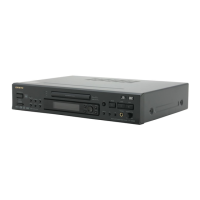
Onkyo DV-S555 - User Manual

Onkyo DV-S555
60 pages
Print Icon
To Next Page IconTo Next Page
Loading...
DVD Player
DV-S555
Instruction Manual
Thank you for purchasing the ONKYO DVD Player.
Please read this manual thoroughly before making
connections and plugging in the unit.
Following the instructions in this manual will enable
you to obtain optimum performance and listening
enjoyment from your new DVD Player.
Please retain this manual for future reference.
Contents
Getting Started
Basic Playback
Advanced Playback
Others
Before Using Your DVD Player 2
Function Setup

Table of Contents

Other manuals for Onkyo DV-S555

Questions and Answers

  • G
    Gloria CastilloAug 14, 2025
    Why does the picture from my Onkyo DVD Player not appear on the TV screen?
    • W
      William PerezAug 14, 2025
      If the picture from your Onkyo DVD Player isn’t showing on the TV screen, ensure that your TV is set to the correct input for the DVD Player. Also, double-check all the connections to the DVD Player to make sure they are secure.
  • M
    Michelle WhiteAug 17, 2025
    Why is there no sound coming from my Onkyo DVD Player?
    • S
      Sherri JeffersonAug 18, 2025
      If your Onkyo DVD player isn't producing any sound, here are a few things to check: First, if you're using the analog outputs, make sure the [96 kHz PCM Out] setting in the Audio menu is set to [96kHz 3 48 kHz]. If using digital outputs, ensure [Digital Out] is set to [On]. Verify that you've selected the correct sound signal conversion method. Also, ensure that the pause mode is not engaged by pressing 3 or 8. Finally, confirm that the volume level on your TV or amplifier is not set to minimum and increase it if necessary. Note that if you are playing a DVD or CD recorded in DTS audio, DTS audio is only output from the digital output jacks. Connect the digital output on the player to the digital input on a receiver or amplifier with a built in DTS decoder to hear DTS audio.
  • C
    Casey BaldwinAug 21, 2025
    What to do if the Onkyo DVD Player buttons work but the remote doesn't?
    • E
      Erin KleinAug 21, 2025
      If the buttons on your Onkyo DVD Player work, but the remote doesn’t, try these steps: First, make sure you've inserted new batteries into the remote. If batteries are already inserted, try replacing them. Ensure that you are pointing the remote directly at the remote sensor on the DVD Player and that you are within 5 meters of the unit.
  • L
    Lawrence TurnerAug 25, 2025
    How to fix an Onkyo DV-S555 that doesn't switch on?
    • R
      Robin PriceAug 25, 2025
      If your Onkyo DVD Player doesn’t switch on, check the following: Ensure the mains lead is properly connected. Verify that the main power is turned on. If there's external noise in the computer circuits, try switching the main power off and then on again, or disconnect and reconnect the mains lead. If the AC fuse is blown, contact your nearest ONKYO service center.
  • B
    Brian ThompsonAug 27, 2025
    Why does the disc tray on my Onkyo DV-S555 keep opening?
    • J
      julian06Aug 28, 2025
      If the disc tray on your Onkyo DVD player automatically comes back out shortly after being closed, make sure the disc is placed correctly on the disc tray, using the disc tray guide to align it. If the issue persists, the disc may be dirty or warped, refer to ‘Notes on Discs’. Also, confirm that the region number on the disc matches the number supported by the player; otherwise, the disc cannot be used.
  • A
    Amy LittleAug 31, 2025
    What to do if my Onkyo DV-S555 does not start playback?
    • A
      Amanda GreenAug 31, 2025
      If your Onkyo DVD Player won't start playback, make sure a disc is inserted and that “DVD,” “VCD,” or “CD” is lit on the display. Ensure the disc is a playable format and is placed with the playback side down, correctly aligned within the disc tray guide. Also, verify the disc is clean. Finally, check if the parental lock function is activated and deactivate it or adjust the parental lock level if needed.
  • L
    Lori WalshSep 3, 2025
    How to adjust the screen aspect ratio on my Onkyo DVD Player?
    • C
      Courtney BarkerSep 3, 2025
      If the picture is stretched or the aspect ratio doesn't change on your Onkyo DVD Player, the multi aspect setting may not be appropriate. Change the aspect setting in the [TV Screen] setting in the Setup screen Video 1 menu to the screen type most appropriate to the TV or monitor you are using. If you connected your TV with an S-Video cord, in rare cases the TV picture may appear stretched. In this case switch the output from [S2] to [S1].
  • W
    Wendy CoxSep 6, 2025
    Why is there noise on the playback picture of my Onkyo DV-S555?
    • G
      Gary BlakeSep 6, 2025
      If you see unstable brightness or noise on the playback picture from your Onkyo DVD Player, it may be due to activated copy protection. Connect the DVD Player directly to the TV, avoiding connections through a VCR.
  • G
    George RichardSep 10, 2025
    Why are some settings missing from the Setup Menu on my Onkyo DVD Player?
    • M
      Matthew WilliamsSep 12, 2025
      If some settings are missing in the Setup Menu of your Onkyo DVD Player, the [Setup Menu Mode] may be set to [Basic]. Change the [Setup Menu Mode] to [Expert] to access all settings.

Summary

Safety and Precautions

Important Safeguards

Essential safety rules to prevent fire or electric shock and ensure safe operation.

Precautions

General warnings, cautions, and specific model instructions for safe usage.

Setup and Connection

Features and Supplied Accessories

Lists player features and identifies all supplied accessories with their quantities.

Connecting Components

Guides on connecting the DVD player to TVs and amplifiers for video and audio.

Connecting the Power and Initial Setup

Steps to connect power, turn on the player, and initial system setup via navigator.

Player Operation

Basic Playback Operations

Instructions on loading discs and initiating playback for various media formats.

Advanced Playback Features

Controls for still frame, slow play, chapter skipping, repeat, and random playback modes.

Selecting Camera Angle and Languages

How to select different camera angles, audio tracks, and subtitle languages.

Viewing Disc Information

How to display current information about the loaded disc during playback or when stopped.

Settings and Customization

Adjusting Audio and Video Settings

Guides on adjusting video quality, screen size, audio output, and dynamic range.

Setting the Language Options

How to set on-screen display, audio, and subtitle languages for playback.

Setting the Parental Lock Level

How to set parental lock levels and passwords to restrict content access.

Memorizing Settings (Function Memory)

How to memorize and recall player settings for convenience.

Remote Control and Support

Pre-programming Remote Controller

Guide on programming the remote controller to operate other brands of TVs.

Troubleshooting

A guide to diagnosing and resolving common issues encountered with the DVD player.

Specifications

Lists the technical specifications and operational parameters of the DVD player.

Onkyo DV-S555 Specifications

General IconGeneral
BrandOnkyo
ModelDV-S555
CategoryDVD Player
LanguageEnglish

Related product manuals