EasyManua.ls Logo

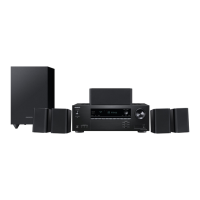
Onkyo HT-S3910DAB - User Manual

Onkyo HT-S3910DAB
102 pages
Print Icon
To Next Page IconTo Next Page
Loading...
Front Panel Rear Panel Remote
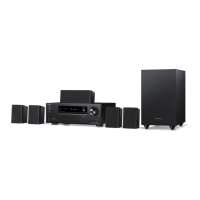
5.1-CHANNEL HOME THEATER SYSTEM
Instruction Manual
HT-S3910DAB
En
Table of contents
Connections
- Connecting Speakers
Playback
Setup
Troubleshooting
Appendix
Supplementary Information

Table of Contents

Questions and Answers

  • T
    Tiffany Mata MDAug 11, 2025
    How to fix no sound from Onkyo Home Theater System speakers?
    • J
      josewilliamsAug 11, 2025
      If you're experiencing no sound from the speakers of your Onkyo Home Theater System, first, make sure that headphones are not connected to the PHONES jack. If they are, disconnect them. Also, if signals other than PCM are being input, change the setting in the Setup menu to Off.
  • O
    omorseAug 21, 2025
    Why does my Onkyo Home Theater System turn off unexpectedly?
    • T
      Thomas AcostaAug 21, 2025
      Your Onkyo Home Theater System might be turning off unexpectedly due to several reasons. It could be that the 'Auto Standby' feature in the Setup menu is activated, causing the unit to automatically enter standby mode. Another reason might be that the protection circuit function has been activated due to an abnormal rise in temperature. In this case, ensure sufficient ventilation around the unit and wait for it to cool down before turning it on again. If you notice smoke, smell, or abnormal noise, unplug the power cord immediately.
  • T
    Terri LeeAug 31, 2025
    What to do if "AMP Diag Mode" appears on my Onkyo HT-S3910DAB display?
    • R
      Roberto TateAug 31, 2025
      If "AMP Diag Mode" appears on the display of your Onkyo Home Theater System, it indicates that the protection circuit function may have been activated. This function diagnoses whether the unit is malfunctioning or if there's an issue with the speaker cable connection. Ensure that the speaker cable is properly connected, and the wires exposed from the tip of the speaker cable do not stick out of the speaker terminal. If the operation stops with "NG" displayed, immediately set the unit to standby, remove the power plug, and consult a dealer.

Onkyo HT-S3910DAB Specifications

General IconGeneral
Channels5.1
HDMI Inputs4
Wireless ConnectivityBluetooth
Dimensions (Main Unit)435 x 148 x 328 mm
Audio DecodingDolby Digital, DTS
Audio InputsOptical, Coaxial, Analog
Video Features4K/60p Pass-through, HDR10, HLG, Dolby Vision
HDMI Outputs1
Other ConnectionsUSB
RadioDAB+, FM
Subwoofer Driver Size16 cm Cone
Satellite Speaker Driver Size3 inches
Center Speaker Driver Size3 inches
Remote ControlIncluded
Amplifier FeaturesDiscrete Amplifier Circuitry
Speaker Configuration5.1

Related product manuals