EasyManua.ls Logo

Onkyo R-805TX - User Manual

Onkyo R-805TX
52 pages
Print Icon
To Next Page IconTo Next Page
Loading...
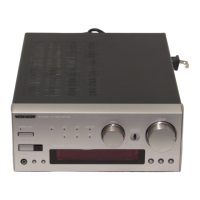
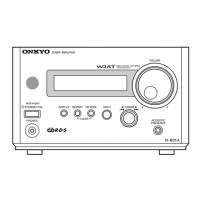
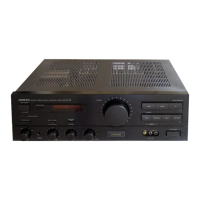
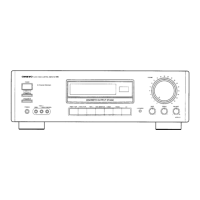
FM STEREO/AM TUNER AMPLIFIER
R-805TX
Instruction Manual
Before using Connections Preparations Operation Other Information
English
STANDBY/ ON
DISPLAY
PHONES
MEMORY
CLEAR
FM MODE
PRESET
TUNING
R-805TX
FM STEREO / AM TUNER AMPLIFIER
ENERGY SAVE
ACOUSTIC
PRESENCE
OFF/1/2/3
CD MD CDR/PC LINE/DVD
FM AM TAPE
INPUT
VOLUME
WIDE RANGE AMPLIFIER
TECHNOLOGY
WIDE RANGE AMPLIFIER
TECHNOLOGY
ACCUCLOCK
STANDBY/ ON
DISPLAY
PHONES
MEMORY
CLEAR
FM MODE
PRESET
TUNING
R-805TX
FM STEREO / AM TUNER AMPLIFIER
ENERGY SAVE
ACOUSTIC
PRESENCE
OFF/1/2/3
CD MD CDR LINE/DVD
FM AM TAPE
INPUT
VOLUME
Thank you for purchasing the ONKYO R-805TX FM Stereo/AM Tuner Amplifier.
Please read this manual thoroughly before making any connection or turning on the
power.
Follow these instructions to obtain optimum performance and maximum listening
enjoyment from your new R-805TX. Please retain this manual for future reference.

Other manuals for Onkyo R-805TX

Question and Answer IconNeed help?

Do you have a question about the Onkyo R-805TX and is the answer not in the manual?

Summary

Important Safeguards

User Precautions and Care

Product Main Features

Included Accessories

Connecting ONKYO Separate Collection Series Components

Arranging System Components

Examples of stacking and configuring ONKYO components for optimal system setup.

Connecting Audio Components

Detailed procedure for connecting audio sources and components to the R-805TX.

Connecting Ri Connectors and AC Power Outlets

Connecting Other Audio;Video Equipment

Connecting a Sound Processor

Procedure for connecting external sound processors like graphic equalizers or surround systems.

Connecting Speaker Systems

Preparing Speaker Cords

Guidance on preparing speaker cords, including stripping and twisting ends.

Connecting Speaker Cords to Terminals

How to connect speaker cords securely to the amplifier's speaker terminals.

Antenna Connection Guide

Connecting the AM Antenna

Instructions for assembling and connecting the AM loop and outdoor antennas.

Connecting the FM Antenna

Details on connecting indoor and outdoor FM antennas for clear signal reception.

Connecting the AC Power Cord

Remote Controller Preparation

Setting the Clock

Automatic Clock Setting (European Models)

How the ACCUCLOCK feature automatically sets time using RDS broadcasts.

Manual Clock Adjustment

Procedure to manually adjust the clock time and day of the week.

Selecting the Audio Source

Adjusting Sound Settings

Adjusting Tone Controls

Steps to adjust bass and treble levels using the remote controller.

Acoustic Presence Function

Explanation of the Acoustic Presence feature and its different modes.

Muting and Headphones Use

Muting the Sound

Procedure to temporarily mute the audio output using the MUTING button.

Listening with Headphones

How to connect headphones and adjust sound levels for private listening.

Recording Audio Sources

Receiving Radio Stations

Tuning the Radio

How to select FM or AM and adjust the tuning frequency for radio stations.

Auto Memory Tuning (FM)

Automatically scans and stores up to 30 FM stations with the best signal quality.

Presetting Favorite Stations

Selecting and Clearing Preset Stations

Selecting Preset Stations

How to recall stored favorite stations using preset numbers.

Clearing Preset Stations

Procedure to remove stored stations from the preset memory.

Naming Preset Stations

Receiving RDS Information

What is RDS?

Explanation of RDS signals and the additional information they provide for radio broadcasts.

Displaying Radio Text (RT)

How to view Radio Text messages transmitted by RDS-enabled stations.

Using the Timer Function

Timer Setting Modes

Overview of available timer modes: WEEKDAY, WEEKEND, REC, DAY SET, and ADJUST.

Programming Playback Timer

Programming Recording Timer

Managing Timer Settings ON;OFF

Sleep Function Operation

Troubleshooting Common Issues

Technical Specifications

Amplifier Specifications

Power output, distortion, damping factor, and tone control details.

Tuner Specifications

Tuning range, sensitivity, selectivity, and distortion for FM and AM reception.

Index to Parts and Controls

Remote Controller Operation

Controlling Connected Components via Remote

Summary

Important Safeguards

User Precautions and Care

Product Main Features

Included Accessories

Connecting ONKYO Separate Collection Series Components

Arranging System Components

Examples of stacking and configuring ONKYO components for optimal system setup.

Connecting Audio Components

Detailed procedure for connecting audio sources and components to the R-805TX.

Connecting Ri Connectors and AC Power Outlets

Connecting Other Audio;Video Equipment

Connecting a Sound Processor

Procedure for connecting external sound processors like graphic equalizers or surround systems.

Connecting Speaker Systems

Preparing Speaker Cords

Guidance on preparing speaker cords, including stripping and twisting ends.

Connecting Speaker Cords to Terminals

How to connect speaker cords securely to the amplifier's speaker terminals.

Antenna Connection Guide

Connecting the AM Antenna

Instructions for assembling and connecting the AM loop and outdoor antennas.

Connecting the FM Antenna

Details on connecting indoor and outdoor FM antennas for clear signal reception.

Connecting the AC Power Cord

Remote Controller Preparation

Setting the Clock

Automatic Clock Setting (European Models)

How the ACCUCLOCK feature automatically sets time using RDS broadcasts.

Manual Clock Adjustment

Procedure to manually adjust the clock time and day of the week.

Selecting the Audio Source

Adjusting Sound Settings

Adjusting Tone Controls

Steps to adjust bass and treble levels using the remote controller.

Acoustic Presence Function

Explanation of the Acoustic Presence feature and its different modes.

Muting and Headphones Use

Muting the Sound

Procedure to temporarily mute the audio output using the MUTING button.

Listening with Headphones

How to connect headphones and adjust sound levels for private listening.

Recording Audio Sources

Receiving Radio Stations

Tuning the Radio

How to select FM or AM and adjust the tuning frequency for radio stations.

Auto Memory Tuning (FM)

Automatically scans and stores up to 30 FM stations with the best signal quality.

Presetting Favorite Stations

Selecting and Clearing Preset Stations

Selecting Preset Stations

How to recall stored favorite stations using preset numbers.

Clearing Preset Stations

Procedure to remove stored stations from the preset memory.

Naming Preset Stations

Receiving RDS Information

What is RDS?

Explanation of RDS signals and the additional information they provide for radio broadcasts.

Displaying Radio Text (RT)

How to view Radio Text messages transmitted by RDS-enabled stations.

Using the Timer Function

Timer Setting Modes

Overview of available timer modes: WEEKDAY, WEEKEND, REC, DAY SET, and ADJUST.

Programming Playback Timer

Programming Recording Timer

Managing Timer Settings ON;OFF

Sleep Function Operation

Troubleshooting Common Issues

Technical Specifications

Amplifier Specifications

Power output, distortion, damping factor, and tone control details.

Tuner Specifications

Tuning range, sensitivity, selectivity, and distortion for FM and AM reception.

Index to Parts and Controls

Remote Controller Operation

Controlling Connected Components via Remote

Onkyo R-805TX Specifications

General IconGeneral
Total Harmonic Distortion (THD)0.08%
Input Sensitivity (Phono)2.5mV (MM)
Input Sensitivity (Line)150mV
Signal to Noise Ratio (Line)100dB
Signal to Noise Ratio (Phono)80dB (MM)
Speaker Impedance4Ω to 16Ω
Power Output50 watts per channel (8 ohms, 20Hz-20kHz, 0.08% THD)

Related product manuals