EasyManua.ls Logo

Onkyo TX-904 - BLOCK DIAGRAM - TUNER SECTION (OTHER MODELS)

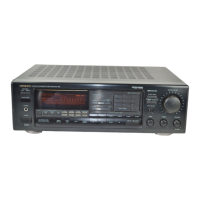
Onkyo TX-904
20 pages
To Next Page IconTo Next Page
To Previous Page IconTo Previous Page
Loading...
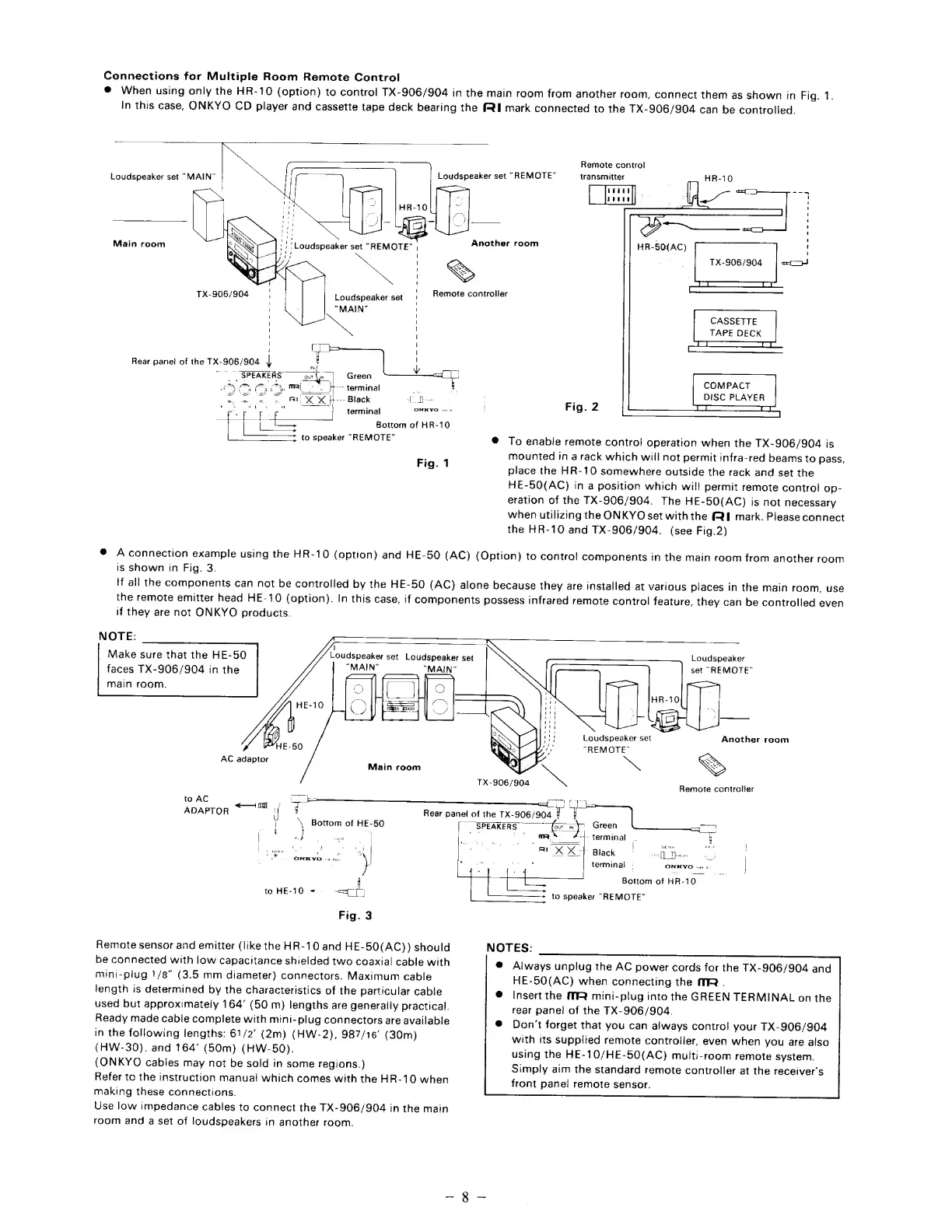
Connections
for
Multiple
Room
Remote
Control
@
When
using
only
the
HR-10
(option)
to
control
TX-906/904
in
the
main
room
from
another
room,
connect
them
as
shown
in
Fig.
1.
In
this
case,
ONKYO
CD
player
and
cassette
tape
deck
bearing
the
(RI
mark
connected
to
the
TX-906/904
can
be
controlled.
Loudspeaker
set
“MAIN”
Another
Remote
controller
Main
room
\
Loudspeaker
set
“MAIN”
TX-906/904
Rear
panei
of
the
TX-906/904
|
IN
"SPEAKERS
our
b.
Green
sy
-
ais:
m|
fr
terminal
_
=
=
=
-
Al
XX
b---
Black
[De
ee
rg
Oy
terminal
ONH
YO
vw
Bottoras
of
HR-10
to
speaker
“REMOTE”
e
Fig.
1
Loudspeaker
set
Remote
control
transmitter
REMOTE"
room
—-we
eee
HR-50(AC)
TX-906/904
CASSETTE
TAPE
DECK
TT
COMPACT
DISC
PLAYER
Fig.
2
To
enable
remote
contro!
operation
when
the
TX-906/904
is
mounted
tn
a
rack
which
will
not
permit
infra-red
beams
to
pass,
place
the
HR-10
somewhere
outside
the
rack
and
set
the
HE-50(AC)
in
a
position
which
will
permit
remote
contro!
op-
eration
of
the
TX-906/904.
The
HE-50(AC)
is
not
necessary
when
utilizing
the
ONKYO
set
with
the
(QI
mark.
Please
connect
the
HR-10
and
TX-906/904.
(see
Fig.2)
®
Aconnection
example
using
the
HR-10
(option)
and
HE-50
(AC)
(Option)
to
control
components
in
the
main
room
from
another
room
is
shown
in
Fig.
3.
if
all
the
components
can
not
be
controlled
by
the
HE-50
(AC)
alone
because
they
are
installed
at
various
places
in
the
main
room,
use
the
remote
emitter
head
HE-10
(option).
In
this
case,
if
components
possess
infrared
remote
control
feature,
they
can
be
controlled
even
if
they
are
not
ONKYO
products.
NOTE:
Make
sure
that
the
HE-50
faces
TX-906/904
in
the
main
room.
f
Loudspeaker
set
Loudspeaker
set
“MAIN"
“MAIN”
Loudspeaker
set
“REMOTE”
Another
room
AC
adaptor
Ke
Cy
P
Main
room
~~
N\
>
TX-906/904
Remote
controller
to
AC
el
ie
>
ADAPTOR
|
Rear
panet
of
the
TX-906/904
T
\\
Bottom
of
HE-50
SPEAKERS
|
om
wy.
Green
|
av
-
_
MRS
-{-
terminal.
k
.
i
r
=
|
EN
a,
|
Sogn
ts
Ooo
ta
Rex
xo
~
Black
cea
[]
Tpescon
-
.
ONK
YO
ree
)
|
terminal
ONKYO
oi
us
|
Bottom
of
HR-10
to
HE-10
<=
;
to
speaker
“REMOTE”
Fig.
3
Remote
sensor
and
emitter
(like
the
HR-10
and
HE-50(AC))
should
be
connected
with
low
capacitance
shielded
two
coaxial
cable
with
mini-plug
7/8”
(3.5
mm
diameter)
connectors.
Maximum
cable
length
is
determined
by
the
characteristics
of
the
particular
cable
e
used
but
approximately
164’
(50
m)
lengths
are
generally
practical.
Ready
made
cabie
complete
with
mini-
plug
connectors
are
available
e
in
the
following
lengths:
61/2°
(2m)
(HW-2),
987/16’
(30m)
(HW-30).
and
164°
(50m)
(HW-50).
(ONKYO
cables
may
not
be
sold
in
some
regions.)
Refer
to
the
instruction
manual
which
comes
with
the
HR-10
when
making
these
connections.
Use
low
impedance
cables
to
connect
the
TX-906/904
in
the
main
room
and
a
set
of
loudspeakers
in
another
room.
NOTES:
Aiways
unplug
the
AC
power
cords
for
the
TX-906/904
and
HE-50(AC)
when
connecting
the
MR
.
Insert
the
MR
mini-plug
into
the
GREEN
TERMINAL
on
the
rear
pane!
of
the
TX-906/904.
Don't
forget
that
you
can
always
control
your
TX-906/904
with
its
supplied
remote
controller,
even
when
you
are
also
using
the
HE-10/HE-50(AC)
multi-room
remote
system.
Simply
aim
the
standard
remote
controller
at
the
receiver's
front
panel
remote
sensor.

Other manuals for Onkyo TX-904

Related product manuals