EasyManua.ls Logo

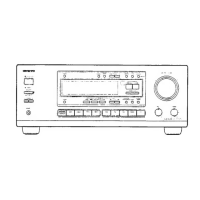
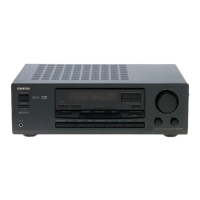
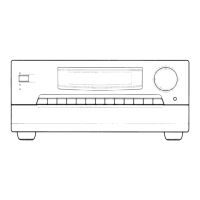
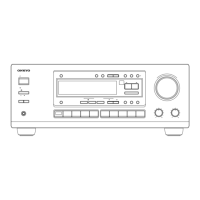
Onkyo TX-DS575X - Service Manual

Onkyo TX-DS575X
27 pages
Print Icon
To Next Page IconTo Next Page
Loading...
TX-DS575X
Ref.
No.
3648
062000
ONKYO,
SERVICE
MANUAL
AUDIO
VIDEO
CONTROL
RECEIVER
MODEL
TX-DS575X
Black
and
Silver
and
Golden
models
-BMDD
120V
AC,
60
Hz
|
_
BMPP/BMPT/
BMPA
ise
Seienrin
ne
_
SMPP.’GMPT
=
eee
BMWT/
BMWR/GMWT
220-230
V/120
V
A
3
|
GMwR
|
oe
C,
50/60
Hz
-GMGT
22
V
AC,
50,/60
Hz
SAFETY-RELATED
COMPONENT
WARNING!!
COMPONENTS
IDENTIFIED
BY
MARK
A
ON
THE
SCHEMATIC
DIAGRAM
AND
IN
THE
PARTS
LIST
ARE
CRITICAL
FOR
RISK
OF
FIRE
AND
ELECTRIC
SHOCK.
REPLACE
THESE
COM-
PONENTS
WITH
ONKYO
PARTS
WHOSE
PARTS
NUMBERS
APPEAR
AS
SHOWN
IN
THIS
MANUAL.
MAKE
LEAKAGE-CURRENT
OR
RESISTANCE
MEASUREMENTS
TO
DETERMINE
THAT
EXPOSED
PARTS
ARE
ACCEPTABLY
_IN-
SULATED
FROM
THE
SUPPLY
CIRCUIT
BEFORE
RETURNING
THE
APPLIANCE
TO
THE
CUSTOMER.
ONKYO.
AUDIO
COMPONENTS

Other manuals for Onkyo TX-DS575X

Questions and Answers

  • C
    Christine OsborneSep 2, 2025
    Why can't I hear the playback source on my Onkyo Receiver?
    • R
      rhickmanSep 2, 2025
      If you cannot hear the sound of the playback source on your Onkyo Receiver, ensure that the input selector is correctly set to the playback source.
  • A
    Antonio TorresAug 31, 2025
    What to do if Onkyo TX-DS575X Receiver doesn't respond to operation?
    • D
      Daniel FloresAug 31, 2025
      If your Onkyo Receiver or connected device isn't responding, make sure you've pressed an appropriate MODE button before pressing any operation buttons.
  • J
    jessicaphamAug 29, 2025
    Why is there no sound from the center speaker on my Onkyo TX-DS575X Receiver?
    • M
      Mary WaltersAug 29, 2025
      If you're experiencing little to no sound from the center speaker of your Onkyo Receiver, consider these potential causes: * The speaker cable may not be correctly connected. Check the connection between the amplifier and the speaker. * The listening mode might be set to ORCHESTRA or STEREO. Change the listening mode to another setting. * The CENTER level could be set to minimum. Adjust the CENTER level to an appropriate volume. * The CENTER SPEAKER setting might be set to NONE. Change the CENTER SPEAKER setting to LARGE or SMALL.
  • S
    schmidtashleyAug 27, 2025
    Why can't my Onkyo TX-DS575X Receiver receive AM stations?
    • D
      David PenningtonAug 28, 2025
      If your Onkyo Receiver isn't receiving AM stations, make sure the included AM loop antenna is connected to the AM antenna terminals.
  • M
    Michael SanchezAug 26, 2025
    What to do if the Onkyo TX-DS575X Receiver doesn't turn on with the remote?
    • J
      jill89Aug 27, 2025
      If pressing the ON button on the remote controller doesn't turn on your Onkyo Receiver, press the MODE AUDIO button, then press the ON button.
  • A
    Albert AlvarezAug 25, 2025
    Why doesn't my Onkyo Receiver remote controller work?
    • L
      lestradaAug 25, 2025
      If the front panel controls on your Onkyo Receiver are working, but the remote isn't, check the following: * Ensure there are batteries in the remote controller and they are correctly inserted. * If batteries are present, they may be worn out. Try replacing them.
  • J
    jenniferrogersAug 22, 2025
    How to fix an Onkyo TX-DS575X Receiver that has no power?
    • J
      Jason RomeroAug 22, 2025
      If your Onkyo Receiver isn't powering on, here are a few things to check: * Make sure the power cord is properly connected. * If there's external noise in the microcomputer circuits, try turning the power off and on again, or unplug the AC cord and plug it back in. * If the AC fuse is blown, contact your Onkyo Service Center.

Summary

SAFETY-RELATED COMPONENT WARNING!

SPECIFICATIONS

AMPLIFIER SECTION

Technical specifications for the audio amplification circuitry.

VIDEO SECTION

Technical specifications related to video signal processing and I/O.

SERVICE PROCEDURES

Safety-check out

Essential safety verification steps required before customer return.

MICROPROCESSOR CONNECTION DIAGRAM

MICROPROCESSOR TERMINAL DESCRIPTION

ADJUSTMENT PROCEDURES AND CONFIRMATION

Idling current adjustment

Procedure to adjust the amplifier's idling current using trimming resistors.

Confirmation of protection circuit

Steps to verify the correct operation of speaker relay and DC detection circuits.

BLOCK DIAGRAM

Onkyo TX-DS575X Specifications

General IconGeneral
BrandOnkyo
ModelTX-DS575X
CategoryReceiver
LanguageEnglish

Related product manuals