
 Need help?
Do you have a question about the Online USV XANTO 1000R and is the answer not in the manual?
Important safety instructions for installation and maintenance.
Procedure for checking the UPS system upon delivery.
Instructions for safely unpacking the UPS system.
Table detailing UPS system accessories and their availability.
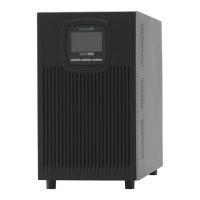
Steps for installing the UPS system in a tower configuration.
Procedure for connecting additional battery packs to the UPS.
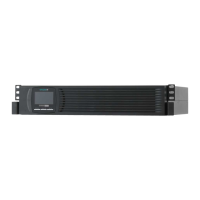
Steps for installing the UPS system in a rack configuration.
Initial setup steps after installing the UPS system.
Description of the UPS system's control panel and buttons.
Explanation of symbols, indicators, and menu options on the display.
Guide to configuring UPS system settings via the menu.
Description of different operating modes and their display.
Connecting the UPS system to a computer via RS-232 or USB.
Details about optional interface cards for the UPS system.
Explanation of the Emergency Power Off (EPO) function.
Information on surge protection for data and telephone lines.
Overview of the DataWatch software for managing the UPS.
Guidelines for cleaning and maintaining the UPS system and batteries.
Instructions for storing the UPS system for extended periods.
Indicators and procedure for replacing UPS batteries.
Detailed steps for replacing batteries in tower models.
Detailed steps for replacing batteries in rack models.
Procedure for testing newly replaced UPS batteries.
Guidelines for the proper disposal of batteries and UPS systems.
List and explanation of error codes displayed by the UPS system.
List and description of warning messages and their causes.
Table of operating statuses, possible causes, and corrective measures.
Instructions on how to mute audible alarms on the UPS system.
Information on how to contact ONLINE support for assistance.
Overview of different UPS system models and their specifications.
Physical dimensions and weight of UPS systems and battery packs.
Details of input and output electrical connection types.
Technical specifications of the UPS system's electrical performance.
Information on UPS battery types and expected autonomy times.
Diagram and description of the UPS system's rear panel connections.
Declaration of conformity with relevant EU directives and standards.
 General
| Power Capacity | 1000 VA |
|---|---|
| Output Power | 900 W |
| Topology | Line-Interactive |
| Communication Interface | USB, RS-232 |
| Input Voltage | 230 V |
| Output Voltage | 230 V |
| Battery Type | Sealed Lead Acid |
| Number of Outlets | 8 |
| Mounting | Rackmount |
| Frequency | 50/60 Hz |
| Battery Recharge Time | 4-6 hours |
| Output Waveform | Pure Sine Wave |

 To Next Page
