
 Need help?
Do you have a question about the Online USV XANTO 3000 and is the answer not in the manual?
Verifying received parts for damage during transit.
Safely removing the UPS from its packaging and initial placement.
Confirming all included accessories match the packing list.
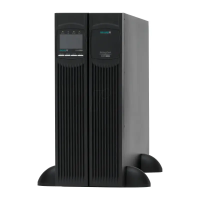
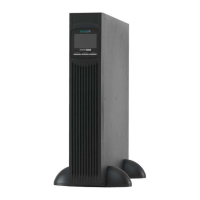
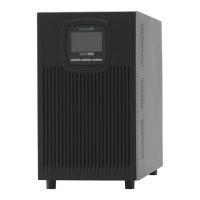
Setting up the UPS in a vertical orientation and connecting the battery.
Adding extra battery units to increase UPS runtime.
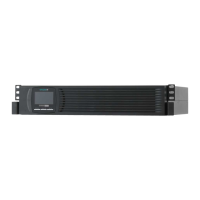
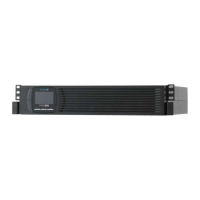
Mounting the UPS in a server rack and connecting the battery.
Initial setup and power-on procedures for the UPS system.
Description of the UPS system's buttons and graphical display interface.
Explanation of symbols, indicators, and menu options on the UPS display.
Configuration options for UPS voltage, frequency, and operating modes.
Understanding the different operational modes displayed by the UPS.
Connecting the UPS to a computer via serial or USB ports.
Using expansion slots for optional communication cards.
How to remotely shut down the UPS and connected loads in emergencies.
Protecting data lines from voltage surges.
Using the DataWatch software for UPS management and data backup.
Guidelines for cleaning and maintaining the UPS system and batteries.
Proper procedures for storing the UPS system for extended periods.
Indicators and procedures for replacing UPS batteries.
Step-by-step guide for replacing batteries in tower configuration.
Instructions for replacing batteries in rack-mounted UPS units.
Performing a self-test after installing new batteries.
Guidance on environmentally sound disposal of batteries and UPS.
List and explanation of error codes displayed by the UPS system.
Interpreting warning messages and their corresponding alarms.
Common operational issues, their causes, and solutions.
How to temporarily silence audible alarms on the UPS.
Information on contacting customer support and obtaining assistance.
Overview of different XANTO models and their specifications.
Physical size and weight specifications for UPS models and battery packs.
Details on input and output power connectors.
Technical performance details like voltage, frequency, and power ratings.
Information on battery types and expected runtime based on load.
Diagram and labels for rear panel connections and ports.
Declaration of conformity with relevant European directives.
 General
| Apparent Power | 3000 VA |
|---|---|
| Real Power | 2700 W |
| Output Voltage | 230 VAC |
| Output Frequency | 50/60 Hz |
| Output Waveform | Pure Sine Wave |
| Transfer Time | 0 ms |
| Form Factor | Tower |
| Operating Temperature | 0-40 °C |
| Humidity | 0-95% non-condensing |
| Battery Type | Sealed Lead Acid |
| Typical Recharge Time | 4 hours |
| Communication Interface | USB, RS-232 |
| Storage Temperature | -15°C to 45°C |
| Input Voltage | 230 VAC (170-280 VAC) |

 To Next Page
