
 Need help?
Do you have a question about the Online USV XANTO 700R and is the answer not in the manual?
Verify contents upon arrival and report transit damage.
Proper procedure for safely removing the UPS from its packaging.
Verify all included accessories against the package contents list.
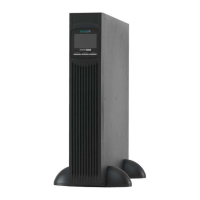
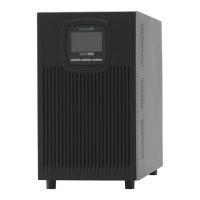
Guide for setting up the UPS in a vertical (tower) orientation and connecting the battery.
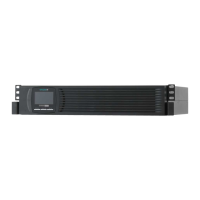
Instructions for installing the UPS in a rack and connecting the battery.
Initial steps for powering on and configuring the UPS system.
Description of the UPS control panel buttons and display layout.
Explanation of symbols, indicators, and menu options on the UPS display.
How to configure various UPS parameters through its menu system.
Understanding the different modes and indicators shown on the UPS display.
Connecting the UPS to a computer via serial or USB ports for data exchange.
Information on installing optional communication or interface cards.
How to use the remote shutdown feature for immediate power interruption.
Protecting data lines from voltage surges using the UPS.
Overview of the included software for UPS management and monitoring.
Guidelines for cleaning and maintaining the UPS system.
Recommendations for storing the UPS system for extended periods.
Indicators and procedures for replacing the UPS batteries.
Step-by-step guide for replacing batteries in the tower configuration.
Step-by-step guide for replacing batteries in the rack configuration.
Procedure to test the UPS system after battery replacement.
Environmental guidelines for the proper disposal of batteries and the UPS.
List and explanation of error codes displayed by the UPS.
Explanation of warning messages and their corresponding symbols and alarms.
Common operating statuses, their possible causes, and recommended solutions.
How to temporarily silence audible alarms from the UPS.
Contact information and resources for technical support and assistance.
Overview of available UPS models and their corresponding battery packs.
Physical specifications including width, height, depth, and weight for each model.
Details of input and output power connectors for different UPS models.
Key electrical characteristics such as voltage, frequency, power, and efficiency.
Information on battery types, configurations, and expected runtime.
Diagram showing the location of ports and connectors on the rear panel.
Declaration of conformity with relevant EU directives and standards.
 General
| Output Power | 420 W |
|---|---|
| Real Power | 420 W |
| Input Voltage | 230 V |
| Output Voltage | 230 V |
| Topology | Line-interactive |
| Output Frequency | 50/60 Hz |
| Input Frequency | 50/60 Hz |
| Communication | USB |
| Form Factor | Tower |
| Transfer Time | 4-8 ms |
| Battery Voltage | 12 V |
| Power Capacity | 700 VA |
| Outlets | 4 |

 To Next Page
