EasyManua.ls Logo

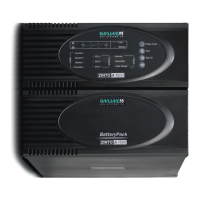
Online USV ZINTO A 800 - User Manual

Online USV ZINTO A 800
182 pages
Go to English
Print Icon
To Next Page IconTo Next Page
Loading...
www.online-ups.com
Manual
ZINTO A·Series
A 800
A 1000
A 1500
A 2000
A 3000

Table of Contents

Questions and Answers

  • K
    Kyle KaneAug 1, 2025
    What to do if Online USV ZINTO A 800 does not switch on after pressing the power button?
    • M
      Mitchell HardyAug 1, 2025
      If your Online USV UPS doesn't switch on after pressing the button, ensure you keep the button pressed until the acoustic signal stops, which usually takes about 3 seconds. Also, check the cable connection, paying attention to the seating of the connectors. If the issue persists, there might be a short circuit or overload in the UPS output. In this case, remove all loads, restart the UPS, and reconnect the loads one by one, making sure they are not faulty. If the mains wall socket is faulty, please contact an electrician. If the internal fuse is faulty, please contact your dealer.
  • M
    Misty AllenAug 8, 2025
    What to do if Online USV UPS does not provide any output voltage?
    • J
      Janet PhillipsAug 9, 2025
      If your Online USV UPS isn't providing any output voltage, start by checking the output fuse. Also, verify the cable connection and make sure the output load doesn't exceed the maximum rated load for the UPS. The UPS output may be detecting an overload or short circuit.
  • J
    Julie SchneiderAug 17, 2025
    Why is the General LED on my Online USV UPS on?
    • D
      Dana FlynnAug 17, 2025
      The General LED indicates an overload of your Online USV UPS. You should immediately shut down all loads connected to the UPS and contact your dealer.
  • G
    Gabriel BartonAug 25, 2025
    What to do if the battery power is too low on Online USV ZINTO A 800 UPS?
    • V
      Vincent CortezAug 25, 2025
      If the battery power is too low on your Online USV UPS, it might be due to the battery not being charged. In this case, charge the battery as per section 10.2. Alternatively, the battery may be faulty due to its age, requiring a replacement.

Summary

Safety Instructions for UPS Installation and Operation

Connection and Electrical Safety

Safe connection practices, grounding, cable usage, and avoiding overloaded sockets.

Maintenance, Servicing, and Fault Handling

Safety precautions for maintenance, handling hazardous voltages, and battery-related risks.

Principle of Operation

Power Electronics Functionality

Explains how the UPS handles power, filtering, voltage regulation (Buck & Boost), and battery monitoring.

Installation Guide

UPS Operation

Battery Mode Operation and Shutdown

Explains battery mode, low battery warnings, and procedures for shutting down loads and UPS.

System Diagnostics and Battery Test

Explains how to perform an active function test of the UPS components and battery.

Maintenance and Troubleshooting

Troubleshooting Guide

Addresses issues like UPS not switching on, no output voltage, low battery power, and general faults.

Technical Specifications

Electrical Specifications - Output and Battery

Covers output voltage, wave shape, changeover time, overload behavior, efficiency, and battery types.

Online USV ZINTO A 800 Specifications

General IconGeneral
BrandOnline USV
ModelZINTO A 800
CategoryUPS
LanguageEnglish

Related product manuals