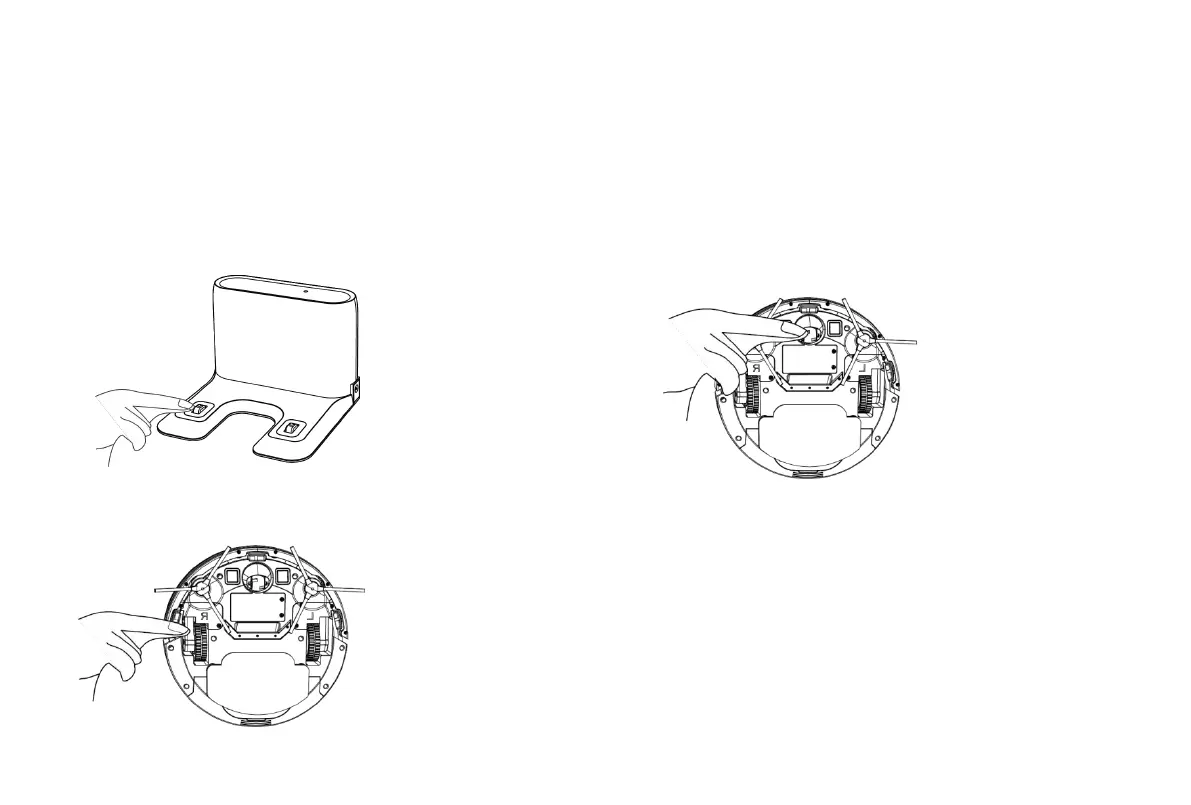
Parts Maintenance – Charging Electrode, Lower Visual Sensor, Driving
Wheel and Universal Wheel
Note: The charging electrode, lower visual sensor and bumper contain sensitive electronic components. Use a dry cloth to clean the parts.
Do not use a wet cloth in case water enters the parts and causes damage
Cleaning the charging electrode
Cleaning the driving wheel and universal wheel
* If you do not use the product for a long time, fully charge
the product and then power off the product before you store
the product. Charge the product every three months in case
of over-discharge of the battery.
* If the battery is over-discharged or is not used for a long
time, the product may not be rechargeable. Contact
after-sales service personnel of the company for
maintenance. Do not disassemble the product.
Cleaning the lower visual sensor



 To Next Page