Connect Your Phone
STEP 3
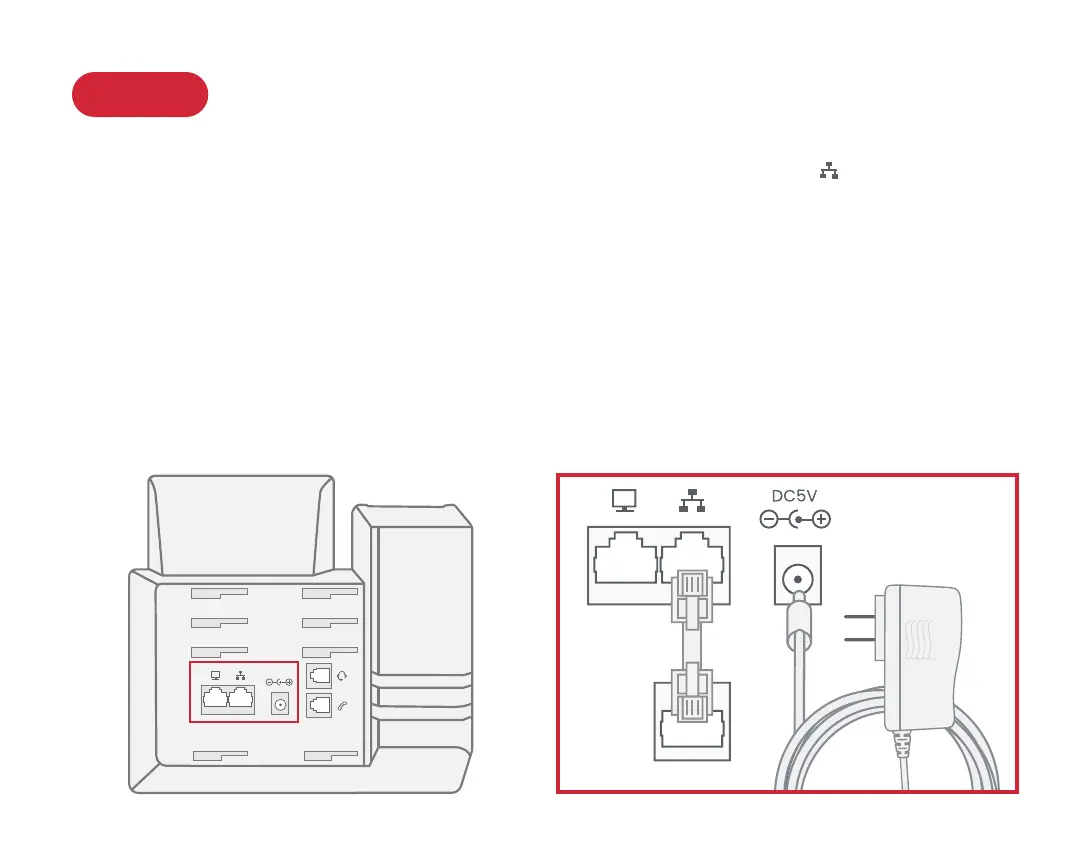
Use the Ethernet cable that came with the phone to connect the INTERNET ( ) port on the back
of the phone to any available Ethernet port on your router or switch.
Connect the power supply as shown below. Skip this step if using Power Over Ethernet (PoE).
Once powered and connected to the Internet, the startup process will commence automatically.
Once you see your extension number (e.g. x1001) displayed on the screen along with your
name, your phone is ready to use to make and receive calls!
DC5V
5



 To Next Page