Page 12
To enable the OontZ app with your OontZ Angle 3 Shower - PLUS Edition
- Turn on your OontZ Angle 3 Shower - PLUS Edition speaker and connect to the device with the OontZ app installed. (F
or Pair and
Connect instructions please see page 9)
Using the OontZ App for Alexa
Home screen
Speaker screen
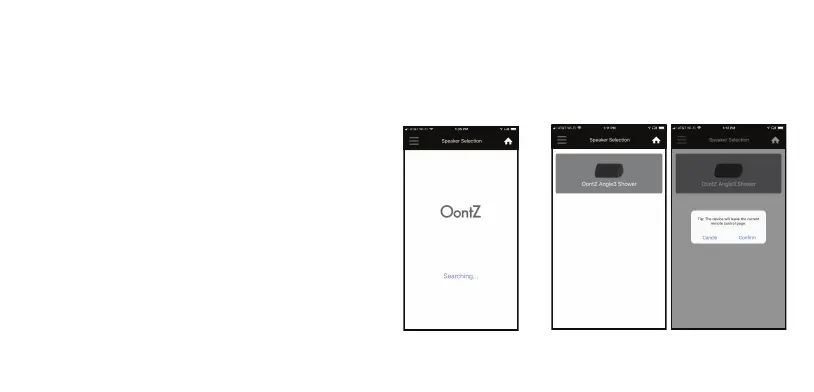
- Launch the OontZ app and the Home screen will appear
searching for the OontZ Angle 3 Shower - PLUS Edition speaker.
- Press the ‘OontZ Angle 3 Shower’ Grey speaker icon on the
app to
enable the OontZ app with the OontZ Angle 3 Shower -
PLUS Edition.
- Select ‘Confirm’ from the message displayed.
- See next page for continued instructions.



 To Next Page