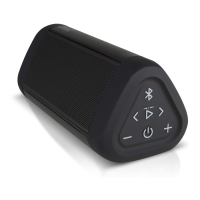
6. Pairing the OontZ Angle to your Bluetooth
laptop
To pair with a laptop please follow steps 1 and 2 in section 5, then follow the
Bluetooth pairing instructions for your laptop or MacBook.
You will need to first set up the OontZ Angle as a device on your system, and
then select it from the list of set up devices. The OontZ Angle may show up
on the list of Bluetooth devices before it is even set up. Although, it may
appear on the list you still need to go through the set up procedure on your
system, before you pair to the OontZ Angle.
If your MacBook or iPad or other laptop gives you an option during set up to
choose Mono or Stereo, always choose Stereo.
We have getting started instruction and videos on our website
TheOontZ.com that will help guide you in pairing and connecting
your system to the OontZ Angle.


 To Next Page