3. The Buttons and
connectors
1 2
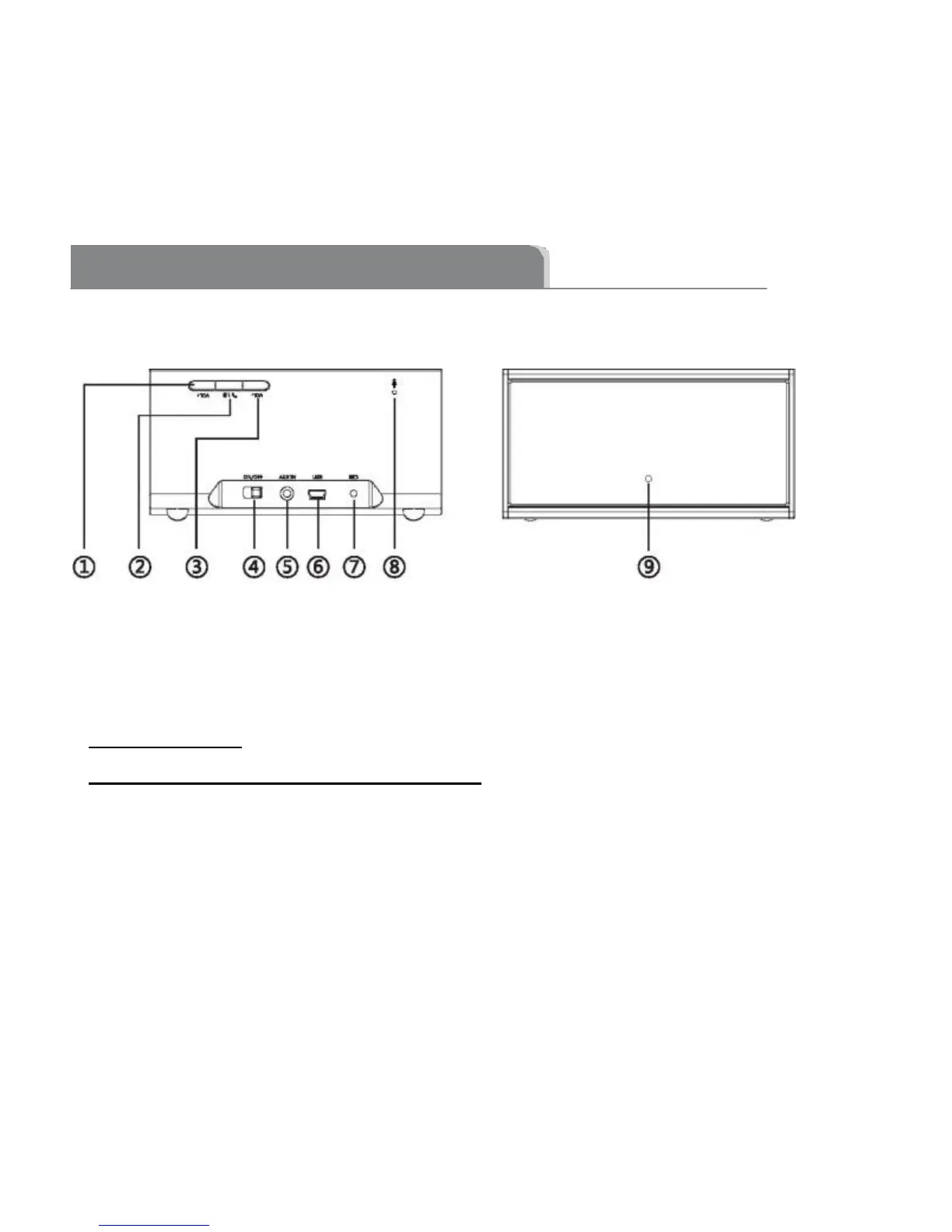
1. “VOL+” Button --Press to increase the volume
2. “Bluetooth symbol and phone icon” Button -- Press and hold for about 5 to 6
seconds to go into Bluetooth pairing mode. For incoming calls on speaker phone:
press and release to answer a call; press and hold for three seconds to reject a
call. During a call: press and release to switch between speaker phone and smart
phone use; press and hold for three seconds to hang up a call.


 To Next Page