16
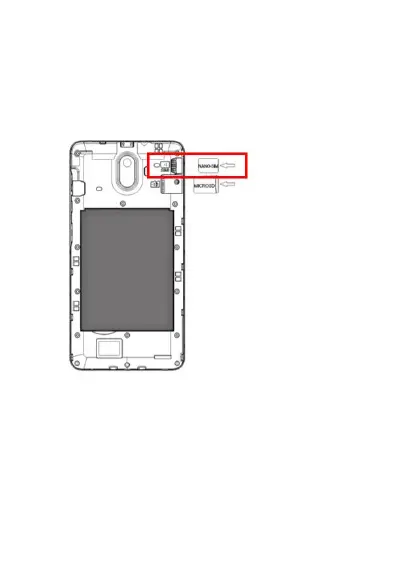
2. Insert the Nano sized SIM card in the SIM1 slot
located in the top right-hand corner. Ensure the
cornered edge of the SIM card is located in the
bottom left hand corner. Insert slowly and
carefully until the SIM card does not go in any
further.
Installing (optional) Micro SD Card
The Micro SD Card can be used as an additional
storage for your device. You can store photos, videos,
apps, music and more.















 To Next Page