INSTALLING CORE SERIES BOARDS IN E1 ENCLOSURE
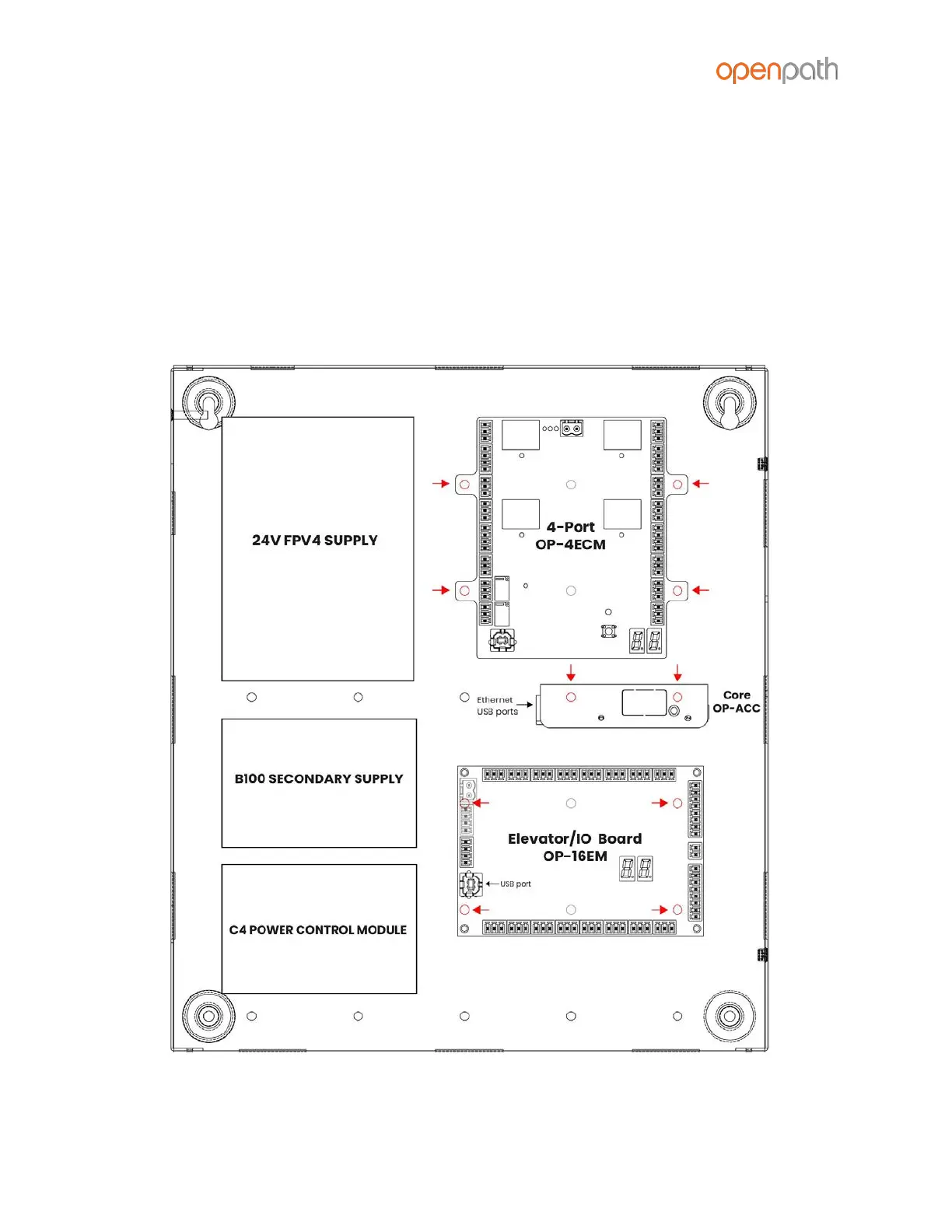
1. Mount 4-Port in upper corner of enclosure by snapping board standoffs into
holes in back of enclosure
2. Mount Core Board below 4-Port, perpendicular to back of enclosure, by
hooking tabs into holes in back of enclosure
3. Mount Elevator/IO Board (if included) below the Core Board using 6-32 screws
(insert screws from back of enclosure) with USB port on the left
4. Connect Core Board to 4-Port Board with included USB cable. Connect Core
Board to Elevator/IO Board with additional USB cable.
Figure 1: E1 Board Placement



 To Next Page