INSTALLING CORE SERIES BOARDS IN E2 ENCLOSURE
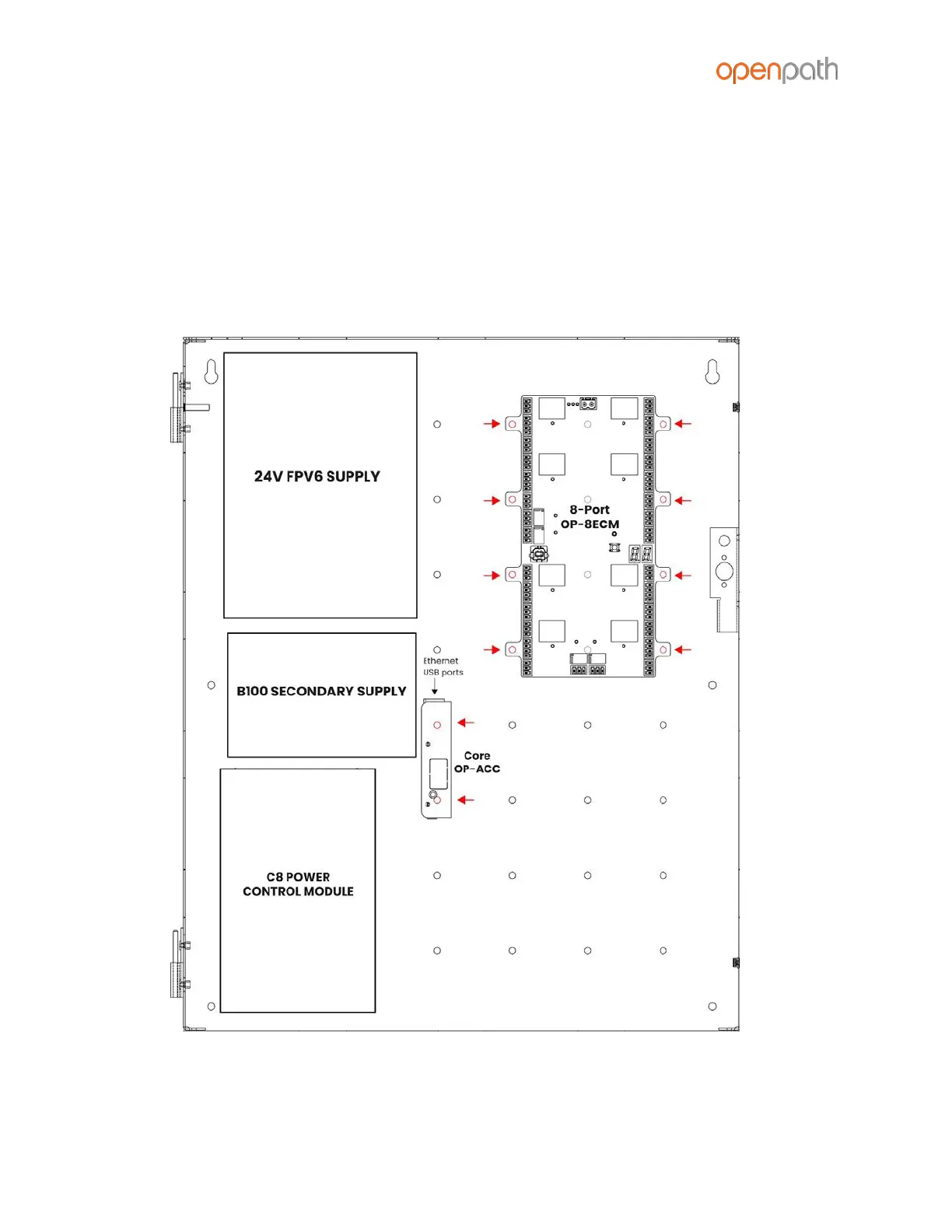
1. Mount 8-Port in upper right corner of enclosure by snapping board standoffs
into holes in back of enclosure
2. Mount Core Board with the USB and Ethernet ports facing up as shown in the
diagram, and hook the tabs on into the holes in the enclosure and slide to the
left to lock in place
3. Connect Core Board to 8-Port with included USB cable
Figure 2: E2 Board Placement



 To Next Page