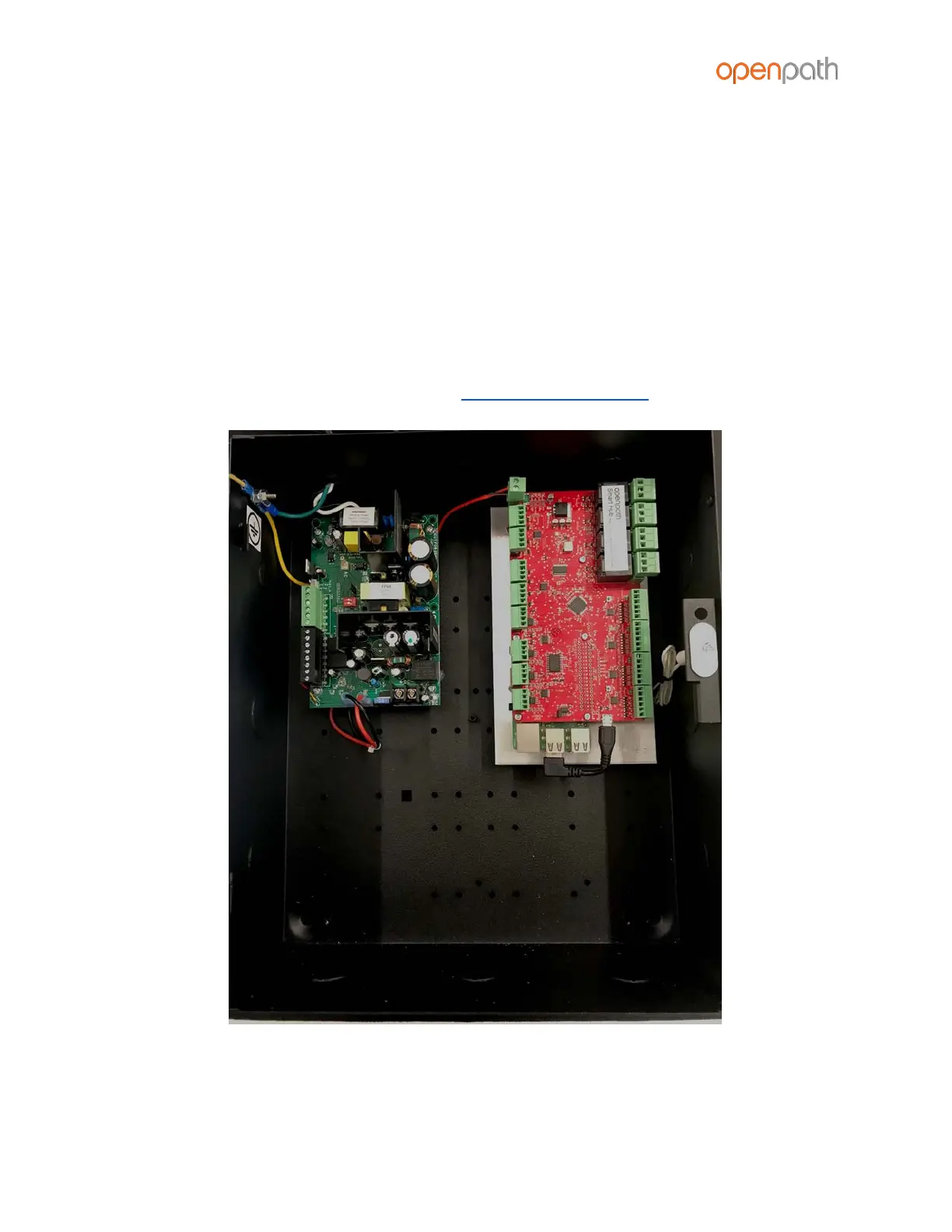
INSTALLING CONTROLLER BOARD WITH 12V LOCKING HARDWARE
If you purchased the Controller Board separately and are using 12V locking hardware,
we recommend using the FPV4-E1 power supply/enclosure.
1. Follow all LifeSafety Power instructions for installing the power supply in the
enclosure
2. Mount the Controller Board using the provided back plate
3. Connect the power supply to the Controller Board
IMPORTANT: Verify that the jumper on the FPV4 is set to 12V
4. Mount the enclosure according to mounting instructions above
Figure 4: First gen 12V Smart Hub ACU configuration



 To Next Page