OPENTRONS FLEX
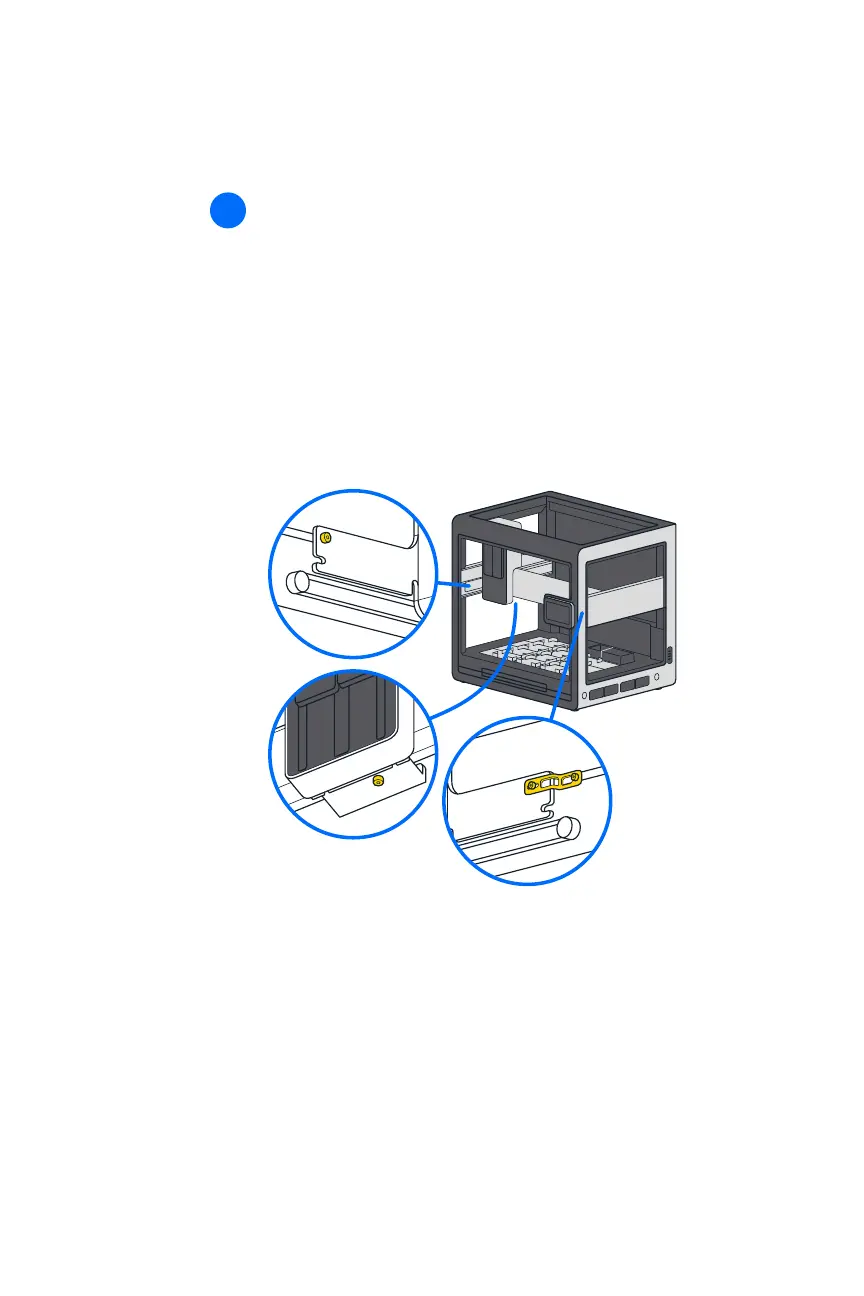
Using the 2.5 mm screwdriver from the User Kit, remove the
locking screws from the gantry. These screws prevent the gantry
from moving while in transit. The gantry locking screws are
located:
◾ On the left side rail near the front of the robot.
◾ Underneath the vertical gantry arm.
◾ On the right side rail near the front of the robot in an orange
bracket. There are two screws here.
15
The gantry moves easily by hand after removing all the
shipping screws.


 To Next Page