23
• Optibelt RB Ribbed belts
• Optibelt Automotive V-belts
– Raw edge, moulded cogged
V-belts
– Kraftbands
– Ribbed belts
Once a section has been selected, the
following data is to be entered:
• L = span length [mm]
• D
k
= diameter of the small
pulley [mm]
• Initial installation: yes/no
Next the nominal static belt tension
T
s
[N] is entered. The display “OD”
indicates that the belt parameters are
taken from the Optibelt data bank (see
diagram 2).
After the measurement has been
taken, the actual value is displayed
above the target value. By correcting
the tension, the actual value is
brought into line with the nominal
value.
If the measured value is within the
tolerance area of +/– 10 %, this is
conrmed by the display “0” (top
right in the display) and further
conrmed by the luminous green
diode.
If the measured belt tension is outside
the tolerance area, this is indicated
by “+” or “–” in the display and by
the red LED.
3.2.2 Measuring with
“free entry” of belt
parameters
By entering the parameters
• L = span length [mm]
• k = meter weight [g/m]
• T
s
= nominal static belt tension [N]
a qualitative adjustment of the tension
with the self-dened belt is possible.
For further steps, see ch. 3.2.1.
3.3 Storing of belts in
“own data bank”
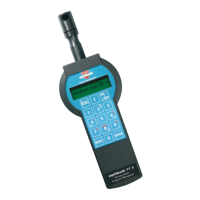
The Optibelt TT 3 offers the possibility
of storing up to 120 parameterised
belts under any name for later use.
The currently adjusted belt parameters
can be entered in your own data bank
by using key 9.
3.4 Calling up belts
from your
“own data bank”
Data from your own data bank is
loaded using key 6 (
→
).


 To Next Page