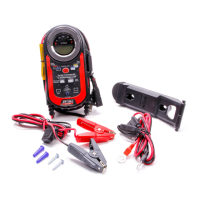
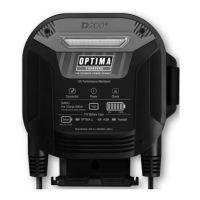
Digital 12 00 Digital 12 00
Quick Set Operations
After connecting to a battery:
With your OPTIMA
®
Digital 1200 12 Volt Performance Charger set up as outlined in pages 17-19, you
can now make quick and easy selections. With the charger plugged into a GFCI protected 110 VAC
outlet, and properly connected to a battery, the OPTIMA
®
Digital 1200 will automatically perform a quick
self-test of the display and all LEDs. Following the self-test you will be prompted by the display and the
directional arrows to make a quick set selection. From left to right are the LCD screens you will see:
Note: Self test takes less than 2 minutes. If after 10 minutes no selection is made,
the OPTIMA
®
Digital 1200 will automatically default to a safe maintainer mode.
Note: It is recommended to make a selection and allow the charger to finish that selection
before making a different selection.
Below is an overview of each function that can be selected.
1. Pre-Charge Battery Status.
Note: Vehicle engine and all charging systems must be off.
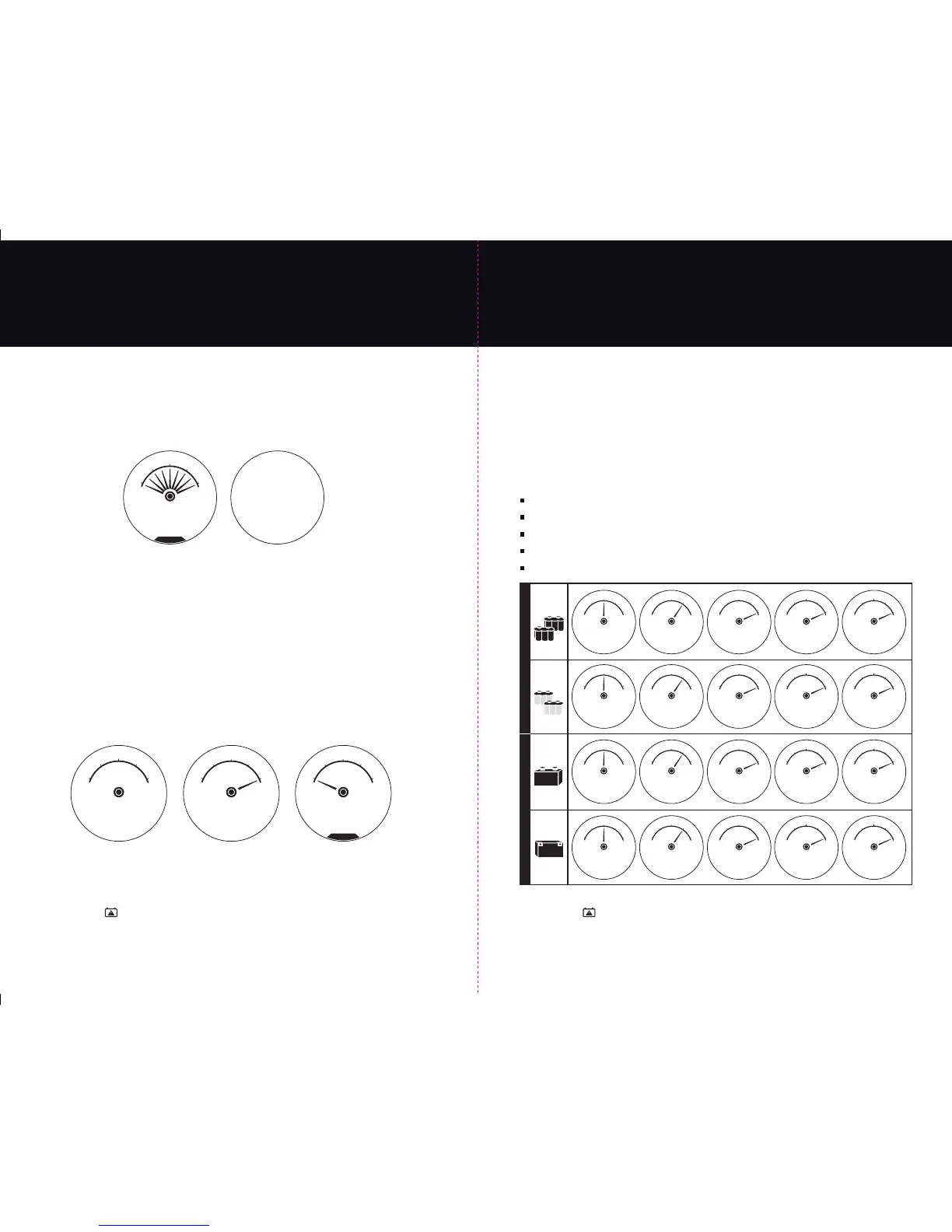
This quick and easy feature allows you to understand your battery’s state of charge before charging
it. To use this feature, use the RIGHT SIDE “Maintainer Quick Set Selector” to choose the battery pre-
charge status function. The LCD display will provide the current state of battery in % of charge and
DC volts in the numeric display. Below is a typical sequence of the display during this selection.
Note: If the charger identifies a fault during this process or any quick set process it will
illuminate the “Check Battery” icon on the top of the charger and it will “chirp” with an
audible tone letting you know to read the fault message and attend to the battery or charger.
See pages 24 and 25 for Fault Screens and Troubleshooting steps.
Make a Quick Set Selection Prompt
Display Check
00.0 00.0
Volts DC Amps DC
see manual
F
E
50
%
25
%
0
%
75
%
100
%
OPTIMA DISPLAY
CHECK
MAKE A QUICK SET
SELECTION NOW
Deeply Discharged Status;
From here you can make a
Quick Set Charge Selection
for your battery type.
Processing
Normal Charge Status
13.4 1.0
Volts DC Amps DC
see manual
F
E
50
%
25
%
0
%
75
%
100
%
PRE-CHARGE
BATTERY STATUS
13.4 1.0
Volts DC Amps DC
see manual
F
E
50
%
25
%
0
%
75
%
100
%
BATTERY
NORMAL
7.0 1.0
Volts DC Amps DC
see manual
F
E
50
%
25
%
0
%
75
%
100
%
DEEP DISCHARGE
SELECT CHARGE
21
2. Quick Set Charging by Battery Type.
From the LEFT SIDE “Charging Quick Set Selector,” choose the BATTERY TYPE that matches
the battery type descriptions as outlined on page 17 titled: “Charging Battery Types &
Approximate Charge Times.”
After selecting 1 of the 4 battery types the charger will begin its stage 1 “Analyzing Battery”
mode. This mode can take up to 2 minutes to complete while it determines the state of your
battery and check that all connections made are correct.
Upon completing the Stage 1 “Analyzing Battery” mode, the charger will start its multi-stage
charging process checks and will sequence through the illustrated LCD screens highlighted below:
Analyzing Battery Mode (screen not shown)
Charging Battery Mode
Conditioning Battery Mode
Maintaining Battery
30 Day Recondition Mode
Note: If the charger identifies a fault during this process or any quick set process it will
illuminate the “Check Battery” icon on the top of the charger and it will “chirp” with an
audible tone letting you know to read the fault message and attend to the battery or charger.
See pages 24 and 25 for Fault Screens and Troubleshooting steps.
Quick Set Operations
Profile 1
Engine
Starting
Profile 2
Deep Cycle
Profile 3
Auto/Marine
Profile 4
Motorcycle
10.5 10.0
Volts DC Amps DC
see manual
F
E
50
%
25
%
0
%
75
%
100
%
CHARGING 12V
OPTIMA BATTERY
14.6 5.5
Volts DC Amps DC
see manual
F
E
50
%
25
%
0
%
75
%
100
%
CONDITIONING 12V
OPTIMA BATTERY
13.4 1.0
Volts DC Amps DC
see manual
F
E
50
%
25
%
0
%
75
%
100
%
MAINTAINING 12V
OPTIMA BATTERY
13.4 1.0
Volts DC Amps DC
see manual
F
E
50
%
25
%
0
%
75
%
100
%
OPTIMA 30 DAY
3 HR RECONDITION
13.4 1.0
Volts DC Amps DC
see manual
F
E
50
%
25
%
0
%
75
%
100
%
MAINTAINING 12V
OPTIMA BATTERY
10.5 10.0
Volts DC Amps DC
see manual
F
E
50
%
25
%
0
%
75
%
100
%
CHARGING 12V
OPTIMA BATTERY
14.6 5.5
Volts DC Amps DC
see manual
F
E
50
%
25
%
0
%
75
%
100
%
CONDITIONING 12V
OPTIMA BATTERY
13.4 1.0
Volts DC Amps DC
see manual
F
E
50
%
25
%
0
%
75
%
100
%
MAINTAINING 12V
OPTIMA BATTERY
13.4 1.0
Volts DC Amps DC
see manual
F
E
50
%
25
%
0
%
75
%
100
%
OPTIMA 30 DAY
3 HR RECONDITION
13.4 1.0
Volts DC Amps DC
see manual
F
E
50
%
25
%
0
%
75
%
100
%
MAINTAINING 12V
OPTIMA BATTERY
10.5 10.0
Volts DC Amps DC
see manual
F
E
50
%
25
%
0
%
75
%
100
%
CHARGING 12V
SMALL BATTERY
14.6 5.5
Volts DC Amps DC
see manual
F
E
50
%
25
%
0
%
75
%
100
%
CONDITIONING 12V
SMALL BATTERY
13.4 1.0
Volts DC Amps DC
see manual
F
E
50
%
25
%
0
%
75
%
100
%
MAINTAINING 12V
SMALL BATTERY
13.4 1.0
Volts DC Amps DC
see manual
F
E
50
%
25
%
0
%
75
%
100
%
30 DAY 3 HR
12V RECONDITION
13.4 1.0
Volts DC Amps DC
see manual
F
E
50
%
25
%
0
%
75
%
100
%
MAINTAINING 12V
SMALL BATTERY
10.5 10.0
Volts DC Amps DC
see manual
F
E
50
%
25
%
0
%
75
%
100
%
CHARGING 12V
LARGE
BATTERY
14.6 5.5
Volts DC Amps DC
see manual
F
E
50
%
25
%
0
%
75
%
100
%
CONDITIONING 12V
LARGE
BATTERY
13.4 1.0
Volts DC Amps DC
see manual
F
E
50
%
25
%
0
%
75
%
100
%
MAINTAINING 12V
LARGE
BATTERY
13.4 1.0
Volts DC Amps DC
see manual
F
E
50
%
25
%
0
%
75
%
100
%
30 DAY 3 HR
12V RECONDITION
13.4 1.0
Volts DC Amps DC
see manual
F
E
50
%
25
%
0
%
75
%
100
%
MAINTAINING 12V
LARGE
BATTERY
PERFORMANCE AGMSSTANDARD FLOODED & AGMS
22


 To Next Page
 Loading...