Need help?
Do you have a question about the Optima D200+ and is the answer not in the manual?
Details on electrical input, output voltage, and charging current parameters for the OPTIMA D200+ charger.
Lists the various battery chemistries and types compatible with the OPTIMA D200+ charger.
Information regarding the length and dimensions of the charger's AC and DC cables and the unit itself.
Crucial safety and operating instructions to prevent injury, fire, or explosion when using the charger.
Notification regarding compliance with FCC Class B regulations for potential interference.
Highlights the innovative features and design elements of the OPTIMA D200+ 12V Performance Maintainer.
Reminder to retain the user manual for important safety and operating information.
Specific cautions regarding charging lead-acid and LiFePO4 batteries, and risks with other types.
Guidance on electrical safety, including using grounded outlets and handling damaged cords.
Details on the product's compliance with FCC Class B rules and methods to minimize interference.
Warnings about explosive gases from lead-acid batteries and safety measures during operation.
Recommendations for using extension cords safely and connecting the AC power cord to a GFCI outlet.
Personal protective measures, including eye protection, clothing, and avoiding sparks near batteries.
Steps and precautions before charging, including battery removal, terminal cleaning, and profile selection.
Guidelines for charger placement, ventilation, and proper DC connection/disconnection procedures.
Dangers associated with exploding batteries, explosive gases, and sulfuric acid hazards.
Detailed instructions for safely handling battery acid, including first aid for contact.
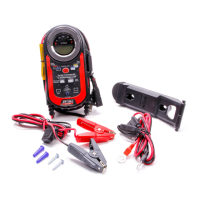
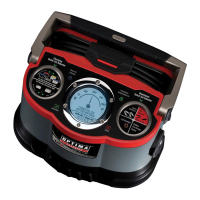
Overview of features like quick connect cables, wall organizer bracket, and dual-function battery gauge.
Explanation of the four automatic charging stages: Analyze, Charge, Condition, and Auto Maintain.
Details on spark-free connection, reverse polarity, and over-temperature protection.
Identification and function of the charger's LEDs, buttons, and display elements.
Description of DC output connectors, including LiFePO4 specific cable, ring terminals, and clamps.
Information on different battery types and corresponding charger settings for optimal charging.
Step-by-step guide on how to select the appropriate battery profile for charging.
Table detailing battery types, their amp hour ratings, and approximate charge times.
Comprehensive guide covering charger mounting, ventilation, and electrical connection procedures.
Procedure for connecting DC clamps to a battery installed within a vehicle.
Procedure for connecting DC clamps to a battery that has been removed from a vehicle.
Instructions for connecting the charger using ring terminal cables for permanent battery connections.
Specific setup for charging OPTIMA® LiFePO4 batteries using dedicated cables.
How to check the battery's state of charge before initiating a charging cycle.
Guide to choosing the correct battery type profile for effective charging.
Explanation of fault conditions indicated by the charger's LEDs and status bar.
Steps for resetting the charger and addressing common issues like no LEDs being on.
Summary of key technical specifications including AC input, DC output, and battery compatibility.
Information and instructions on how to register your OPTIMA product online.
Contact details and procedures for obtaining technical or warranty support for the charger.
Overview of the limited warranty coverage, exclusions, and terms for the battery charger.
 General
| Output Voltage | 12V DC |
|---|---|
| Output Current | 2A |
| Input Voltage | 100-240V AC |
| Battery Type | AGM, Gel |
| Charging Method | Multi-stage charging |
| Protection Features | Overcharge, Short-circuit, Reverse polarity |
| Weight | 0.5 kg |

 To Next Page