10
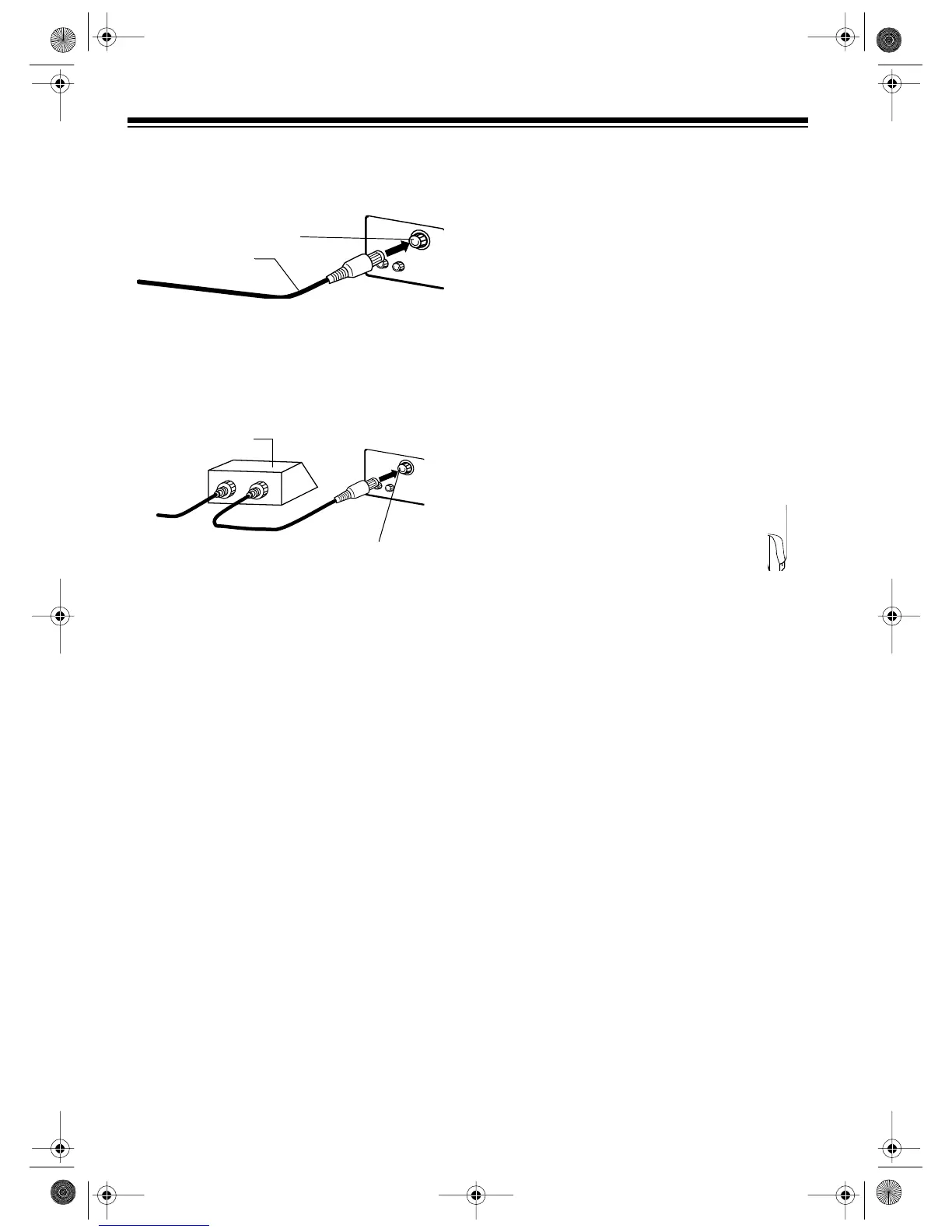
If you do not receive scrambled channels,
you can connect the cable directly to the TV/
VCR’s
VHF/UHF
terminal.
If you receive scrambled channels, you must
connect the cable converter box to the TV/
VCR’s
VHF/UHF
terminal. Tune the TV/VCR to
the cable box’s output channel (3 or 4) and use
the cable box to select the channel.
Cable Channel Designations
Your TV/VCR can receive up to 125 cable chan-
nels, displayed as 1
_
125. Channels 2-13 are the
same for VHF and cable TV, and cable compa-
nies usually number them as they appear on the
TV screen. For other channels, the cable ser-
vice’s channel designations might not match the
channel numbers that appear on the TV screen.
For more information, contact your cable com-
pany. You might need to experiment to deter-
mine the proper cable channel designations for
your cable system.
CONNECTING AN EXTERNAL
DEVICE
You can connect another audio/video device
that has audio/video outputs, such as a VCR,
camcorder, or satellite receiver, to the TV/VCR
so you can view the source’s output on the TV/
VCR.
Note: Always use video-quality shielded cables
with phono connectors. Do not use standard au-
dio patch cords.
To connect an audio/video device’s outputs to
the TV/VCR, connect the device’s video and au-
dio outputs to the corresponding
VIDEO IN
and
AUDIO IN
jacks on the back of the TV/VCR.
CONNECTING POWER
When you have completed all other connec-
tions, plug the TV/VCR’s power cord into a stan-
dard AC outlet.
Warning: For your protection, the power cord
has a polarized plug. To prevent blade expo-
sure, be sure the blades fit fully and easily into
the outlet. If you do not have a polarized outlet,
have a qualified electrician install one before
you use the TV/VCR.
Note: When you plug in the TV/VCR within 24
hours after a power failure, the TV/VCR starts to
search for a channel that uses an Extended
Data Service (EDS) signal (see “Setting the On-
Screen Language/Channels/Clock” on Page
12).
VHF/UHF Terminal
Cable
IN
OUT
VHF/UHF Terminal
Cable Box
A/V Device
VIDEO IN AUDIO IN
16-421.fm Page 10 Tuesday, July 20, 1999 12:01 PM



 To Next Page