18
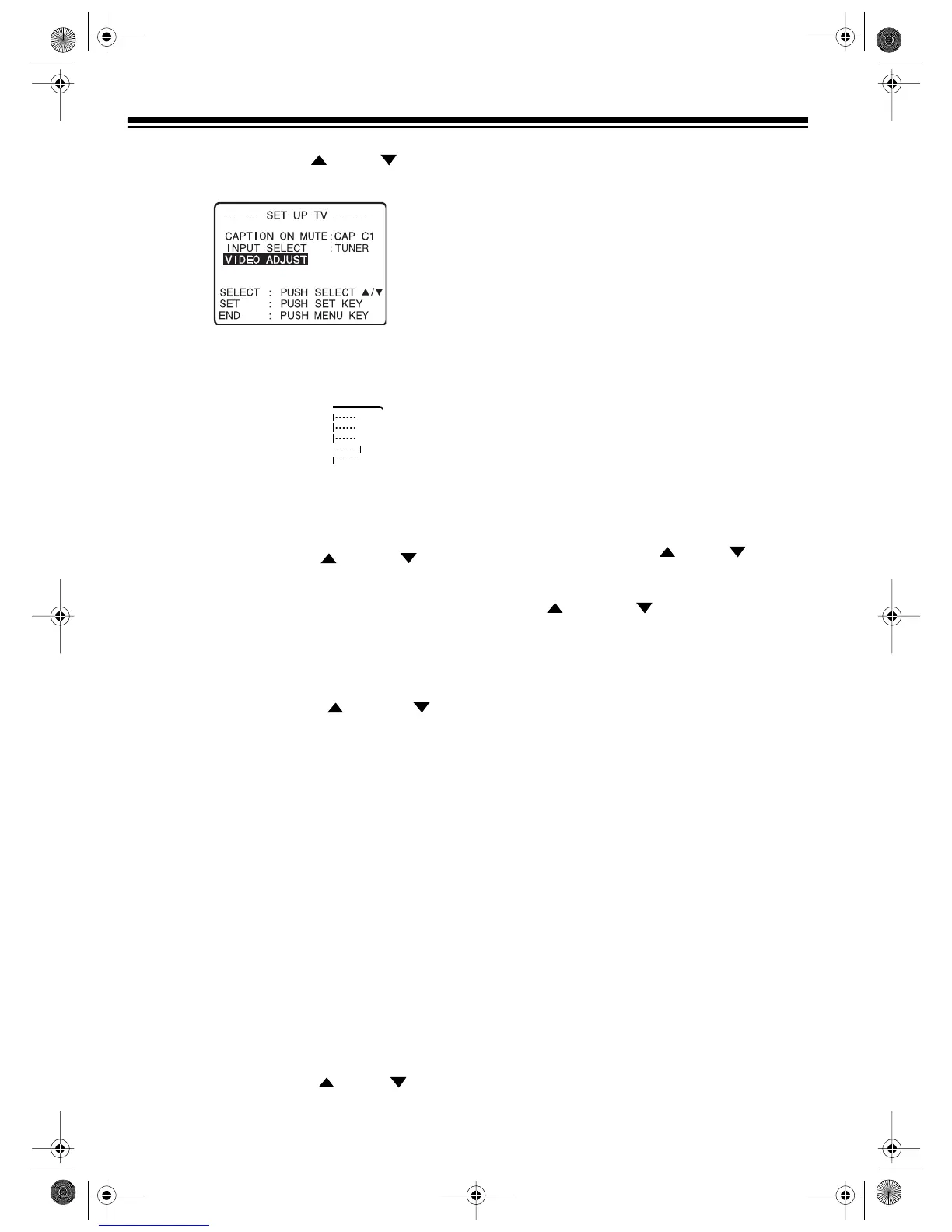
4. Repeatedly press
SEL
or
SEL
to high-
light
VIDEO ADJUST.
5. Press
SET
. A screen appears with the cur-
rent picture settings.
6. Repeatedly press
SEL
or
SEL
until
the setting you want to adjust is highlighted,
then press
SET
. A screen showing the cur-
rently set adjustment for that setting
appears.
Note:
To reset all settings to their factory
defaults, select
NORMAL
.
7. Repeatedly press
SEL
or
SEL
to
adjust the picture as desired, then press
SET
.
8. Repeat Steps 6 and 7 to adjust the other
setting(s) as necessary.
9. Press
MENU
three times to exit this mode.
Note:
If you do not press any button within
5 minutes, the picture setting screen disap-
pears.
USING MUTE
To temporarily turn off the TV/VCR’s sound,
press
MUTE
on the remote control.
MUTE
ap-
pears on the TV screen.
To restore the sound to the previous level, press
MUTE
again. Or, to restore the sound and
change its level, press
VOL
or
VOL
.
USING LAST CHANNEL
RECALL
The TV/VCR’s last channel recall function lets
you quickly switch between two channels you
tuned.
Repeatedly press
LCR
(Last Channel Recall) on
the remote control to switch between the chan-
nel you are watching and the previous channel
you tuned.
VIEWING AN EXTERNAL
DEVICE
To view the signals from an external device con-
nected to the audio/video input jacks on the back
of the TV/VCR, do either of the following:
• Press
MENU
to display the main menu,
repeatedly press
SEL
or
SEL
to select
TV
, then press
SET
. The
SET UP TV
screen appears. Then repeatedly press
SEL
or
SEL
to highlight
INPUT
SELECT
,
press
SET
to select
LINE
,
then press
MENU
twice. The menu disap-
pears.
• Select one channel higher than the highest
programmed channel or one channel lower
than the lowest programmed channel.
LINE
appears on the TV screen.
16-421.fm Page 18 Tuesday, July 20, 1999 12:01 PM



 To Next Page