10
OPERATION
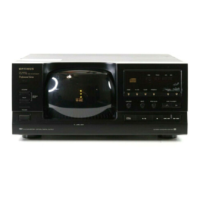
LOADING CDS
Your CD changer can play 5-inch or 3-
inch CDs. Follow these steps to load
CDs.
1. Press
POWER
on the CD changer.
The display lights.
2. Press
OPEN/CLOSE
to open the
disc tray.
Caution:
Do not force the com-
partment open or closed. You
might damage its loading mecha-
nism.
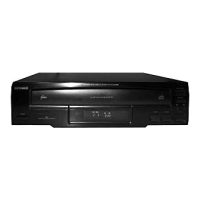
3. Press
DISC SKIP
until the desired
disc tray moves to the front. (Do
not touch the disc tray while it ro-
tates.)
illustration
illustration
illustration
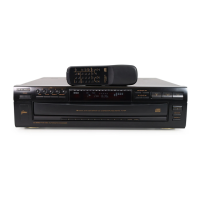
4. Carefully place the CD, label side
up, into the recessed holder with
the label side up.
Notes:
• If you use a 3-inch CD, place it
in the middle of a recessed
holder.
• Do not load more than one CD
into each recessed disc holder.
• Each disc holder is marked with
a tray number (1–5).
5. Repeat Steps 3 and 4 to load
more CDs.
6. Press
OPEN/CLOSE
to close the
disc tray. The CD changer dis-
plays the number of the CD in the
play position.
PLAYING CDS
After you load CDs, follow these steps
to play them.
Warnin
:
The CD-8250 has a wide
dynamic range. If you set your amplifi-
er’s volume too high during soft (low
volume) parts of the music, you might
damage your headphones, speakers,
or hearing when a sudden loud pas-
sage occurs.
illustration
42-5072.fm Page 10 Thursday, August 12, 1999 10:55 AM


 To Next Page