12
SELECTING A CD
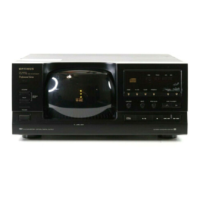
To select a CD, press that
DISC NO.
(
1
–
5
) button (
DISC
1
-
5
on the CD
changer), then press
PLAY
. The
selected CD plays from Track 1.
To select the CD in the next higher-
numbered disc holder, press
DISC
SKIP
. The CD changer moves to the
next higher-numbered disc holder and
begins to play that CD.
Note:
You cannot use
DISC SKIP
or
DISC NO.
during programmed play
(see “Playing a Sequence of Tracks”
on Page 16).
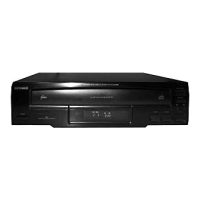
illustration
SELECTING A TRACK
You can select a track in two ways.
You can enter the track number using
TRACK NO.
(
1
-
0
) buttons (
1
-
0
number
buttons below the tray on the CD
changer). Then press
PLAY
.
Notes:
• If you enter a track number higher
than the highest track number on
a CD, the CD changer starts to
play the last track on that CD.
• You cannot use
TRACK NO.
during
programmed play (see “Playing a
Sequence of Tracks” on Page 16).
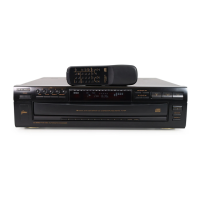
You can also select a particular track
with the and buttons.
While a CD is playing, press once
to return to the beginning of the cur-
rent track. Press to skip other
tracks on the same CD.
illustration
42-5072.fm Page 12 Thursday, August 12, 1999 10:55 AM


 To Next Page