EasyManua.ls Logo

Optimus Concertmate 410 - User Manual

Optimus Concertmate 410
24 pages
Print Icon
To Next Page IconTo Next Page
Loading...
Cat. No. 42-4031
OWNER’S MANUAL
Concertmate 410
Please read before using this equipment.
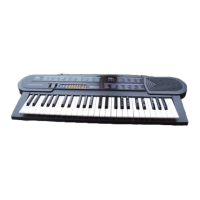
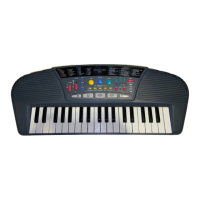
Portable Electronic Keyboard
illustration
42-4031.fm Page 1 Wednesday, August 11, 1999 4:22 PM

Questions and Answers

  • J
    Jonathan KingJul 28, 2025
    What to do if my Optimus Concertmate 410 has no power?
    • K
      Kenneth Hurley MDJul 28, 2025
      If your Optimus Electronic Keyboard isn't powering on, check the power supply. Make sure the batteries are installed correctly and are fresh. Also, verify the AC/DC adapter connection is correct.
  • X
    xwareAug 2, 2025
    Why is there no sound coming from my Optimus Concertmate 410 Electronic Keyboard?
    • G
      George RobertsAug 2, 2025
      If you're not hearing any sound from your Optimus Electronic Keyboard, the volume might be turned down. Try turning up the volume.
  • N
    noblejonathanAug 6, 2025
    What to do if my Optimus Electronic Keyboard is silent but not off?
    • M
      Martin GravesAug 6, 2025
      If your Optimus Electronic Keyboard is silent, check if headphones are connected. Unplug the headphones to hear sound from the keyboard's speakers.
  • C
    Charles DavisAug 10, 2025
    How to turn on the power on Optimus Concertmate 410?
    • K
      kristenbradfordAug 10, 2025
      If your Optimus Electronic Keyboard isn't working, make sure the power is turned on. Set the power switch to the 'ON' position.
  • T
    Teresa OconnorAug 14, 2025
    What to do if rhythm doesn't start on Optimus Electronic Keyboard?
    • L
      Lisa HuertaAug 15, 2025
      If the rhythm isn't starting on your Optimus Electronic Keyboard, press the START/STOP button.
  • H
    harveyderekAug 19, 2025
    What to do if accompaniment doesn't work on Optimus Electronic Keyboard?
    • B
      Benjamin MeyerAug 19, 2025
      If the accompaniment isn't working on your Optimus Electronic Keyboard, make sure you press the A.B.C. button.
  • O
    oprinceAug 23, 2025
    What to do if my Optimus Concertmate 410 Electronic Keyboard connection cord is defective?
    • A
      Amanda BenderAug 23, 2025
      If you suspect the connection cord of your Optimus Electronic Keyboard is defective, replace it with a new one.

Summary

FEATURES

18 Demonstration Songs

Learn about sample songs and their capabilities.

12 Different Sounds

Explore the variety of instrument sounds available.

Lesson Function

Learn songs phrase-by-phrase with guidance.

PREPARATION

Powering Your Keyboard

Learn how to power the keyboard using various sources.

Using AC Power

Using Vehicle Battery Power

CONNECTING HEADPHONES

CONNECTING AN EXTERNAL AMPLIFIER

OPERATION

BASIC OPERATION

Step-by-step guide to turning on and basic use.

PLAYING THE DEMONSTRATION SONGS

Using LESSON and REVIEW

SELECTING A VOICE

USING THE AUTO-RHYTHMS

USING AUTO ACCOMPANIMENT

Auto Accompaniment

SPECIAL FEATURES

Storing a Percussion Pattern

TROUBLESHOOTING

Optimus Concertmate 410 Specifications

Sound IconSound
polyphonic sound4-note (Maximum)
preset voices12
auto-rhythm12
demonstration songs18 Songs
Built-in Features IconBuilt-in Features
effectsREVERB, OCTAVE
melody memoryUp to 17 notes
percussion padsBASS DRUM, SNARE DRUM, CYMBAL, HI-HAT, TOM
Power IconPower
power sourcesDC: 6 C batteries, AC: 120V, 60Hz, Vehicle Battery: 9-12V
power consumptionDC 1.5 W
jacksPHONE, DC9V
Weight and Dimensions IconWeight and Dimensions
dimensions3[1]/16 × 22[5]/8 × 8[3]/4 Inches (78 × 575 × 222 mm)
weight (without batteries)3 lb 1.4 oz (1.4 kg)
built-in speakers3[1]/2 Inch × 2 (4 ohm)

Related product manuals