15
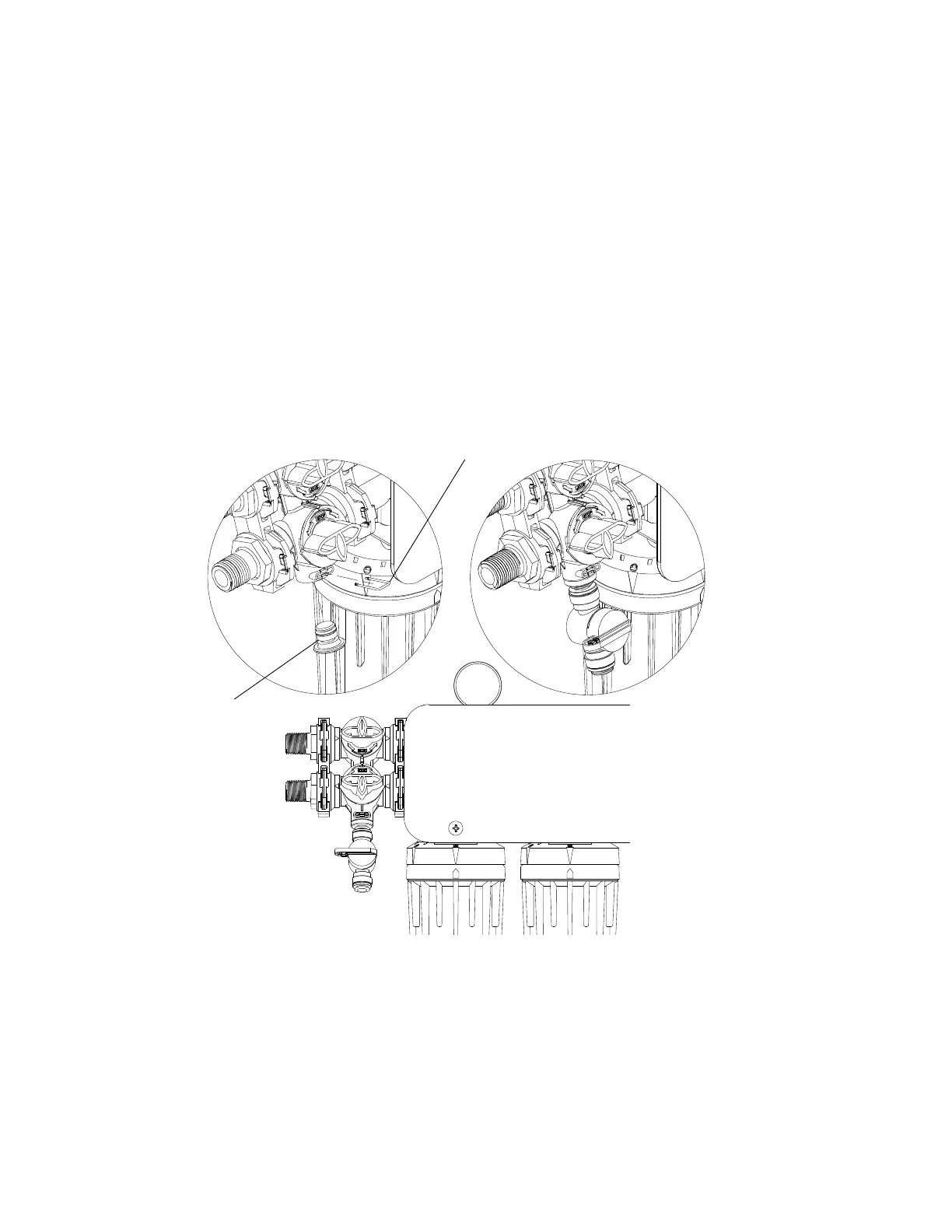
Flush Kit Optional attachment to Multi-Function Valve
To install Flush Valve Assembly:
1. Turn Multi-function Valve to Off Position and relieve pressure to OptiPure System.
2
. To remove White Port Plug on Multi-Function Valve remove Port Clip using small flat head
screwdriver. Pull Port Plug out of Multi-Function Valve.
3. Insert Flush Valve Assembly into Multi-Function Valve Port. Replace Port Clip.
4. Install 3/8” Tubing (NOT INCLUDED) into ball valve and direct other end into bucket or sink. Ensure
ball valve is in off position.
5. Turn Multi-Function Valve to the Operating Position and check for leaks.
6. Open ball valve on Flush Valve Assembly to verify water flushing. Turn ball valve off when
flushing is complete.



 To Next Page