English
38
USING THE PROJECTOR
Color Temperature (Data mode): Select a color temperature from Warm, Medium, or Cool.
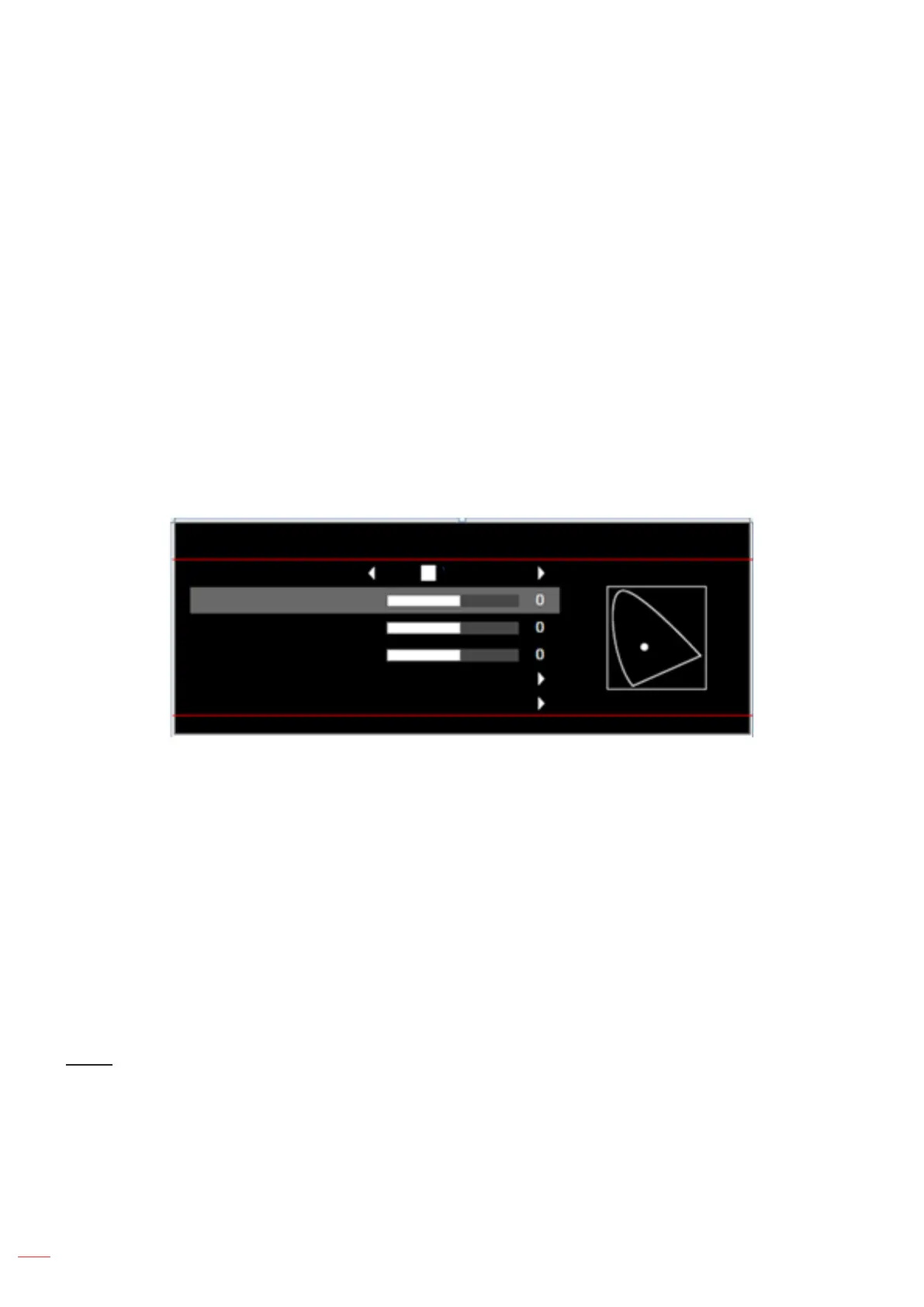
Color Matching: Select the following options:
± Color: Adjust the red (R), green (G), black (B), cyan (C), yellow (Y), magenta (M), and white (W)
level of the image.
± Hue: Adjust the color balance of red and green.
± Saturation: Adjust a video image from black and white to fully saturated color.
± Gain: Adjust the image brightness.
± Reset: Return the factory default settings for color matching.
± Exit: Exit the “Color Matching” menu.
RGB Gain/Bias: This settings allows to congure the brightness (gain) and contrast (bias) of an
image.
± Reset: Return the factory default settings for RGB gain/bias.
± Exit: Exit the “RGB Gain/Bias” menu.
Color Matching
Color White
R
G
B
Reset
Exit
Color Space (non-HDMI input only): Select an appropriate color matrix type from the following:
AUTO, RGB, or YUV.
Color Space (HDMI input only): select an appropriate color matrix type from the following: Auto,
RGB(0-255), RGB(16-235), and YUV.
White Level: Allow user to adjust White Level when inputting Video signals.
Note: White level can only be adjusted for Video input source.
Black Level: Allow user to adjust Black Level when inputting Video signals.
Note: Black level can only be adjusted for Video input source.
IRE: Allow user to adjust IRE value when inputting Video signals.
Note:
IRE is only available with NTSC video format.
IRE can only be adjusted for Video input sources.
Signal
Adjust the signal options.
Automatic: Congure automatically the signal (the frequency and phase items are grayed out). If
automatic is disabled, the frequency and phase items will appear for tuning and saving the settings.
Frequency: Change the display data frequency to match the frequency of your computer’s graphic
card. Use this function only if the image appears to icker vertically.
Phase: Synchronize the signal timing of the display with the graphic card. If the image appears to be
unstable or ickers, use this function to correct it.



 To Next Page