English
64
ADDITIONAL INFORMATION
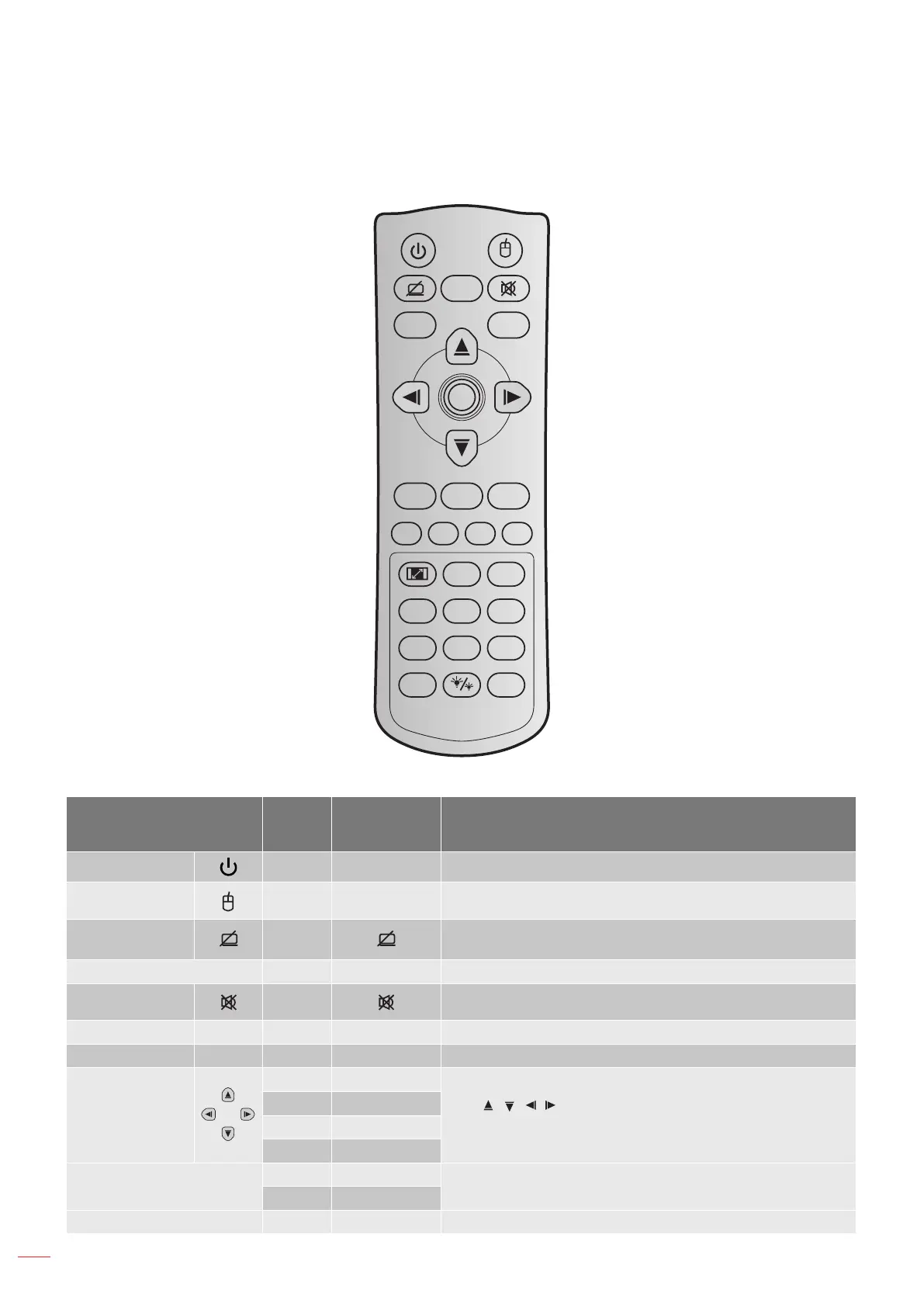
IR remote control 4 codes
Freeze
Power Switch
L
R
V Keystone Volume
Page+
-
+
-
+
1 2
Menu
3
3D
4
HDMI
5
VGA
6
Video
7
User1
8
User2
9
User3
Source
0
Resync
Page
-
Laser
Enter
Key
Key
code
Printing-key
definition
Description
Power 81 Power on/o Press to turn on / o the projector.
Switch 3E Switch Press to switch the USB mouse on / o.
Display blank /
audio mute
8A
Press to hide / unhide the screen picture and turn o / on
audio.
Freeze 8B Freeze Press to freeze the projector image.
Mute 92 Press to momentarily turn o / on the audio.
Mouse left click L CB L Use as mouse left click.
Mouse right click R CC R Use as mouse right click.
Four
directional select
keys
C6 Up arrow
Use to select items or make adjustments to
your selection.
C8 Left arrow
C9 Right arrow
C7 Down arrow
Enter
C5 Enter
Conrm your item selection.
CA Enter
Page - C2 Page- Press to page down.



 To Next Page