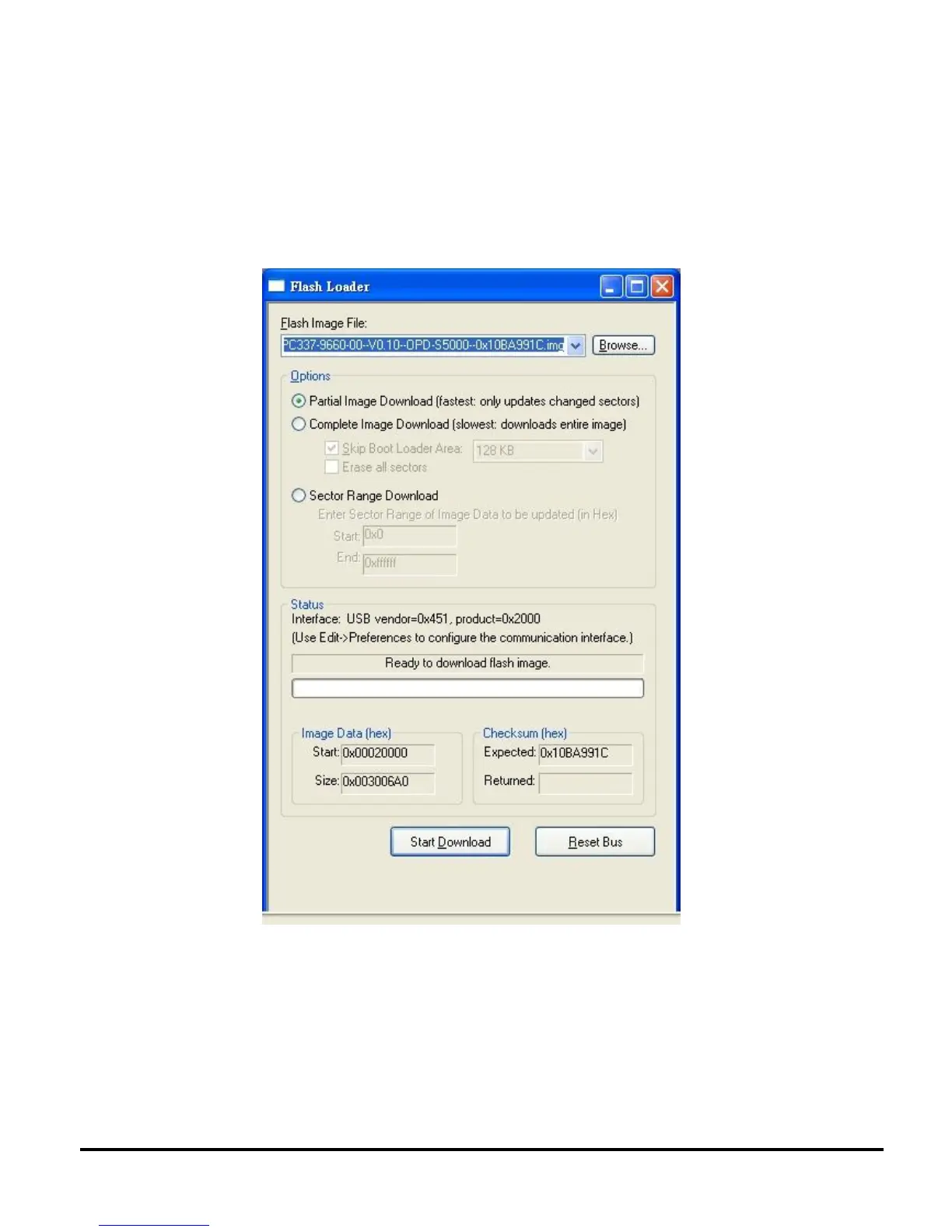
8. Click DLP Composer Lite\Flash Loader, and change Flash Image File to be C:\dev\Library\.
Comment:
I. If the target projector is SVGA with HDMI (ES551/OPD-S5001) then use firmware
image file PC337-9660-00--V0.10--OPD-S5000--0x10BA991C.img.
II. If the target projector is XGA with HDMI (EX551/OPD-X5001) then use firmware image
file PC437-9660-00--V0.10--OPD-X5000--0x10C86D1A.img.



 To Next Page