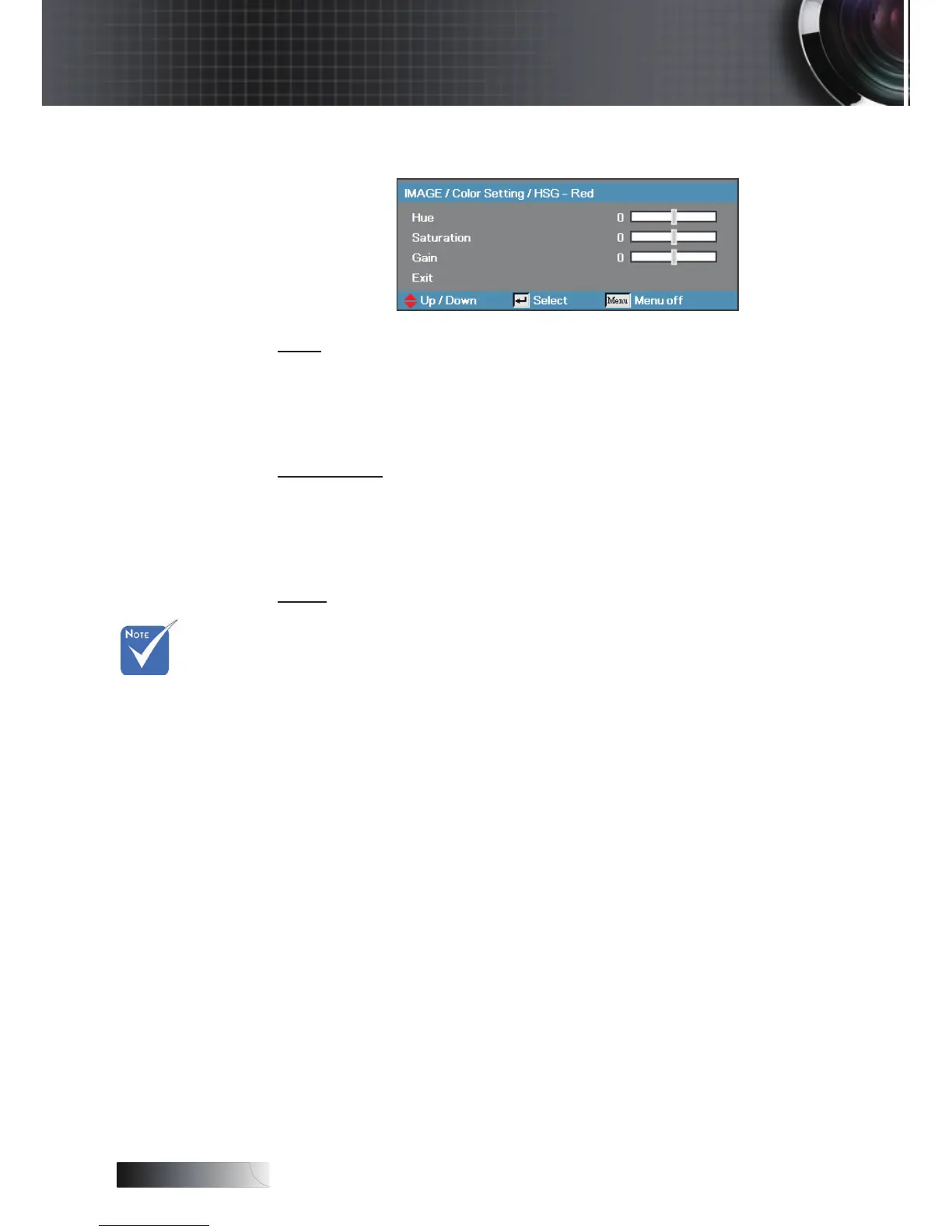
Image | Color Setting / HSG
Hue
Adjust the color balance of red and green.
4
Press ◄ to increase the amount of green in the image.
4
Press ► to increase the amount of red in the image.
Saturation
Adjusts a video image from black and white to full color saturation.
4
Press ◄ to decrease the amount of saturation in the image.
4
Press ► to increase the amount of saturation in the image.
Gain
Set Red Gain to adjust the Brightness:
4
Increase or decrease the gain value for red.
Green, Blue,
Cyan,Yellow,
Magenta can
be separate
adjust by
each color
HSG.
v
User Controls


 To Next Page