EasyManua.ls Logo

Oral-B GENIUS - User Manual

Oral-B GENIUS
106 pages
Go to English
Print Icon
To Next Page IconTo Next Page
Loading...
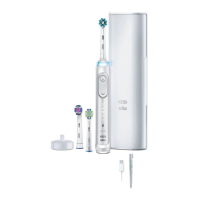
Charger Type 3757
Handle Type 3765
Travel Case Type 3760
Smart Plug Type 492-5214
Question and Answer IconNeed help?

Do you have a question about the Oral-B GENIUS and is the answer not in the manual?

Summary

Important Information and Safety Warnings

Product Inspection and Care

Periodically check product/cords/accessories for damage and avoid modification or repair.

Child Usage and Safety

Guidance on toothbrush use by children, supervision, and preventing play with the appliance.

Device and Component Safety

Warnings about water exposure, batteries, unplugging, medical conditions, and cord sets.

Brush Head Safety and Maintenance

Instructions for brush head fit, replacement, and cleaning to ensure safe use.

Important Information and Connectivity

Smartphone Connectivity

Details on connecting the toothbrush to a smartphone via Bluetooth and deactivating radio transmission.

Product Description

Lists and identifies the various components of the electric toothbrush and charger.

Available Accessories

Lists optional accessories that may be included with the toothbrush model.

Technical Specifications

Provides noise level information for the toothbrush unit.

Charging and Operating Guide

Explains how to charge the toothbrush, battery status indicators, and operating guidelines.

Brushing Technique

Provides step-by-step instructions on the proper way to brush teeth with the electric toothbrush.

Using Your Toothbrush Features

Smart Ring Functionality

Explains the different colored lights of the Smart Ring and their meanings.

Brushing Timer Options

Details the 2-Minute and Professional timers, including setup and functionality.

Pressure Sensor Operation

Describes how the pressure sensor alerts the user to excessive brushing force.

Available Brushing Modes

Lists and describes the various brushing modes like Daily Clean, Pro Clean, Sensitive, and 3D White.

Oral-B Brush Head Guide

Brush Head Types

Describes various Oral-B brush heads, their features, and cleaning capabilities.

Indicator Bristles and Replacement

Explains how indicator bristles signal when a brush head needs replacement.

Brush Head Recommendations

Advises on the use of specific brush heads with dental braces.

Connecting to Your Smartphone

Oral-B App Overview

Introduces the Oral-B app, its availability, and core features like position detection.

App Setup and Pairing

Guides users on how to start the Oral-B app and perform the Bluetooth pairing procedure.

App Functionality Limitations

Notes limitations on app functionality when Bluetooth is deactivated on the smartphone.

Cleaning and Maintenance Guide

Brush Head and Handle Cleaning

Instructions for rinsing brush heads and cleaning the handle and charger.

Washable Components

Lists components like the brush head holder that are safe for dishwasher cleaning.

Damp Cloth Cleaning

Specifies parts, such as the charger and travel case, to be cleaned with a damp cloth.

Accessory Usage and Care

Smartphone Holder Installation

Guides on mounting the smartphone holder securely on a mirror and positioning the phone.

Smartphone Holder Cleaning

Instructions for cleaning the smartphone holder with a damp cloth and glass cleaner.

Charging Travel Case Operation

Explains how to charge the toothbrush handle within the travel case using the smart plug.

Accessory Storage and Cleaning

Travel Case and Pouch Storage

Guides on storing the toothbrush, brush heads, and charger in provided bags and cases.

Travel Case Cleaning

Instructions for cleaning the outer case of the travel case with a damp cloth.

Environmental and Disposal Information

Battery and E-Waste Disposal

Advises on environmentally friendly disposal of batteries and electronic waste.

Product Guarantee and Service

Warranty Terms and Conditions

Outlines the 2-year guarantee, exclusions, and conditions for repairs or replacement.

Bluetooth Connectivity Warranty

Clarifies warranty coverage for the Bluetooth Smart module and device compatibility.

Obtaining Service

Explains the procedure for getting service or repairs within the guarantee period.

Bluetooth Module Information

Bluetooth Module Functionality

Details supported Bluetooth functions and notes on reliability and feature consistency.

Warranty Exclusions and Limitations

Product Warranty Scope

Defines what the limited warranty covers and what it excludes, including non-P&G products.

Damage Exclusions

Lists types of damage, such as accident, misuse, or unauthorized service, not covered by warranty.

Accessory Warranty Limitations

Specifies limitations for accessories like smartphone holders and charging travel cases.

Liability Limitation

States limitations on P&G's liability for damages arising from accessory use.

Brush Head Warranty

Non-Oral-B Brush Head Policy

Explains that using non-Oral-B brush heads voids the warranty and is not recommended.

Troubleshooting Guide

APP Connectivity Issues

Addresses problems with the toothbrush operating with the Oral-B App, including Bluetooth and pairing.

Resetting to Factory Settings

Instructions on how to reset the toothbrush settings to their original factory state.

Handle Not Operating

Troubleshooting steps for when the toothbrush handle is not operating, especially on first use.

Handle and Timer Troubleshooting

Timer Function Issues

Resolves issues related to timer sounds, flashing lights, or the handle not operating timers.

Handle Charging Problems

Addresses issues where the toothbrush handle does not charge, including temperature and battery levels.

Summary

Important Information and Safety Warnings

Product Inspection and Care

Periodically check product/cords/accessories for damage and avoid modification or repair.

Child Usage and Safety

Guidance on toothbrush use by children, supervision, and preventing play with the appliance.

Device and Component Safety

Warnings about water exposure, batteries, unplugging, medical conditions, and cord sets.

Brush Head Safety and Maintenance

Instructions for brush head fit, replacement, and cleaning to ensure safe use.

Important Information and Connectivity

Smartphone Connectivity

Details on connecting the toothbrush to a smartphone via Bluetooth and deactivating radio transmission.

Product Description

Lists and identifies the various components of the electric toothbrush and charger.

Available Accessories

Lists optional accessories that may be included with the toothbrush model.

Technical Specifications

Provides noise level information for the toothbrush unit.

Charging and Operating Guide

Explains how to charge the toothbrush, battery status indicators, and operating guidelines.

Brushing Technique

Provides step-by-step instructions on the proper way to brush teeth with the electric toothbrush.

Using Your Toothbrush Features

Smart Ring Functionality

Explains the different colored lights of the Smart Ring and their meanings.

Brushing Timer Options

Details the 2-Minute and Professional timers, including setup and functionality.

Pressure Sensor Operation

Describes how the pressure sensor alerts the user to excessive brushing force.

Available Brushing Modes

Lists and describes the various brushing modes like Daily Clean, Pro Clean, Sensitive, and 3D White.

Oral-B Brush Head Guide

Brush Head Types

Describes various Oral-B brush heads, their features, and cleaning capabilities.

Indicator Bristles and Replacement

Explains how indicator bristles signal when a brush head needs replacement.

Brush Head Recommendations

Advises on the use of specific brush heads with dental braces.

Connecting to Your Smartphone

Oral-B App Overview

Introduces the Oral-B app, its availability, and core features like position detection.

App Setup and Pairing

Guides users on how to start the Oral-B app and perform the Bluetooth pairing procedure.

App Functionality Limitations

Notes limitations on app functionality when Bluetooth is deactivated on the smartphone.

Cleaning and Maintenance Guide

Brush Head and Handle Cleaning

Instructions for rinsing brush heads and cleaning the handle and charger.

Washable Components

Lists components like the brush head holder that are safe for dishwasher cleaning.

Damp Cloth Cleaning

Specifies parts, such as the charger and travel case, to be cleaned with a damp cloth.

Accessory Usage and Care

Smartphone Holder Installation

Guides on mounting the smartphone holder securely on a mirror and positioning the phone.

Smartphone Holder Cleaning

Instructions for cleaning the smartphone holder with a damp cloth and glass cleaner.

Charging Travel Case Operation

Explains how to charge the toothbrush handle within the travel case using the smart plug.

Accessory Storage and Cleaning

Travel Case and Pouch Storage

Guides on storing the toothbrush, brush heads, and charger in provided bags and cases.

Travel Case Cleaning

Instructions for cleaning the outer case of the travel case with a damp cloth.

Environmental and Disposal Information

Battery and E-Waste Disposal

Advises on environmentally friendly disposal of batteries and electronic waste.

Product Guarantee and Service

Warranty Terms and Conditions

Outlines the 2-year guarantee, exclusions, and conditions for repairs or replacement.

Bluetooth Connectivity Warranty

Clarifies warranty coverage for the Bluetooth Smart module and device compatibility.

Obtaining Service

Explains the procedure for getting service or repairs within the guarantee period.

Bluetooth Module Information

Bluetooth Module Functionality

Details supported Bluetooth functions and notes on reliability and feature consistency.

Warranty Exclusions and Limitations

Product Warranty Scope

Defines what the limited warranty covers and what it excludes, including non-P&G products.

Damage Exclusions

Lists types of damage, such as accident, misuse, or unauthorized service, not covered by warranty.

Accessory Warranty Limitations

Specifies limitations for accessories like smartphone holders and charging travel cases.

Liability Limitation

States limitations on P&G's liability for damages arising from accessory use.

Brush Head Warranty

Non-Oral-B Brush Head Policy

Explains that using non-Oral-B brush heads voids the warranty and is not recommended.

Troubleshooting Guide

APP Connectivity Issues

Addresses problems with the toothbrush operating with the Oral-B App, including Bluetooth and pairing.

Resetting to Factory Settings

Instructions on how to reset the toothbrush settings to their original factory state.

Handle Not Operating

Troubleshooting steps for when the toothbrush handle is not operating, especially on first use.

Handle and Timer Troubleshooting

Timer Function Issues

Resolves issues related to timer sounds, flashing lights, or the handle not operating timers.

Handle Charging Problems

Addresses issues where the toothbrush handle does not charge, including temperature and battery levels.

Oral-B GENIUS Specifications

General IconGeneral
BrandOral-B
ModelGENIUS
CategoryElectric Toothbrush
Bluetooth ConnectivityYes
Pressure SensorYes
Battery TypeLithium-ion
Charging IndicatorYes
Brushing ModesDaily Clean, Gum Care, Sensitive, Whitening, Pro-Clean, Tongue Cleaning
Timer2-minute timer
Battery LifeUp to 12 days
Charging TimeApproximately 12 hours
Smart FeaturesPosition Detection
WaterproofYes
Warranty2 years
Cleaning TechnologyOscillation, Rotation, Pulsation
Brush HeadCrossAction, FlossAction

Related product manuals