EasyManua.ls Logo

Oral-B TRIZONE Series - User Manual

Oral-B TRIZONE Series
24 pages
Go to English
Print Icon
To Next Page IconTo Next Page
Loading...
DE
AT
00 800 27 28 64 63
CH
08 44 - 88 40 10
GB
0 800 783 7010
IE
1 800 509 448
FR
0 800 944 803
(appel gratuit depuis un poste fixe)
BE
0 800 14 592
LU
800 21172
ES
901 11 61 84
PT
808 20 00 33
IT
800 124 600
NL
0800-4 45 53 88
DK
70 15 00 13
NO
22 63 00 93
SE
020 - 21 33 21
FI
020 377 877
GR
800 801 3457
Internet:
www.oralb.com
www.braun.com
www.service.braun.com
Braun GmbH
Frankfurter Straße 145
61476 Kronberg/Germany
D20.513.1
D20.525.3
Type 3757
92035554/XI-11
D/GB/F/E/P/I/NL/DK/N/S/FIN/GR
Ora
l
Or
a
l
-
B
O
r
a
l
Ora
l
-
B
OralO
r
a
l
-
B
Question and Answer IconNeed help?

Do you have a question about the Oral-B TRIZONE Series and is the answer not in the manual?

Summary

Product Description

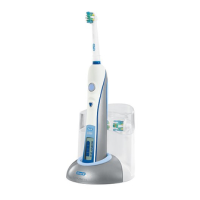
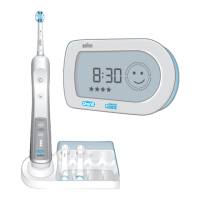
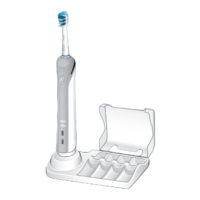
Core Components

Details on the brush head, handle, and charging unit.

Indicator Lights

Explanation of the pressure sensor, charge, and low charge indicator lights.

Buttons and Modes

Information on the on/off button and available brushing modes like Daily Clean, Sensitive, and Whitening.

Connecting and Charging

Charging Process

Instructions for plugging in the charger and placing the toothbrush handle on the unit for charging.

Battery Maintenance

Guidance on maintaining battery capacity and environmental recommendations for unplugging the charger.

Using Your Toothbrush

Brushing Technique

Recommended method for brushing teeth, including pressure, motion, and quadrant coverage.

Mode Switching

Steps to switch between different brushing modes like Daily Clean, Sensitive, and Whitening.

Pressure Sensor Function

How the pressure sensor works to protect teeth and gums from excessive brushing force.

Professional Timer

Explanation of the 30-second interval reminders and the 2-minute total brushing time indicator.

Brush Head Replacement

Guidance on monitoring brush head wear using indicator bristles and recommendations for braces.

Summary

Product Description

Core Components

Details on the brush head, handle, and charging unit.

Indicator Lights

Explanation of the pressure sensor, charge, and low charge indicator lights.

Buttons and Modes

Information on the on/off button and available brushing modes like Daily Clean, Sensitive, and Whitening.

Connecting and Charging

Charging Process

Instructions for plugging in the charger and placing the toothbrush handle on the unit for charging.

Battery Maintenance

Guidance on maintaining battery capacity and environmental recommendations for unplugging the charger.

Using Your Toothbrush

Brushing Technique

Recommended method for brushing teeth, including pressure, motion, and quadrant coverage.

Mode Switching

Steps to switch between different brushing modes like Daily Clean, Sensitive, and Whitening.

Pressure Sensor Function

How the pressure sensor works to protect teeth and gums from excessive brushing force.

Professional Timer

Explanation of the 30-second interval reminders and the 2-minute total brushing time indicator.

Brush Head Replacement

Guidance on monitoring brush head wear using indicator bristles and recommendations for braces.

Oral-B TRIZONE Series Specifications

General IconGeneral
Indicator BristlesYes
TypeElectric Toothbrush
ModelTRIZONE Series
Brushing ModesDaily Clean, Gum Care, Sensitive
Compatible Brush HeadsFlossAction
FeaturesPressure Sensor
Power SourceBattery
Movement TypeOscillating-rotating
Brush HeadIncluded (varies by model)

Related product manuals