EasyManua.ls Logo

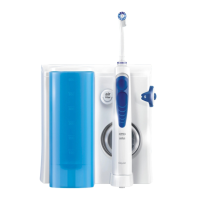
Oral-B OXYJET - User Manual

Oral-B OXYJET
42 pages
Print Icon
To Next Page IconTo Next Page
Loading...
powered
by
PROFESSIONAL
CARE
OXYJET
OXYJET
5
filter
air
5
ml
600
500
400
300
200
OxyJet
92377113_MD20_CEEMEA_S1.indd 192377113_MD20_CEEMEA_S1.indd 1 30.01.13 10:2730.01.13 10:27
Stapled booklet, 148 x 210 mm, 42 pages (incl. 6 pages cover), 2/2c = black + PMS300u
CSS APPROVED Effective Date 28Feb2013 GMT - Printed 08Mar2013 Page 1 of 42

Other manuals for Oral-B OXYJET

Question and Answer IconNeed help?

Do you have a question about the Oral-B OXYJET and is the answer not in the manual?

Summary

Using the Irrigator

Attach Jet and Fill Container

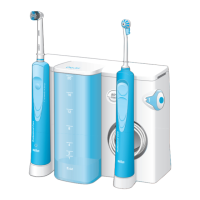
Attach one of the irrigator jets (a) to the handle until it locks into place (1). Fill the water container with lukewarm water.

Power On and Set Pressure

Turn on the irrigator by pressing the on/off switch (e) (2). Select water pressure with the dial (f) (1=gentle, 5=strong) (3).

Guide Jet and Start Stream

Bend over a washbasin and guide the jet to your teeth and gums. Slide the handle switch (g) up to start the water stream (4).

Rotating Stream Function

Rotating stream for general cleaning and gum massage (jet switch in lower position) (6). Designed for easy penetration.

Mono Stream Function

Mono stream (jet switch in upper position): The straight water stream is designed for targeted cleaning (7).

Product Care and Maintenance

After Use Procedures

Always empty the water container entirely. Wipe the handle and irrigator jet dry; store them in the jet compartment.

Cleaning Instructions

Regularly clean the housing with a damp cloth. Water container and jet compartment are removable and dishwasher-safe.

Guarantee and Warranty Information

Limited Guarantee Terms

2 years limited guarantee on product defects from materials or workmanship. Excludes improper use or normal wear.

Warranty Exclusions

Warranty void if repairs by unauthorized persons or use of non-original parts. Does not cover damage due to improper use.

Replacement Accessory Policy

Oral-B warranty void if non-Oral-B parts cause damage. Oral-B does not recommend non-Oral-B accessories.

Summary

Using the Irrigator

Attach Jet and Fill Container

Attach one of the irrigator jets (a) to the handle until it locks into place (1). Fill the water container with lukewarm water.

Power On and Set Pressure

Turn on the irrigator by pressing the on/off switch (e) (2). Select water pressure with the dial (f) (1=gentle, 5=strong) (3).

Guide Jet and Start Stream

Bend over a washbasin and guide the jet to your teeth and gums. Slide the handle switch (g) up to start the water stream (4).

Rotating Stream Function

Rotating stream for general cleaning and gum massage (jet switch in lower position) (6). Designed for easy penetration.

Mono Stream Function

Mono stream (jet switch in upper position): The straight water stream is designed for targeted cleaning (7).

Product Care and Maintenance

After Use Procedures

Always empty the water container entirely. Wipe the handle and irrigator jet dry; store them in the jet compartment.

Cleaning Instructions

Regularly clean the housing with a damp cloth. Water container and jet compartment are removable and dishwasher-safe.

Guarantee and Warranty Information

Limited Guarantee Terms

2 years limited guarantee on product defects from materials or workmanship. Excludes improper use or normal wear.

Warranty Exclusions

Warranty void if repairs by unauthorized persons or use of non-original parts. Does not cover damage due to improper use.

Replacement Accessory Policy

Oral-B warranty void if non-Oral-B parts cause damage. Oral-B does not recommend non-Oral-B accessories.

Oral-B OXYJET Specifications

General IconGeneral
BrandOral-B
ModelOXYJET
CategoryElectric Toothbrush
LanguageEnglish

Related product manuals