EasyManua.ls Logo

Oral-B GENIUS 8000 - User Manual

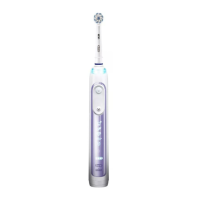
Oral-B GENIUS 8000
21 pages
Print Icon
To Next Page IconTo Next Page
Loading...
Charger Type 3757
Handle Type 3765
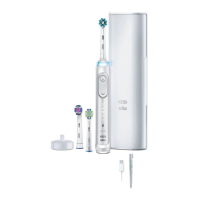
Travel Case Type 3760
Smart Plug Type 492-5214
8000-9000
90715581_D701_KR_S1.indd 190715581_D701_KR_S1.indd 1 17.03.16 11:5517.03.16 11:55
Stapled booklet, 120 x 170 mm, 16 pages, 2/2c = black + PMS300u
CSS APPROVED Effective Date 18May2016 GMT - Printed 27Sep2016 Page 1 of 24

Other manuals for Oral-B GENIUS 8000

Question and Answer IconNeed help?

Do you have a question about the Oral-B GENIUS 8000 and is the answer not in the manual?

Summary

Product Components Overview

Brush Head

The primary cleaning attachment for the toothbrush.

Handle

The main body of the toothbrush, housing the motor and battery.

Charging Unit

The base station used for recharging the toothbrush handle.

Smart Plug

The power adapter that connects the charging unit to an electrical outlet.

Charging Travel Case

A portable case that includes charging functionality for the toothbrush.

Initial Setup and Charging

Using Your Toothbrush

Brushing Technique

Detailed instructions on proper brushing methods for effective oral hygiene.

Timer Functionality

Pressure Sensor Operation

Brushing Modes Explained

Brush Head Information

Warranty and Limitations

Smartphone Holder Usage

Manufacturing Date Code

Device Specifications

Bluetooth LE Device Description

Technical specifications for the Bluetooth Low Energy radio module.

Proprietary Device Description

Technical specifications for the proprietary wireless communication module.

Troubleshooting Guide

App Connectivity Issues

Resolving problems with the toothbrush not operating correctly with the Oral-B app.

Toothbrush Functionality Issues

Handle Not Operating

Troubleshooting steps for a non-operational toothbrush handle, including initial use.

SmartGuide Synchronization Issues

Troubleshooting steps for problems connecting the handle with an existing SmartGuide.

Timer Malfunctions

Resolving issues with the toothbrush timer not activating or functioning correctly.

Charging and Blinking Problems

Diagnosing and fixing issues with the toothbrush not charging or showing incorrect blinking lights.

Important Safety Precautions

General Warnings

Key warnings and precautions for safe operation and handling of the toothbrush.

Important Information

General notes and guidance regarding the toothbrush's features and usage.

Smart Ring Features

Timer Setup Guide

Brushing Mode Selection

Cleaning Recommendations

Accessories Overview

Smartphone Holder

Details on mounting and using the smartphone holder accessory for optimal viewing.

Environmental Notice

Product Guarantee

Information and Connectivity

Bluetooth Radio Module

Information about the Bluetooth radio module, its supported functions, and reliability.

Manufacturing and Device Details

Manufacturing Date Code

Guide to identifying the production year and month from the code on the device.

Bluetooth LE Device Description

Technical specifications for the Bluetooth LE device.

Proprietary Device Description

Technical specifications for the proprietary device.

Troubleshooting Specific Issues

App Connectivity Problems

Solutions for issues when the handle does not operate properly with the Oral-B app.

Toothbrush Functionality Troubleshooting

Handle Not Operating

Troubleshooting steps for a non-operational toothbrush handle, including initial use.

SmartGuide Synchronization Issues

Troubleshooting steps for problems connecting the handle with an existing SmartGuide.

Timer Malfunctions

Resolving issues with the toothbrush timer not activating or functioning correctly.

Charging and Blinking Problems

Diagnosing and fixing issues with the toothbrush not charging or showing incorrect blinking lights.

Summary

Product Components Overview

Brush Head

The primary cleaning attachment for the toothbrush.

Handle

The main body of the toothbrush, housing the motor and battery.

Charging Unit

The base station used for recharging the toothbrush handle.

Smart Plug

The power adapter that connects the charging unit to an electrical outlet.

Charging Travel Case

A portable case that includes charging functionality for the toothbrush.

Initial Setup and Charging

Using Your Toothbrush

Brushing Technique

Detailed instructions on proper brushing methods for effective oral hygiene.

Timer Functionality

Pressure Sensor Operation

Brushing Modes Explained

Brush Head Information

Warranty and Limitations

Smartphone Holder Usage

Manufacturing Date Code

Device Specifications

Bluetooth LE Device Description

Technical specifications for the Bluetooth Low Energy radio module.

Proprietary Device Description

Technical specifications for the proprietary wireless communication module.

Troubleshooting Guide

App Connectivity Issues

Resolving problems with the toothbrush not operating correctly with the Oral-B app.

Toothbrush Functionality Issues

Handle Not Operating

Troubleshooting steps for a non-operational toothbrush handle, including initial use.

SmartGuide Synchronization Issues

Troubleshooting steps for problems connecting the handle with an existing SmartGuide.

Timer Malfunctions

Resolving issues with the toothbrush timer not activating or functioning correctly.

Charging and Blinking Problems

Diagnosing and fixing issues with the toothbrush not charging or showing incorrect blinking lights.

Important Safety Precautions

General Warnings

Key warnings and precautions for safe operation and handling of the toothbrush.

Important Information

General notes and guidance regarding the toothbrush's features and usage.

Smart Ring Features

Timer Setup Guide

Brushing Mode Selection

Cleaning Recommendations

Accessories Overview

Smartphone Holder

Details on mounting and using the smartphone holder accessory for optimal viewing.

Environmental Notice

Product Guarantee

Information and Connectivity

Bluetooth Radio Module

Information about the Bluetooth radio module, its supported functions, and reliability.

Manufacturing and Device Details

Manufacturing Date Code

Guide to identifying the production year and month from the code on the device.

Bluetooth LE Device Description

Technical specifications for the Bluetooth LE device.

Proprietary Device Description

Technical specifications for the proprietary device.

Troubleshooting Specific Issues

App Connectivity Problems

Solutions for issues when the handle does not operate properly with the Oral-B app.

Toothbrush Functionality Troubleshooting

Handle Not Operating

Troubleshooting steps for a non-operational toothbrush handle, including initial use.

SmartGuide Synchronization Issues

Troubleshooting steps for problems connecting the handle with an existing SmartGuide.

Timer Malfunctions

Resolving issues with the toothbrush timer not activating or functioning correctly.

Charging and Blinking Problems

Diagnosing and fixing issues with the toothbrush not charging or showing incorrect blinking lights.

Oral-B GENIUS 8000 Specifications

General IconGeneral
Battery TypeLithium Ion
Battery LifeUp to 12 days
Pressure SensorYes
Bluetooth ConnectivityYes
SmartRingYes
Travel CaseYes
TypeElectric Toothbrush
Power SourceRechargeable Battery
Timer2-minute timer with 30-second intervals
BrandOral-B
ModelGENIUS 8000
CategoryElectric Toothbrush
Charging TimeUp to 12 hours
Compatible AppOral-B App
Smart GuideNo
WaterproofYes
FeaturesPosition Detection
Cleaning ModesDaily Clean, Gum Care, Sensitive, Whitening, Pro-Clean
Brush Head StorageYes
Cleaning TechnologyOscillation, Rotation, and Pulsation
Brush HeadCrossAction
Charging MethodCharging Stand
Warranty2 years

Related product manuals