EasyManua.ls Logo

Oral-B TRIUMPH 5000 - User Manual

Oral-B TRIUMPH 5000
57 pages
Go to English
Print Icon
To Next Page IconTo Next Page
Loading...
powered
by
powered
by
powered
by
powered
by
TRIUMPH
TRIUMPH
®
Oral-
B
5 modes
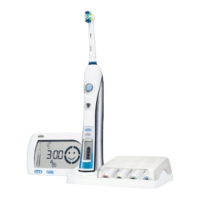
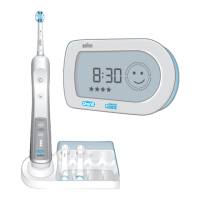
with Wireless Smart Guide
Oral-B
99700952_D34_WE_S1.indd 199700952_D34_WE_S1.indd 1 18.11.10 15:4618.11.10 15:46

Other manuals for Oral-B TRIUMPH 5000

Question and Answer IconNeed help?

Do you have a question about the Oral-B TRIUMPH 5000 and is the answer not in the manual?

Summary

General Safety Precautions

Product and Charger Safety

Covers cord damage, charger placement, water hazards, repair, battery disposal, and proper handling.

Child Safety and Usage

Details age restrictions, supervised use, and preventing children from playing with the appliance.

Brush Head Replacement and Usage

Instructs on replacing brush heads after drops and proper product usage.

Wireless Functionality and Interference

Deactivating Radio Transmission

Deactivate radio transmission to avoid interference in restricted areas like aircrafts or hospitals.

Pacemaker Safety

Maintain distance from pacemakers to avoid interference when the toothbrush is on.

Connecting and Charging

Charging Process and Indicators

Plug charger into outlet. Green lights indicate charging; solid light means full charge.

Charging Duration and Battery Life

Full charge lasts ~10 days. Low battery shows red light; empty battery needs 40-min charge.

SmartGuide Adjustments

Disabling Demonstration Mode

Deactivate the demonstration mode by removing the compartment cover at the back.

Clock Time Settings

Adjusting Clock Format

Set the clock time using 'set' and 'h/min' buttons to toggle between 12h/24h formats.

Using Your Toothbrush

Brushing Technique

Wet brush head, apply toothpaste. Brush teeth surfaces slowly, covering all four quadrants.

Gum Sensitivity and Bleeding

Minor gum bleeding may occur initially. Consult dentist if it persists or for sensitive gums.

Timer Functions Explained

Features 2-Minute and Professional timers with quadrant signals and completion alerts.

Personalizing Timer Settings

Customize timer modes (e.g., 2-Minute, Count up/down) via the mode button.

Pressure Sensor and Brushing Modes

Pressure Sensor Operation

Red light indicates excessive pressure; mode may change to 'Sensitive'.

Available Brushing Modes

Details modes like Daily Clean, Deep Clean, Sensitive, Whitening, and Massage.

Brush Head Information

Oral-B Brush Head Features

Describes FlossAction, Precision Clean, Sensitive, and 3DWhite brush heads and INDICATOR bristles.

Brush Head Compatibility

Notes on using brush heads with braces and recommended Ortho brush head.

Synchronizing Toothbrush and SmartGuide

Assigning Handles to SmartGuide

Synchronize up to 2 handles with one SmartGuide using the 'h/min' button.

Cleaning and Maintenance

Cleaning Recommendations

Rinse brush head and handle. Brush head compartment is dishwasher-safe; charger is damp cloth only.

Wall Mount Installation

Use adhesive tape to mount SmartGuide on clean, dry surfaces; wait 24h before attaching.

Battery Information and Disposal

SmartGuide Battery Replacement

Remove discharged batteries immediately. Replace all at once; do not mix battery types.

Environmental Disposal Notice

Do not dispose of product in household waste. Utilize Service Centers or approved recycling locations.

Guarantee and Support

Limited Guarantee Details

Provides 2 years limited guarantee against material/workmanship defects; excludes improper use.

Satisfaction Guarantee Offer

Offers a 30-day money-back guarantee if not 100% satisfied.

Customer Service Contact

Contact customer service for details or to be referred to the nearest authorized Oral-B Braun Service Centre.

Summary

General Safety Precautions

Product and Charger Safety

Covers cord damage, charger placement, water hazards, repair, battery disposal, and proper handling.

Child Safety and Usage

Details age restrictions, supervised use, and preventing children from playing with the appliance.

Brush Head Replacement and Usage

Instructs on replacing brush heads after drops and proper product usage.

Wireless Functionality and Interference

Deactivating Radio Transmission

Deactivate radio transmission to avoid interference in restricted areas like aircrafts or hospitals.

Pacemaker Safety

Maintain distance from pacemakers to avoid interference when the toothbrush is on.

Connecting and Charging

Charging Process and Indicators

Plug charger into outlet. Green lights indicate charging; solid light means full charge.

Charging Duration and Battery Life

Full charge lasts ~10 days. Low battery shows red light; empty battery needs 40-min charge.

SmartGuide Adjustments

Disabling Demonstration Mode

Deactivate the demonstration mode by removing the compartment cover at the back.

Clock Time Settings

Adjusting Clock Format

Set the clock time using 'set' and 'h/min' buttons to toggle between 12h/24h formats.

Using Your Toothbrush

Brushing Technique

Wet brush head, apply toothpaste. Brush teeth surfaces slowly, covering all four quadrants.

Gum Sensitivity and Bleeding

Minor gum bleeding may occur initially. Consult dentist if it persists or for sensitive gums.

Timer Functions Explained

Features 2-Minute and Professional timers with quadrant signals and completion alerts.

Personalizing Timer Settings

Customize timer modes (e.g., 2-Minute, Count up/down) via the mode button.

Pressure Sensor and Brushing Modes

Pressure Sensor Operation

Red light indicates excessive pressure; mode may change to 'Sensitive'.

Available Brushing Modes

Details modes like Daily Clean, Deep Clean, Sensitive, Whitening, and Massage.

Brush Head Information

Oral-B Brush Head Features

Describes FlossAction, Precision Clean, Sensitive, and 3DWhite brush heads and INDICATOR bristles.

Brush Head Compatibility

Notes on using brush heads with braces and recommended Ortho brush head.

Synchronizing Toothbrush and SmartGuide

Assigning Handles to SmartGuide

Synchronize up to 2 handles with one SmartGuide using the 'h/min' button.

Cleaning and Maintenance

Cleaning Recommendations

Rinse brush head and handle. Brush head compartment is dishwasher-safe; charger is damp cloth only.

Wall Mount Installation

Use adhesive tape to mount SmartGuide on clean, dry surfaces; wait 24h before attaching.

Battery Information and Disposal

SmartGuide Battery Replacement

Remove discharged batteries immediately. Replace all at once; do not mix battery types.

Environmental Disposal Notice

Do not dispose of product in household waste. Utilize Service Centers or approved recycling locations.

Guarantee and Support

Limited Guarantee Details

Provides 2 years limited guarantee against material/workmanship defects; excludes improper use.

Satisfaction Guarantee Offer

Offers a 30-day money-back guarantee if not 100% satisfied.

Customer Service Contact

Contact customer service for details or to be referred to the nearest authorized Oral-B Braun Service Centre.

Oral-B TRIUMPH 5000 Specifications

General IconGeneral
BrandOral-B
ModelTRIUMPH 5000
CategoryElectric Toothbrush
LanguageEnglish

Related product manuals