OC ANT+ LEV DISPLAY30 | ORBEA ORBEA | 31 TECHNICAL MANUAL
8.4. PAIRING ANT+ SENSORS
PAIRING AN EBIKE EQUIPPED WITH
THE MAHLE EBIKEMOTION® X35 SYSTEM.
For the OC ANT+ LEV display, the X35 system is an ANT+ sensor, for which the data
visualization elds on the head unit have been optimized.
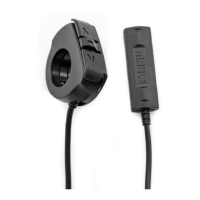
To pair with the display, rst turn the ebike on by pressing on the Iwoc One or Iwoc Trio
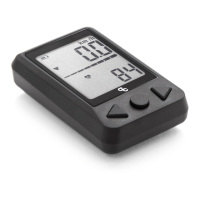
remotes. Once the bicycle is on, press the center button (B) on the display to switch it
on. The screen will show the message “E-bi” when it starts searching for an ebike. Next
it will show the message “Pair” while it tries to make the connection. If the connection
is successful, the X35 internal battery level bar will be visible across the center of the
screen, the speed data eld will show the current speed and the current assist level will
be displayed with a symbol.
If the pairing was not successful, make sure the bicycle is on and press the reset button
(D) on the back of the display to start the process over.
— E-bi — Pair — Bicycle connected
PAIRING TO OTHER ANT+ SENSORS.
The OC ANT+ LEV head unit can be paired to other ANT+
sensors besides the ebike for the visualization of riding
data on the screen.
To pair other sensors, check that these are active before
pressing the center button (B) on the display:
- Heart rate sensor: Put the heart rate sensor on in the
appropriate position on your body. Lightly wet if necessary
the contact point between the sensor and your skin for a
better reading.
- Speed sensor: Turn by hand the wheel the speed sensor
is installed on to activate the ANT+ sensor.
- Cadence sensor: Turn by hand the cranks to activate the
ANT+ cadence sensor.
Turn the head unit on and wait a few seconds until the
display recognizes the sensors. The pairing can take up
to 20 seconds.
The display with recognize how many ANT+ sensors are
connected and show the message “Ant(n), where “n” is the
number of sensors paired to the head unit:
Ant 1: One sensor connected. Normally the ebike.
Ant 2: Two sensors connected. Normally de ebike and one
more ANT+ sensor.
Ant3: Three sensors connected. Normally the ebike and
two more ANT+ sensors.
— Bicycle and two other sensors connected.
WARNING. MAHLE EBIKEMOTION® X35 MOBILE APP
AND ANT+ SENSORS.
The connection of ANT+ sensors to the OC ANT+ LEV dis-
play does not mean that the data from these sensors is
being recorded by the MAHLE Ebikemotion® X35 mobile
app if it is being used while riding via Bluetooth®. The only
data transmitted back from the display to the X35 system
is the assist level change using the arrow buttons on the
head unit (A) (C). The data from other sensors (cadence,
heart rate, etc) is not visible or recorded on the app as
part of an activity.
The mobile app connects to the X35 system via Bluetooth®
4.0, independently of the ANT+ LEV connection between
the OC display and the system.
If you wish, for example, to connect a heart rate sensor to
the mobile app to control the system and data recording,
the heart rate sensor must use a Bluetooth® 4.0 connec-
tion. There are several dual connection (ANT+ and Blue-
tooth®) heart rate sensors in the market.


 To Next Page