7
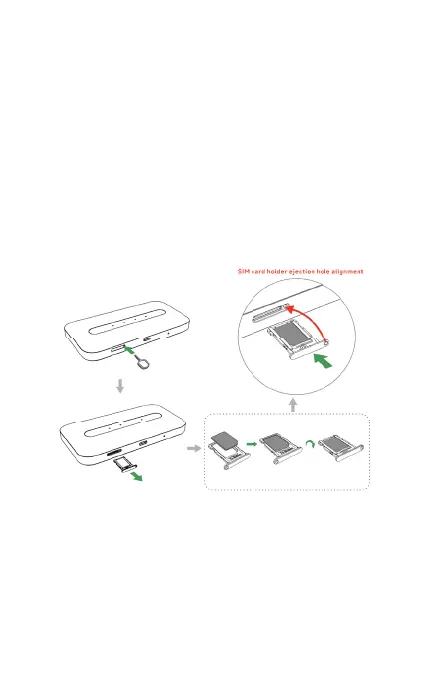
Installing the SIM Card
Follow the instructions below to install the SIM
card:
1. Press the card needle to make the SIM
card tray pop out.
2. Put the SIM card on the SIM card tray.
3. Insert the SIM card into the slot.
Note: Do not bend or scratch your SIM card, and
avoid exposing the SIM card to static electricity,
water or dirt.



 To Next Page