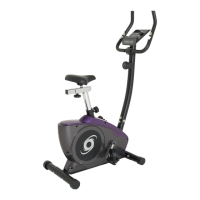
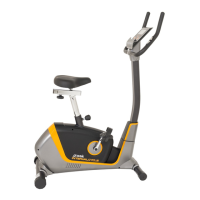
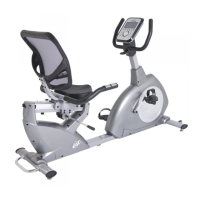
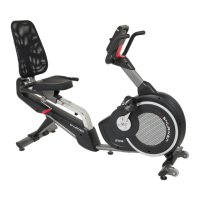
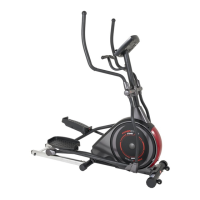
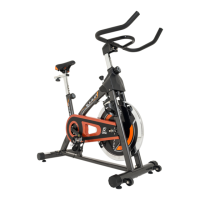
This document is the owner's manual for the Orbit OBK170M exercise bike. It provides detailed instructions for assembly, operation, and maintenance, along with a comprehensive list of parts and their descriptions.
Function Description:
The Orbit OBK170M is an exercise bike designed for indoor use, providing a strenuous workout for users. It features a computer console that tracks various workout metrics, including time, speed, RPM, distance, calories burned, pulse, and watts. The bike offers multiple workout programs, including Manual, Beginner, Advance, Sporty, Cardio (Target HR training), and Watt Program (constant training). It also includes a recovery test feature to assess heart rate recovery status and a body fat measurement function.
Important Technical Specifications:
- Maximum Weight Capacity: 150 kg (330 lbs)
- Display Functions:
- TIME: Counts up from 00:00 to 99:59 (1-minute increments) or counts down from a preset time to 00:00 (1-minute increments, 00:00 to 99:00 range).
- SPEED: Displays current training speed up to 99.9 KM/H or ML/H.
- RPM: Displays Rotation Per Minute, with a range of 0-15-999.
- DISTANCE: Accumulates total distance from 0.00 to 99.99 KM or ML. Preset target distance data can be set in 0.1 KM or ML increments (0.00 to 99.90 range).
- CALORIES: Accumulates calories consumed during training, from 0 to 9999. (Note: This is a rough guide for comparison and not for medical treatment.)
- PULSE: User can set a target pulse from 0-30 to 230. A buzzer will sound if the actual heart rate exceeds the target. (Note: The pulse sensor is an exercise aid, not a medical device; accuracy may be affected by user movement.)
- WATTS: Displays current workout watts, with a range of 0-999.
- Workout Programs: Manual, 4 Beginner programs, 4 Advance programs, 4 Sporty programs, Cardio (Target HR training), Watt Program (constant training).
- Body Fat Measurement: Measures body fat percentage and BMI.
- Power Saving Mode: Console enters power saving mode after 4 minutes without pedaling or pulse input.
Usage Features:
- Assembly: The manual provides a detailed hardware chart and an explosion drawing to guide the assembly process, broken down into 7 steps. Users are advised to inventory all parts, gather necessary tools, and clear their work area before starting.
- Operation:
- Power On: The computer powers on and displays all LCD segments for 2 seconds when plugged in.
- Workout Selection: Use the UP or DOWN (Encoder) buttons to navigate through workout modes (Manual, Beginner, Advance, Sporty, Cardio, Watt).
- Setting Parameters: Use UP or DOWN (Encoder) to set workout parameters like TIME, DISTANCE, CALORIES, PULSE, AGE, or WATT target. Press MODE / ENTER to confirm settings.
- Starting/Pausing Workout: Press START/STOP to begin or pause a workout.
- Adjusting Load Level: Use UP or DOWN (Encoder) to adjust the resistance level during a workout. The load level is displayed in the WATT window.
- Reset: Press and hold RESET for 2 seconds to reboot the computer and return to user settings or the main menu.
- Recovery Test: After exercising, hold the hand grips (or wear a chest strap) and press the RECOVERY key. The console counts down from 00:60 to 00:00 and displays a heart rate recovery status (F1 to F6, where F1 is best and F6 is worst).
- Body Fat Measurement: In STOP mode, press BODY FAT. The console prompts for GENDER, AGE, HEIGHT, and WEIGHT. Users must hold both hands on the hand grips during measurement. The LCD displays the body fat percentage and BMI. Error messages (e.g., "= = "" = =" for not holding grips, "E-1" for no heart rate signal, "E-4" for out-of-range FAT% or BMI) are provided for troubleshooting.
Maintenance Features:
- Regular Inspection: Users are advised to inspect and tighten all parts regularly.
- Part Replacement: Worn parts should be replaced immediately.
- Troubleshooting: If the computer acts abnormally, unplug the adaptor and plug it in again.
- Safety Precautions:
- Read all instructions before use.
- Ensure all users are informed of precautions.
- Use indoors on a level surface, away from moisture and dust. Place a mat under stabilizers.
- Keep children away from the equipment; do not leave them unsupervised.
- Wear appropriate exercise clothing; avoid loose clothing that could get caught.
- Stop exercising immediately and cool down if experiencing pain or dizziness.
- The pulse sensor is for exercise aid only, not a medical device.
The manual emphasizes the importance of reading all instructions carefully before using the product and retaining the manual for future reference. It also includes a caution regarding consulting a physician before undertaking strenuous exercise and notes that measurements from the equipment are believed to be accurate but should not replace a physician's measurements.

 Need help?
 General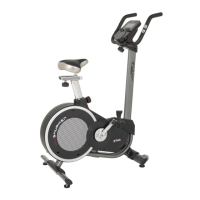

 To Next Page