7
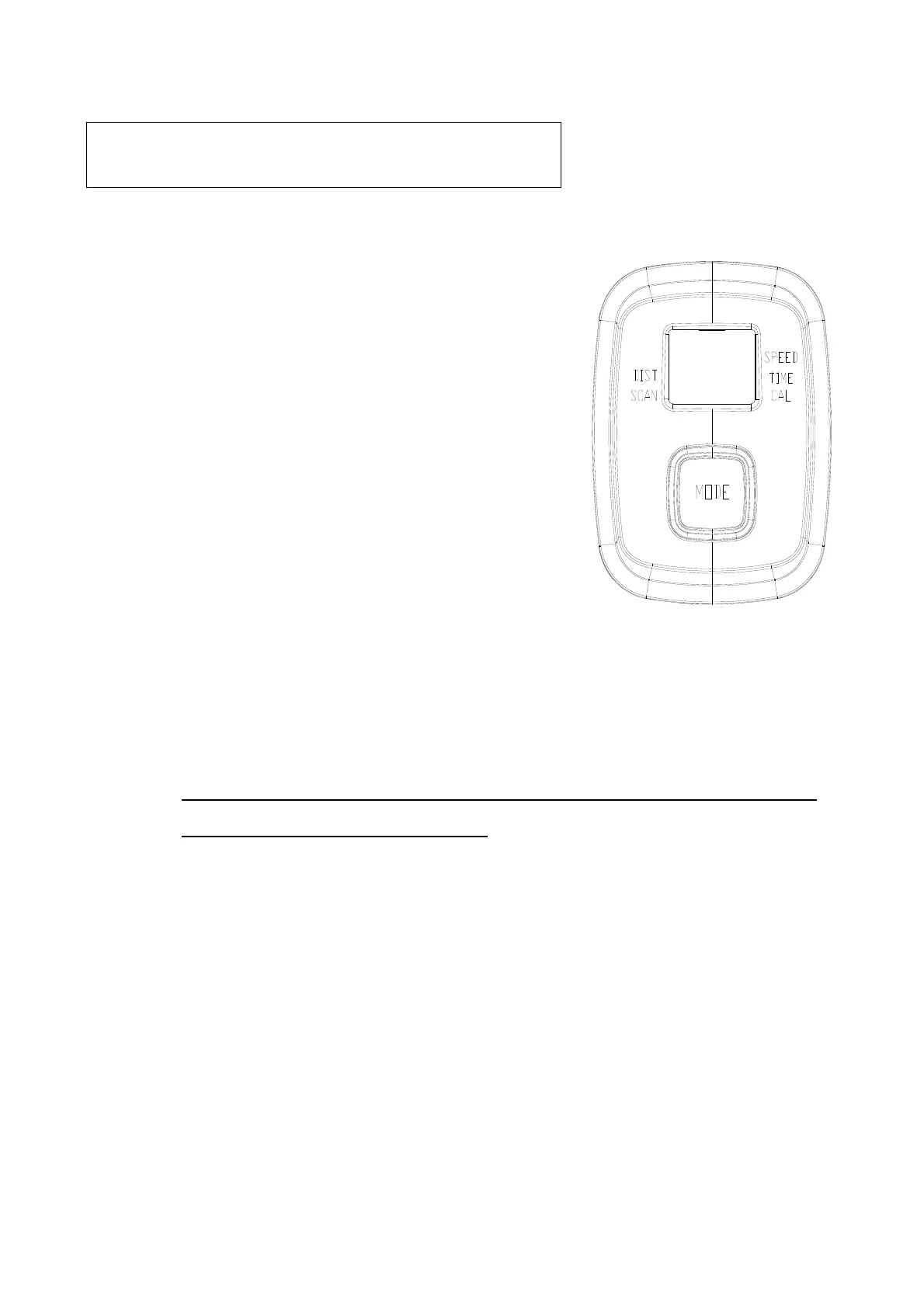
BUTTON FUNCTION:
MODE: This key allows you to select and set a particular
function while exercising.
FUNCTION
SCAN:. Automatically scan each function, including
SPEED, DISTANCE, TIME, and CALORIES, in
sequence. Display function change every six
seconds. Press the button until "SCAN" appears
on the display.
TIME:
Displays the time from one second up to 99:59 minutes
SPEED
:
Displays the current speed from zero to 999.9 KM per hour
DISTANCE
: Displays the distance from zero to 999.9 KM.
CALORIES:
Displays the calories burned from zero to 999.9 Kcal
The calorie readout is an estimate as an average n umb er fr om users. It
should be used only as a reference.
NOTE:
1. .
NOTE:
The meter will shut off automatically after four minutes of inactivity. All
function values will be kept. Press the button and hold it down for two seconds to reset
all functions to zero, except ODOMETER
2. Remove or replace the battery, Odometer will be reset to zero.
METER FUNCTION INSTRUCTION


 To Next Page