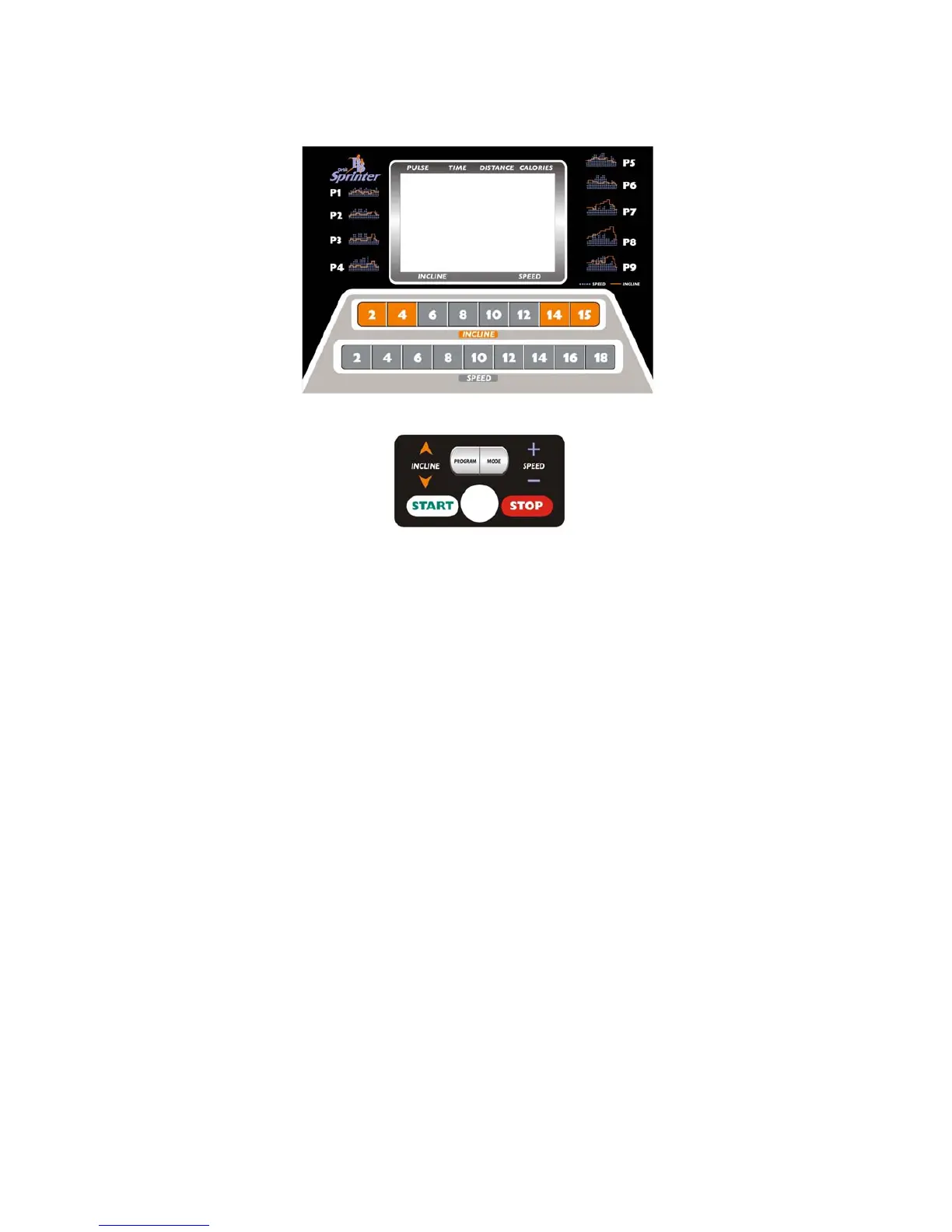
OPERATION GUIDE
WINDOW DISPLAY:
1、”PULSE” WINDOW: Show user’s pulse. When the user holds the Pulse bar with both hands or attach
the chest transmitter belt, it can track and display the user’s pulse approx 5 seconds, and the
indicating light will be on at the same time. The pulse display range will be 50-200 times/minute(This
data just is for your refernce and can’t be as the medicine data)
2、“TIME” WINDOW: Show running time. Time count up from 0:00 to 99:59, when up to 99:59, the man
chine will stop smoothly and show “ End “ in window; When time count down, it will be from setting
data to 0:00, when down to 0:00, the machine will stop smoothly and show “End “ in window.
3. “DISTANCE” WINDOW: Show running distance. Count up from 0.00 to 99:9, when up to 99.9, the man
chine will stop smoothly and show “ End “ in window; When count down, it will be from setting data to
0.00, when down to 0.00, the machine will stop smoothly and show “End “ in window.
4.“CALORIES” WINDOW: Show runner’ s calories. it will show from 0 to 999, when up to 999, it will clear
the data and recount from 0, when exercise in a record distance, the set calorie will run down until it
count down to 0, and meanwhile the window will show “end”.
5、“INCLINE” WINDOW: Show incline, the range is 0-15 section.
6、“SPEED” WINDOW: Show speed, the range is 1.0-20 KM/H.
7、“LAPS” :It display 400 meters virtual racetrack , circles and program drawing and so on. It display
P1-P9,U1-U3,HP1-HP3 under pre-setting status.
8、“INCLINE+SPEED”:
Showing the incline and speed when in PROGRAM
8



 To Next Page