Operation Manual
CompactDual – Two in One
© 08/2019 Rev 0 / Subject to change without notice! Page 8/53
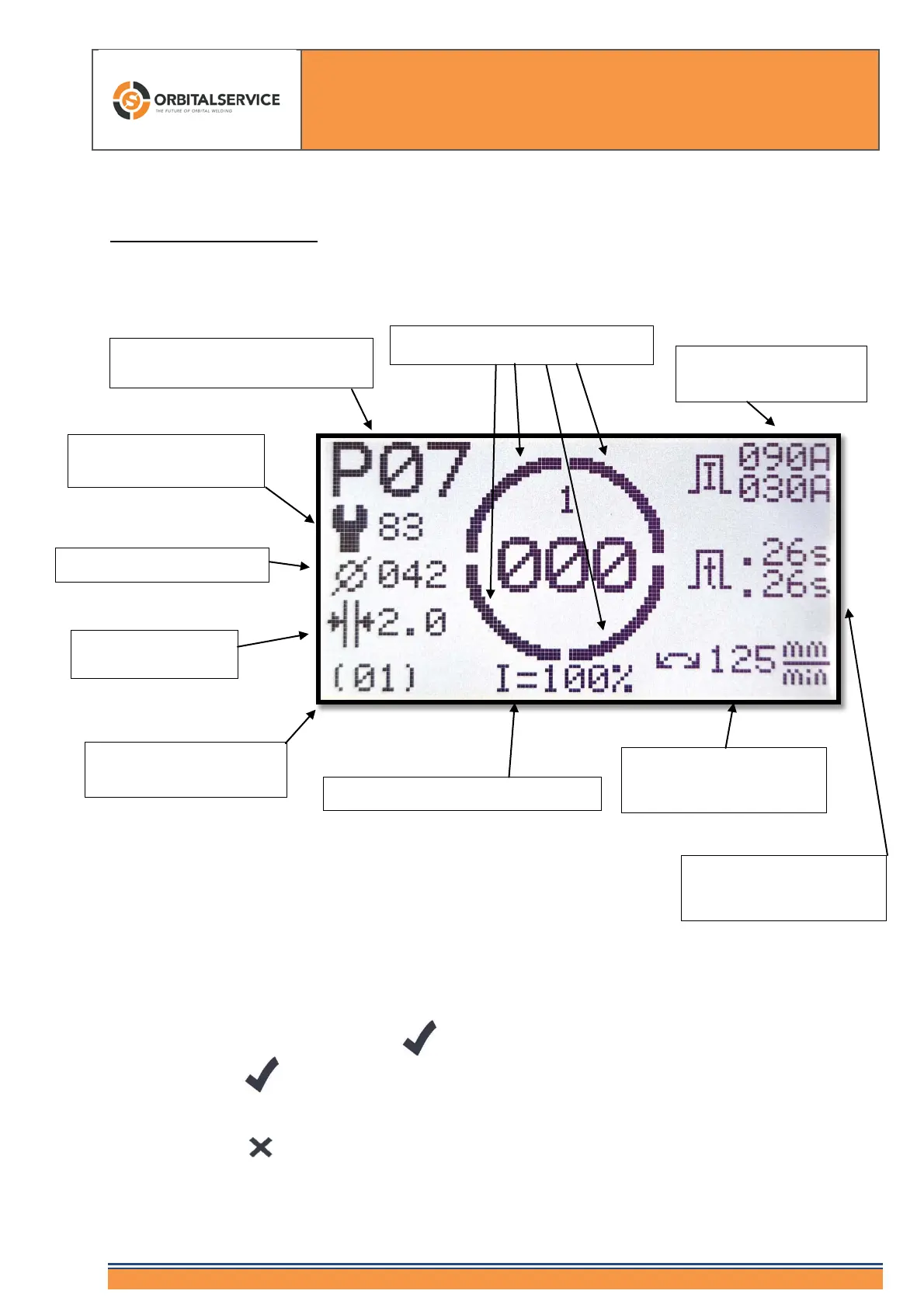
5. The Home Screen
This screen is the "main screen". Only from this screen you can start the welding process by
means of the remote control or the button.
With the Button you arrive always at the main screen. Furthermore you can start the
welding process when you are not using the remote control.
With the Button you also arrive at the main screen, but no changes are accepted.
times (Info Sector 1
External diameter (42 mm)
possible weld heads)
(Status messages OS)
Changing current through %-Button
(2.0 mm)
Program number 07 (out of 99
possible programs)
Display sectors and angle degrees
(Info Sector 1)
Sector 1)



 To Next Page