Operation Manual
CompactDual – Two in One
© 08/2019 Rev 0 / Subject to change without notice! Page 5/53
3. The Power Supply (Front and Rear Panels)
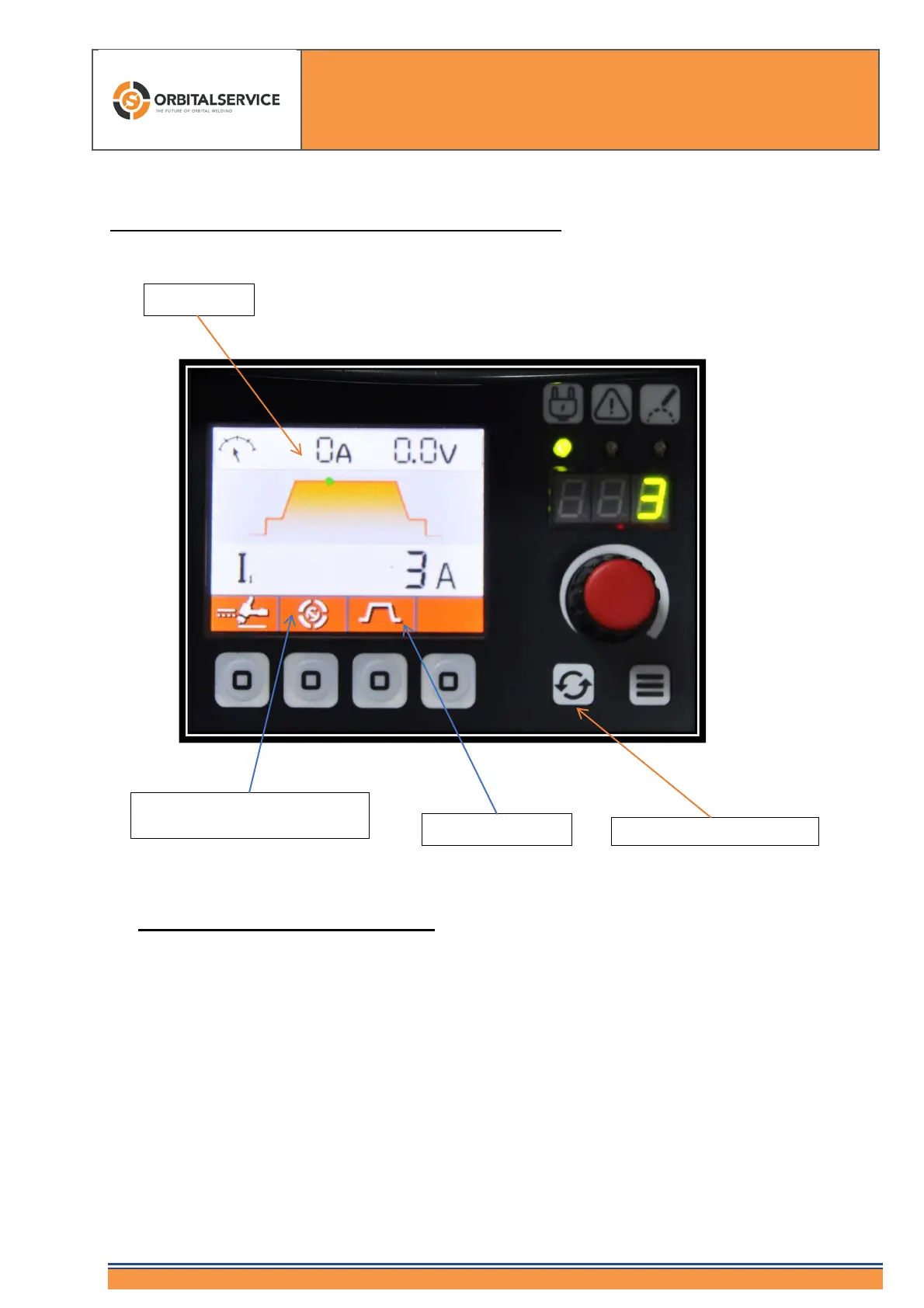
Information „Orbital Welding ON“
The switching of hand / orbital is carried out with the right button (orbital -
manual). If the field shows Orbital Service's orbital button (like our logo),
orbital mode is enabled. You cannot set gas times, welding currents, etc.
with the red knob. Only the mode "pulsed current, constant and high
frequency" can be changed by pressing the button below.
We do not recommend the additional pulsed current (up to a maximum of
2.5 kHz). This only makes sense in isolated cases and special
applications!
Switching Orbital - Manual
Information „Orbital Welding
ON“



 To Next Page